class_name Projectile
extends Area2D


@export var initial_vector: Vector2i
@export var fall_gravity_multiplier := 1.25
@export var affected_by_gravity := true


func _physics_process(delta: float) -> void:
	position += initial_vector * delta

	if affected_by_gravity:
		position.y += PhysicsConstants.FALL_GRAVITY * fall_gravity_multiplier * delta
I also have a projectile launcher node which, as the name implies, launches those projectiles by spawning them as its children. However, the problem is that if I rotate the launcher, it also seems to change the direction of gravity. For instance, if I have a launcher that shoots straight down and I rotate it, the projectiles would be shot in a straight line in whatever direction it’s pointing in, at the same increased speed (cuz it’s multiplied by gravity), instead of following an arc as one might expect.
So after spending a while trying to find a way to rotate launchers in a way that doesn’t mess with physics, I’m kind of at a loss and now I’m here. Do I really have to resort to hardcoding a set of allowed directions? Surely there has to be a more elegant solution.
Yes, I do add them as children, so what should I do instead? I just thought having a spawner node that could be attached to anything would be convenient, guess it’s not
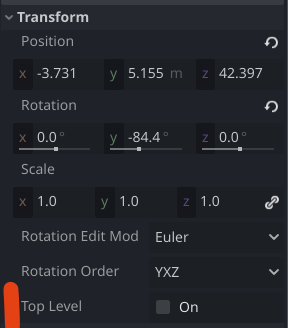
If you want to simplify spawning you can use option “Top Level” inside Transform section of the projectile. That will guarantee to allow move object independently.
If you add a node as a child to another node it will inherit the position. People usually avoid this by instead adding bullets etc to stationary nodes that will not change transform settings during gameplay.
But I kinda do want it to inherit the position and rotation, just not the way it behaves after that? I guess what I want is the initial vector to be defined by the rotation, but then I want it to be normally affected by gravity if such an option is enabled, how do I achieve that? Like for instance if said projectile is an arrow or a spear, it needs to point in the direction it’s traveling in.
You can change global_transform to global_position if that’s all you want copied over. What the script basically let’s you do is add it at the same level of the scene tree then after add_sibiling() you can do stuff to it
Yes ofcourse! Set the initial everything in the bullet’s _ready and you will get to use the initial values, without the bullet reacting to changes to the node’s transform after having been fired. It is just as in real life. Throw a rock and it will inherit your hand’s angle but it wont change trajectory if your hand moves after the throw.
So I still don’t exactly understand how to convert the launcher’s rotation into an angle that would be somehow added/multiplied/whatever to the initial vector or what? I’m totally confused
Ok it seems i misunderstood your question. When you say changes happen while turning the spawner, you mean only for bullets fired after the spawner is turned, not that it affects already fired bullets?
Couldn’t you just place a node like a node2d or marker2d as a child node placed in front of the spawner at the angle you want, and in the bullet _ready use angle_to() to set the initial direction?
About the unpredictable gravity, i’m not sure if i understood the problems correctly.
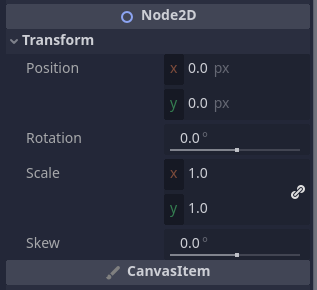
I uh, actually never tried turning the spawner in real time I always quit the game, turned it in the editor, and started the game again. I assume it would’ve applied to the already fired bullets if they didn’t disappear as soon as they left the screen or hit the floor, so I did change the bullet to be a child of the action viewport node (I have a bit of a complicated viewport setup but this seems to work well enough).
I guess I could try that setup with the marker2d, but I’m not exactly sure how to approach it: the docs say angle_to returns a float, and I think I need a vector, am I dumb or something?
And as for gravity, I unfortunately can’t replicate that because I already rewrote a lot of stuff, but basically it didn’t properly fall down because it thought the positive Y direction was wherever the launcher was aimed.
projectile.initial_vector = projectile.speed * global_position.direction_to($SpawnPosition.global_position)
	if projectile.look_in_travel_direction:
		projectile.look_at($SpawnPosition.global_position)
And it WORKS, it heckin works!!! Well, mostly. When shooting straight up or down, the projectile doesn’t look exactly in that direction, it looks sorta to the left. There’s also this bit in the projectile code (oh btw, I turned it into a kinematic):
if look_in_travel_direction:
		look_at(velocity)
And these two definitely mess with each other, if I disable the latter, it rotates in the direction it’s being shot just as intended, but then it doesn’t rotate to match the trajectory it’s following

 I always quit the game, turned it in the editor, and started the game again. I assume it would’ve applied to the already fired bullets if they didn’t disappear as soon as they left the screen or hit the floor, so I did change the bullet to be a child of the action viewport node (I have a bit of a complicated viewport setup but this seems to work well enough).