I often end up rewriting chunks of code from my other projects, for example for sound management, scene transitions, camera work, etc… Until now, I didn’t find the need to turn them into libraries, but maybe the time has come.
Still, my code is sloppy, and I would be embarrassed to upload it to the asset library. My repos are always open, but uploading it to the lib feels too professional, so I have been researching for alternative ways to package my code into reusable libraries and manage them across projects.
Using git submodules seems like the best option (besides the asset lib) but I’m not sure I like it entirely. I have seen projects like the godot package manager but I don’t know how good and mature they are.
I constantly feel like I am missing something, like this is something that should be easy to solve given how common it is in porogramming, but every time I do some research, I end up empty handed again, or not entirely convinced.
use resources with functions, it’s best way - simple and portable,
e.g you can have:
extends Resource
class_name Library

func some_important_math(x, y):
  return x + y ^ 2

func non_important_math(camera):
  camera.zoom = Vector2.ONE * 4
the thing i don’t understand is why you need them to be “proffesional” if you need to stop rewriting the same things in code - copying script into a new game shouldn’t be much of a problem, and you can use it with export to attach it to any node you want
I don’t see why. If it is useful to others, because it is something that takes away effort in an intuitive way, then it’s worth it to share. Like this fantastic idea for developing plugins:
As for copying code into new projects. That’s no problem. Usually you end up tweaking it to be a little better, right?
One can get really mired focusing too much on writing reusable code.
I’m not too proud of my code. I’m still learning. Because of this mindset I also tend to write things my own way in order to learn. This means there are already better solutions to every one of my libraries. That is one of the reasons I am reluctant to post them into the asset library.
As for copying code, until now that has been the case. Every time I copy-pasted something, I ended up tweaking it. However, my goal is to get to a point where some tweaks might happen, but I have a “stable” toolkit that I use all the time.
About getting mired, you are absolutely right. It happens to me all the time. I tend to be embarrassed and really critical about my code, and that pushes me to sometimes overthink or even make things “too reusable,” which leads to overengineering and often too complex code.
To sum up, I’d like to have a toolkit that I use all the time, and I want it to be written by me in spite of better solutions already existing. That is why I wondered if something like npm or the go package manager existed
Yeah, I use them often. However, I often end up with “plugins” or packages that involve more complex setups. I can still copy paste them, but I’d like to end up having a “toolkit” of several independent plugins that I can import and track easily across projects.
I want my toolkit to be written by me (mainly for learning reasons), but this also means that there are similar plugins / packages in the asset library that solve the same problem in a better way. For example, I have a camera management system that is way worse than Phantom Camera, but I want to use mine. That is why I don’t want to upload my stuff to the library.
i think that’s called perfection - and perfection destroys more games than bad code ever will
i propose you changing mindset from “code is important” to “my game is important” - it removes stress, fixes most problems with perfectionism and allows you to finish your game, not just leave indie dev after few years saying it wasn’t for you
git submodules may be better than the asset lib as you can update your modules much easier than re-uploading and re-approving then finally re-downloading with the asset lib. However, git submodules are the devil; terrible interface prone to over complicating any repository, and it’s all git’s fault, just poor UX, the concept itself is fine.
If you only care about local development you may be able to symlink directories to keep your generic scripts up to date on every project, this very likely makes version control more annoying though, and branching off any submodules for one-off behavior requires upgrading it to a copy and we’re back where we started.
I don’t use plugins either, preferably making my own tools. One tool I want to use in many projects takes screenshots automatically so I can track progress and market easier; but this does not need to be updated so the AssetLib works fine for me. I have yet to find large snippets of code I am using in multiple place nor projects, maybe the snippets are small enough thanks to Godot that I don’t notice similarities.
I agree to some extent, but I believe balance is key. I have worked with both go and node as an engineer, and the dependency problem is solved in a “similar way” in both. I just assumed there would be an analogous solution in Godot since this is such a common problem.
Until now I have avoided the “urge to be a perfectionist” regarding dependencies. I just copy pasted my code across projects. I do believe that I am too used to other software development environments, and game dev (especially solo dev) must be approached in a different way.
So far I am keeping a healthy balance. I like to be perfectionist because I hate when a bad architectural decision I made comes back to hunt me months later, but I am also aware of what you say. Perfectionism can (and often does) become dangerous
abstract from the Original topic, but i think that balance is not found between “slight” and “high” perfection but between when to use it
like if you don’t have a game - architecture is pointless, unless you feel the game is fun, you don’t need architecture - because you might waste year of good code for a game that will end up in a trashcan anyways
that said - hope you’ll find system you fit with most
I don’t really know if I agree or disagree. I have been using godot for about 2 years. I take it seriously and always try to squeeze a couple of hours every day for godot, but I’m still amateur and I never took a projects as something really serious. Just tests and prototypes to track my progress.
I think once I step out of the beginner phase, I will have enough foundations not to make the architectural mistakes that I am making now and that feel really painful. Maybe then I’ll have the courage not to be as perfectionist.
Right now I am happy with my balance, but I take it you speak from experience, so I’ll take your advice when the time comes.
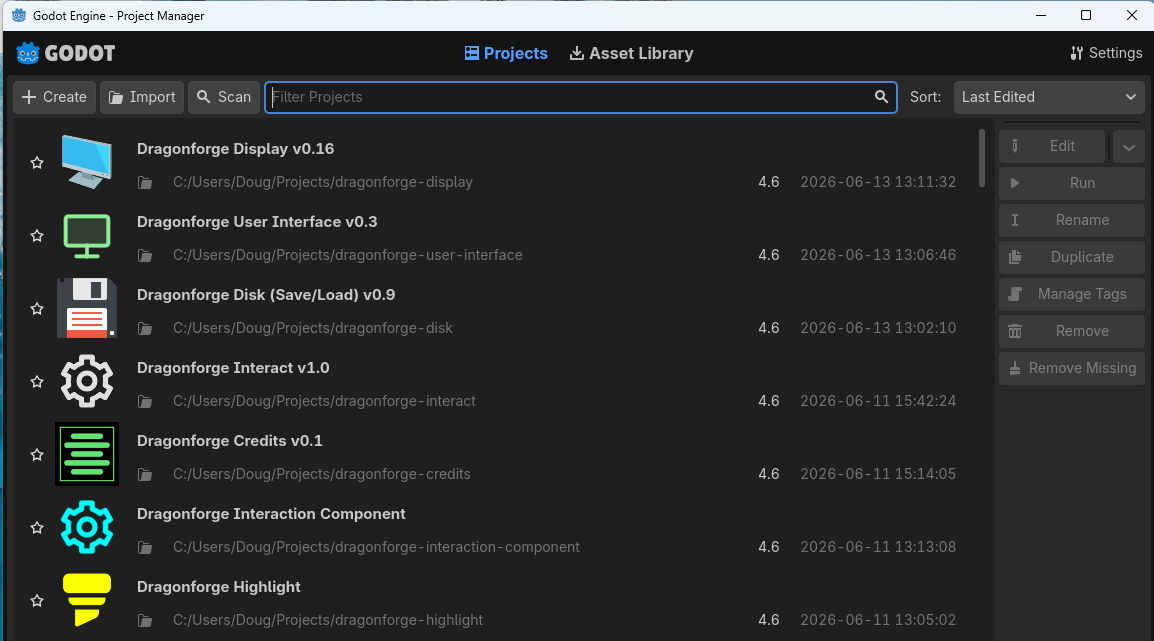
So Godot does not have a package manager, and cannot support package dependencies. So I have chosen just to create libraries in GitHub. As time has gone on, I have made those libraries smaller and smaller. Each library has a copy of all the libraries it needs, and a Readme that lists them. More recently, I have been making libraries optional. For example my User Interface Plugin has no required dependencies, but if the Sound and Disk plugins are present, then whenever you click a button, a default (modifiable) button click sound will be played.
I have also switched to favoring composition over inheritance. For example, when I first made my Camera3D Plugin, I created a couple objects that could handle any kind of camera - 1st person, 3rd person, etc. So I had one object that could do it all. But as I was doing the same thing with my Camera2D Plugin, I realized that sometimes I wanted zoom functionality on a Camera2D that was tied to the bounds of a TileMapLayer, and sometimes not. So it was better if I could just add them as nodes to a Camera2D. I’m now planning on revamping my Camera3D plugin to do the same thing.
Workflow
My typical workflow is to build the thing I need in a project that I am using it, then refactor it. It then becomes something I pull into a library. Then I re-use that library in another project, take notes and refactor again.
Create the thing and use it in situ. Figure out what I need, what is generic, and what is specific to my implementation.
Create a new project for the plugin. I always prepend project names with “dragonforge”. This is a a habit I got from Java, where you name a package with your domain name. Godot defaults project names to be kebab-case. Following the GDScript Style Guide, I use snake_case for the addon folder name. In that way I can distinguish which is the project folder nand which is the addon folder (e.g. dragonforge-sound vs dragonforge_sound).
Version it. After the project is created, I add a version number, following Semantic Versioning. (It is not only the standard Godot uses, but the standard for software development in general.) I always start with v0.1 which indicates that it is still in beta. I move to v1.0 once I am confident in the functionality being settled. (Very few of my plugins have made it to v1.0.)
Make a project icon for it. I go to SVG Repo and find something to use. I used to create my own using Krita or Gimp, but it’s a lot easier to find an SVG image and edit it on the web page, then download it. I will usually download a few versions until I find one that looks good as both a project icon and as a node icon. If what I am working on inherits from Control, Node2D or Node3D, I will color the icon appropriately to match the green, blue, red color scheme Godot uses. If it is an Autoload, (which all inherit from Node) I typically use a full color icon. I have also started using full color icons for Nodes that are components, such as for a Health of Highlight component.
If it’s a script attached to a complicated scene, I create the scene as a single object that can be created as a single node from the Add Node dialog. (For example, my CurvedTerrain2D Plugin is a complex scene that builds itself as a @tool script.)
Every script always gets a class_name.
If there is an Autoload component, keep it as few lines as possible, and make it load in the plugin script.
If there are key bindings needed, add them to the plugin script.
Recently, I have started separating out UI code and putting it in its own plugin, so that it can be re-used, or discarded as necessary.
When configuration is needed by the end user, I try to focus on linking scenes or folders that contain the information I need - rather than having a bunch of settings.
I make a test folder and a runnable project that I can use both as a test of all features of the plugin, and as a demo for my future self or others using my plugin.
I add a README, and make sure the version is in the README, The project settings version field, the title of the project, and the plugin.cfg file (if there is one).
I make sure that every class and every public variable and function is documented with doc comment (##) comments so that when you mouse over anything when using it, the information is readily available.
I publish it to GitHub and ensure I make it clear at the top of the README what version of Godot I made the plugin in.
I use the plugin in another project when needed, and see what things need to change. I typically have a game_settings folder and add any modified plugin scripts there so the changes are easy to find at the end of the project. This is one of the reasons I have done a fair number of game jams. They are the perfect time to see what assumptions I made about future use bear out, and which need tweaking.
I update a the plugin, rev a new version, and push it. I also always do a new GitHub release, tagging a version. In this way it is easier to go back to old versions if I, or someone else, ever needs to do so.
A Node is almost always better as a component. The only code that should be in a Resource is code ETL code. Code that helps get data in or out. Resources should be used as data structures like in an MVC framework. Not as a poor man’s Node.
I admit I have done that in the past, and I take full blame for the idea. I’m allergic to LLM’s. Sometimes I use a class with static methods. I guess it is slightly better than a resource but not ideal either