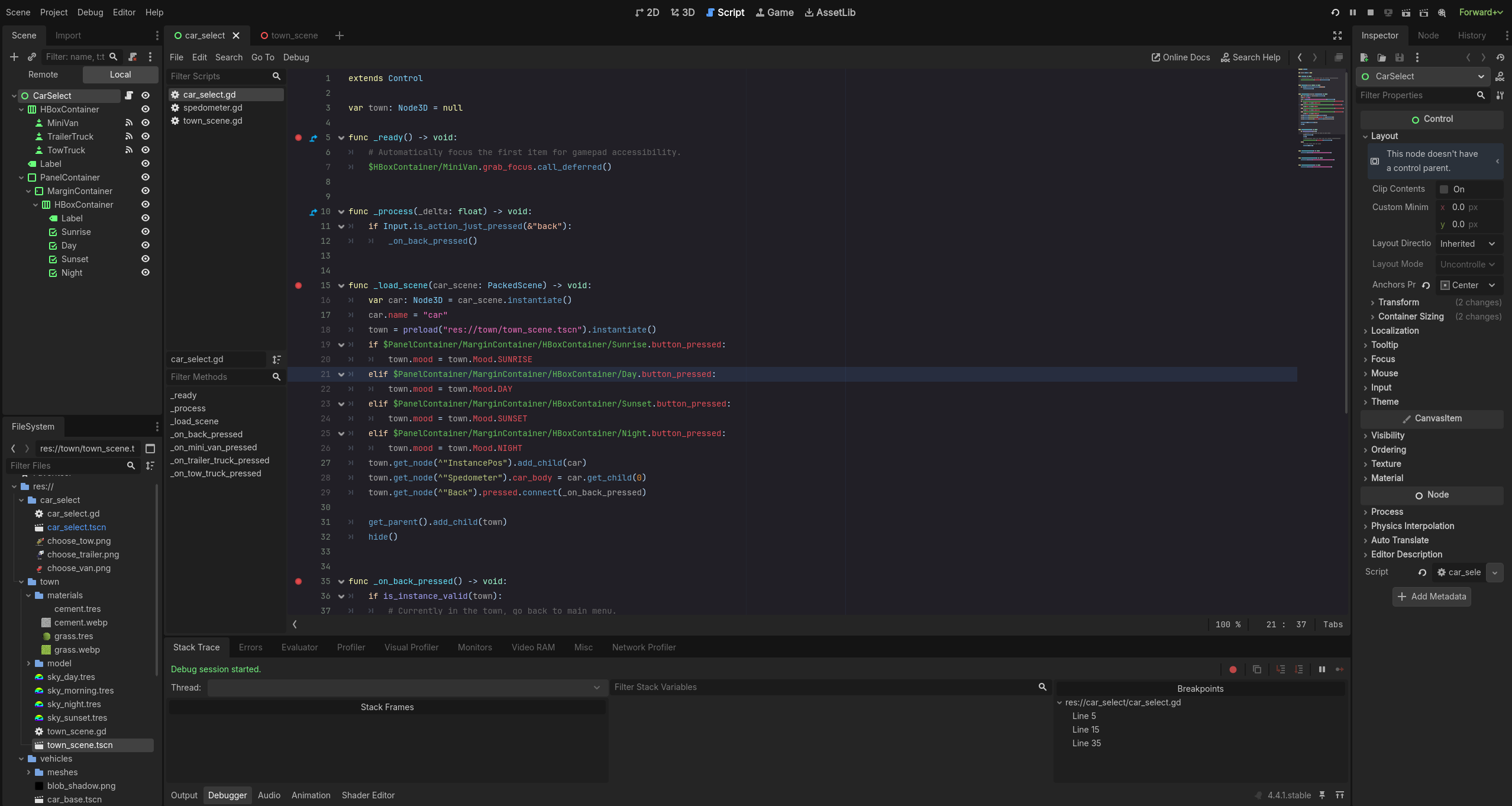
Apologies if I’m missing something obvious, but since I’ve started working on my project in linux, my breakpoints are no longer functional.
I’ve re-installed Godot and tried on x11 in case it was somehow a wayland issue, but still no luck.
My Editor Settings have Remote Host set to 127.0.0.1 and Remote Port set to 6007
I have almost the same setup as you (Arch/KDE Plasma but with x11) and it works without issues.
But I only ever use the Godot Editor’s built-in debugger (I do not connect my external editor to it). Just to confirm – does Godot’s Editor built-in debugger work for you?
Have you tried running the debugger in any of the sample projects?
You said “no longer functional”, did it stop working after you ran pacman updates?
Hmm, I have no clue tbh. But maybe we can gather some other differences.
When you click on the Play button and switch to the Debugger tab, what do you see there:
Sorry for the dumb sanity check question — I noticed you placed breakpoints on the function declaration lines, but debuggers usually don’t hit those (I double-checked, and they didn’t trigger for me either). Have you tried setting breakpoints inside the function body instead, like on line 7 where it starts with $HBoxContainer…?
Or at one or more points where the function is called, if you don’t want to step through every instance of that function being called.
Wouldn’t be surprised @rossvor nailed the problem !
Cheers !