Bug? When visible = true, Node2D appears shortly in the wrong position

Godot Version

4.5.1

Question

The following scenario: I instantiate a scene and configure the node to visible = false before adding it with add_child(). The node then switches to visible = true at a later point in time. When it does so, however, the node does not appear at its position on the screen for perhaps 1 or 2 frames, but somewhere else.
This does not happen if I refrain from setting the node to visible = false before adding it and do this in _enter_tree() instead, for example. It therefore seems that after visible = true, initialisations of the node, such as updating the position, are still carried out.

What do you think, is this a bug?

var a_object : Node2D = my_object.instantiate()
a_object.visible = false
a_object.position = target_pos
add_child(a_object)
# a_object
func _ready():
visible = true # appears shortly in the wrong position

You should not change the node position before adding it to the tree (before add_child), since the position of a node is dependent on both the Viewport and the parent (both of which are not accessible while the node is outside the tree).

1 Like

@Mazed, I can’t replicate this issue, my node appears exactly where I put it immediately when it enters the tree. Also it doesn’t matter if I make it invisible at the start or not - I don’t see how that would affect anything here, because either way the node will become visible only after it’s added to the tree and by that point it should be in its target position.

In regards to this:

@zigg3c, I honestly don’t see why you shouldn’t do that. I’ve done that so many times already (including here trying to replicate the problem OP described) and never had any issues. Would you mind elaborate why that could cause any issues?

1 Like

Sorry, is the node by any chance controlled by the animation player? If so, check the animation reset.

Back when I was learning Godot, one of the things I’d filed under “this is how it’s done, don’t think about it again” was to modify the nodes after add_child(). Now, I didn’t correctly remember all the subtleties. You are right in that modifying the position before or after you add the node to the tree will produce the same result.

I was wrong when I said the Viewport and the parent node are not accessible while the node is outside the tree. In retrospect, it’s obvious, since you are at this very moment using the parent to add the child, and you have access to your own position.

I was thinking about the way position is relative to the parent, and so if the node doesn’t yet have a parent, how could you correctly set its relative position. That’s not actually a problem (the node knows where it is at all times).

The order does matter, however, when you use the global position:

# Before add_child()

func _ready() -> void:
	# Set parent global position (can also use position)
	global_position = Vector2(100.0, 100.0)
	
	var node_2d := Node2D.new()
	node_2d.global_position = Vector2(100.0, 100.0)
	print(node_2d.global_position) # 100, 100

	add_child(node_2d)
	print(node_2d.global_position) # 200, 200
# After add_child()

func _ready() -> void:
	# Change parent global position (relative position also works the same)
	global_position = Vector2(100.0, 100.0)
	
	var node_2d := Node2D.new()
	add_child(node_2d)
	
	node_2d.global_position = Vector2(100.0, 100.0)
	print(node_2d.global_position) # 100, 100

It’s the same for global rotation, global scale and global skew, which I believe get added to the parent’s value when you call add_child(). There’s probably some more to this. I imagine it has the potential to become problematic when multiple nested nodes that change their position are involved (if you mix and match when you modify the position, and which one you use).

As such, wanting to not ever have to think about it, I went with “just don’t change it before you add_child() and it will always work the same way every time”. I suppose the other way is true as well, as long as you are aware of what actually happens in each case.
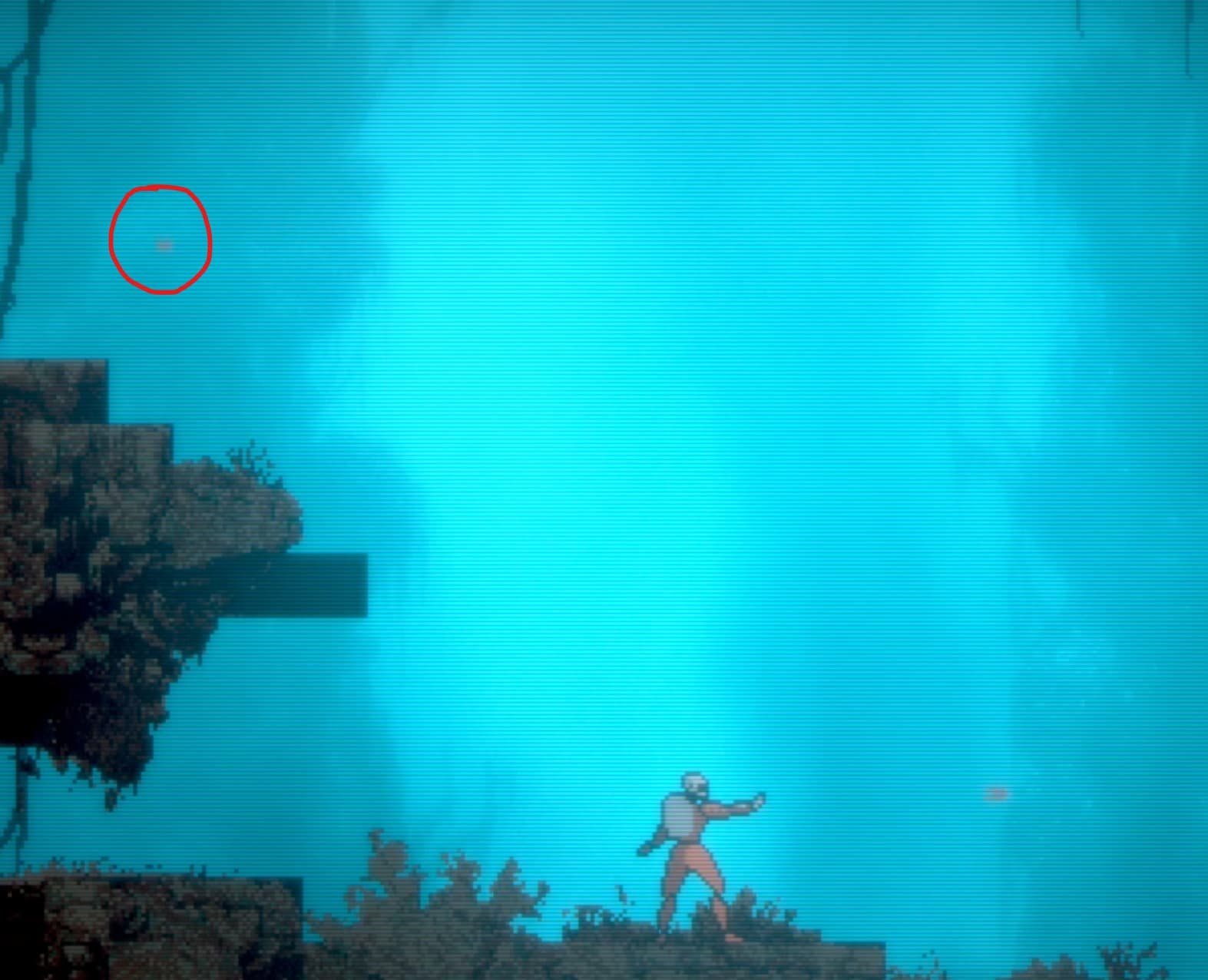
Post your local and remote scene tree and specify on which node and in which function is instantiation code situated.

Also, are there any errors reported in the debugger?

It’s actually recommended to modify nodes before adding them to the tree because of performance. From the docs (Logic preferences — Godot Engine (stable) documentation in English):

It is the best practice to change values on a node before adding it to the scene tree. Some property’s setters have code to update other corresponding values, and that code can be slow! For most cases, this code has no impact on your game’s performance, but in heavy use cases such as procedural generation, it can bring your game to a crawl.
For these reasons, it is usually best practice to set the initial values of a node before adding it to the scene tree. There are some exceptions where values can’t be set before being added to the scene tree, like setting global position.

3 Likes

No, it is a Node2D with a sprite and a collision area that is moved by a script.

Basically, the phenomenon only occurs when I set the node to visible = false before add_child() as described above and then re-enable visibility in _ready() after adding it. See screenshot.

This could really be the problem. Among other things, I also use scaled transformations, which may lead to calculations when visibility is activated. It does not occur in every instance, but rather sporadically, especially when several are created in quick succession.

It’s the order of initialization.
How do you move the instance? What is target_pos? Why do you set local position instead of global? Provide more context.

I think I’ve solved the problem. Apparently, in my case, it was important to synchronise changes to the transform again with get_tree().physic_frame.

await get_tree().physics_frame

In connection with this, I would like to recommend the following entry to you:

https://forum.godotengine.org/t/instantiated-objects-first-physics-frame-has-wrong-position/73953

You never specified in which function you move the instance, even though I asked you twice.

Sorry, but it’s nothing special. In _input(), pressing the fire button is detected and a function Fire() is called, which instantiates the projectile, which is added to a parent node. Since this does not happen in sync with the physics frames, the aforementioned artefacts apparently occur. The above solution ensures that the process, e.g. the change to the transform, is completed, as changes are always collected and executed at the end of a frame.

This is the information I have been able to gather so far. Please bear in mind that I would still consider myself to be a beginner. :slight_smile: