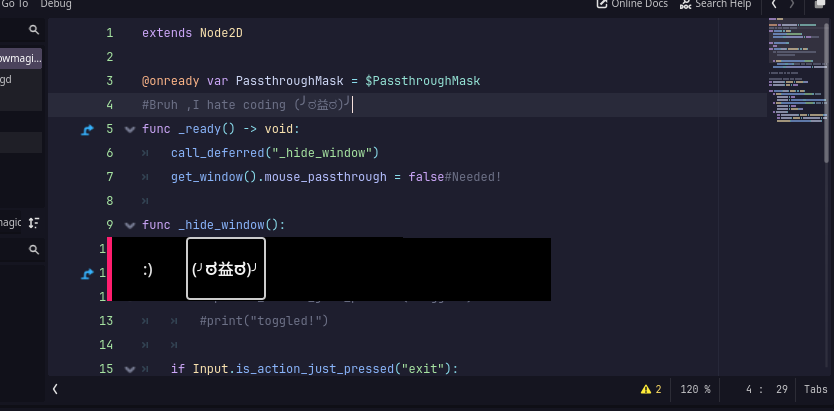
I’ve been trying to make a little game for a project at school. (This is so much above my skill level, so please bear with me..)
I had a lot of trouble with mouse passthrough and stuff, so I switched to having a little window in the corner about the size of the sprites.
But I wanted to make it borderless to make it look better, and I need a way to be able to let the user move around the window with a button in the game. Is this possible??
This is what it looks like with and without the border if you don’t understand what I mean. (That outline is where I wanted there to be a button to drag it around…)
Thank you for your time!
If i got it then you wanna move the window by just click and dragging it?
That’s easy and you can also make the mouse passthrough it.
# grabbed from my old project

#uhhhhh,maybe window drag things.
var drag_offset: Vector2 = Vector2.ZERO
var is_dragging: bool = false

func _process(delta: float) -> void:
	if Input.is_action_just_pressed("click"): ###LMB
		is_dragging = true
		drag_offset = get_viewport().get_mouse_position()
	if Input.is_action_just_released("click"): ###As I said
		is_dragging = false
		drag_offset = Vector2.ZERO
	if is_dragging:
		var current_mouse_pos: Vector2 = DisplayServer.mouse_get_position()
		var window_pos: Vector2 = current_mouse_pos - drag_offset
		DisplayServer.window_set_position(window_pos)
make sure to add a exit key,cuz you can get stuck
func _input(event: InputEvent) -> void:
	#if Input.is_action_just_pressed("toggle"):
		#print("toggled!")

	if Input.is_action_just_pressed("exit"):
		get_tree().quit()#let's quit before becoming not responding!
Works great for me