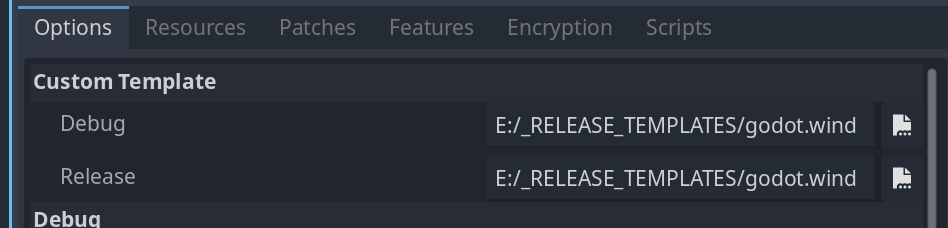
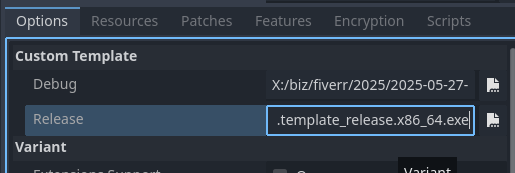
Godot Version
4.4.1
Question
I’m trying to compile a custom version of the editor so that I can reduce my export size, as described here:
I made the mistake of initially compiling the master branch which is still in beta, so no templates exist to let it export to web. I then switched to the 4.4 branch and deleted everything in the /bin subdirectory and recompiled. Unfortunately, only the console version of Godot is being built:
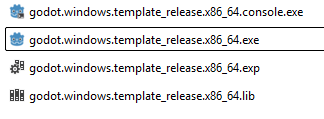
The optimization page doesn’t actually say what you are supposed to do after you’ve built using the flags the recommend. Is it supposed to produce a custom version of the editor and then you can just export normally from that? If I compile while disabling the advanced text server, how is the editor even supposed to run? Or are those flags not supposed to affect the editor itself?
Anyhow, I’d like to know exactly how I am suppose to use this optimized version of Godot to reduce the export size of my game? Or has something gone wrong and I need to fix my build process?
I’m building Godot with the command
scons platform=windows debug_symbols=no lto=full target=template_release optimize=size module_text_server_adv_enabled=no module_text_server_fb_enabled=yes disable_3d=yes disable_advanced_gui=yes
I’ve also added a custom.py file to the root with the following content:
module_basis_universal_enabled = "no"
module_bmp_enabled = "no"
module_camera_enabled = "no"
module_csg_enabled = "no"
module_dds_enabled = "no"
module_enet_enabled = "no"
module_gridmap_enabled = "no"
module_hdr_enabled = "no"
module_jsonrpc_enabled = "no"
module_ktx_enabled = "no"
module_mbedtls_enabled = "no"
module_meshoptimizer_enabled = "no"
module_minimp3_enabled = "no"
module_mobile_vr_enabled = "no"
module_msdfgen_enabled= "no"
module_multiplayer_enabled = "no"
module_noise_enabled = "no"
module_navigation_enabled = "no"
module_ogg_enabled = "yes"
module_openxr_enabled = "no"
module_raycast_enabled = "no"
module_regex_enabled = "yes"
module_squish_enabled = "no"
module_svg_enabled = "yes"
module_tga_enabled = "no"
module_theora_enabled = "no"
module_tinyexr_enabled = "no"
module_upnp_enabled = "no"
module_vhacd_enabled = "no"
module_vorbis_enabled = "yes"
module_webrtc_enabled = "no"
module_websocket_enabled = "no"
module_webxr_enabled = "no"
module_zip_enabled = "no"