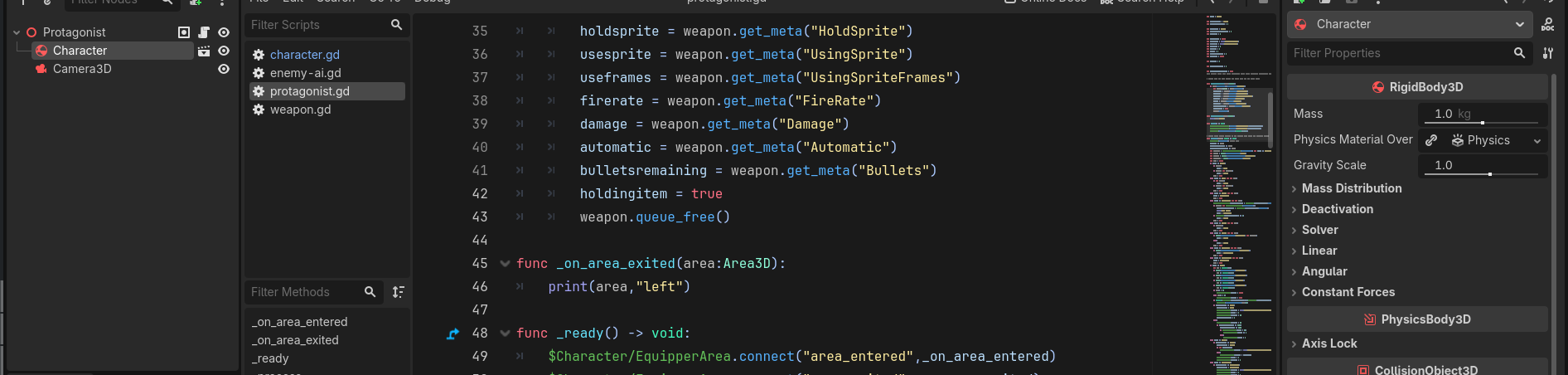
I made a scene A, then attached a script to the root node of it, and gave it a method “pleasework”. I then make another scene B, instantiate scene A, then attach a script to root node of scene B. Calling `pleasework` in scene B makes Godot say that it does not exist. Why?
Can you please attach the script? It’s hard to tell what’s the issue without the code. Copy and paste the code in your reply between 3 back ticks (each on their own line!) like the following: ```
extends RigidBody3D
class_name Character

func pleasework():
	print("oh. i did work.")

var currentsprite = "idle"
var lastframe = Time.get_unix_time_from_system()

@onready var lasthealth = get_meta("Health")


# Called when the node enters tdhe scene tree for the first time.
func _ready() -> void:
	pass # Replace with function body.

# Called every frame. 'delta' is the elapsed time since the previous frame.
func _process(delta: float) -> void:
	if get_meta("Health") <= 0:
		get_parent().queue_free()
	elif get_meta("Health") < lasthealth:
		lasthealth = get_meta("Health")
		$BloodParticles.restart()
Scene B
func _ready() -> void:
	$Character/EquipperArea.connect("area_entered",_on_area_entered)
	$Character/EquipperArea.connect("area_exited",_on_area_exited)
	$Character.apply_central_force(Vector3(0,0,3))

# Called every frame. 'delta' is the elapsed time since the previous frame.
func _process(delta: float) -> void:
	$Character.pleasework() #fails here
Maybe paste the exact issue and the place where it’s instantiated. Also add a has_node() check to calling pleasework() so that it’s won’t run the code of the node doesn’t exist.
In the scene where the root is Protagonist, when you hover over Character in the “Scene” tab of the editor, you should see a hint telling you the type of the Node, is it correctly reading as “Character” or does Godot tell you it’s a “RigidBody3D” ?
a kind gentleman on discord told me that now, but your solution is the same. i just needed to remove the instantiaed scene and add it back for the script to sync again