Changing the global transform of a rigidbody3d causes it to appear in front of the camera for an instant

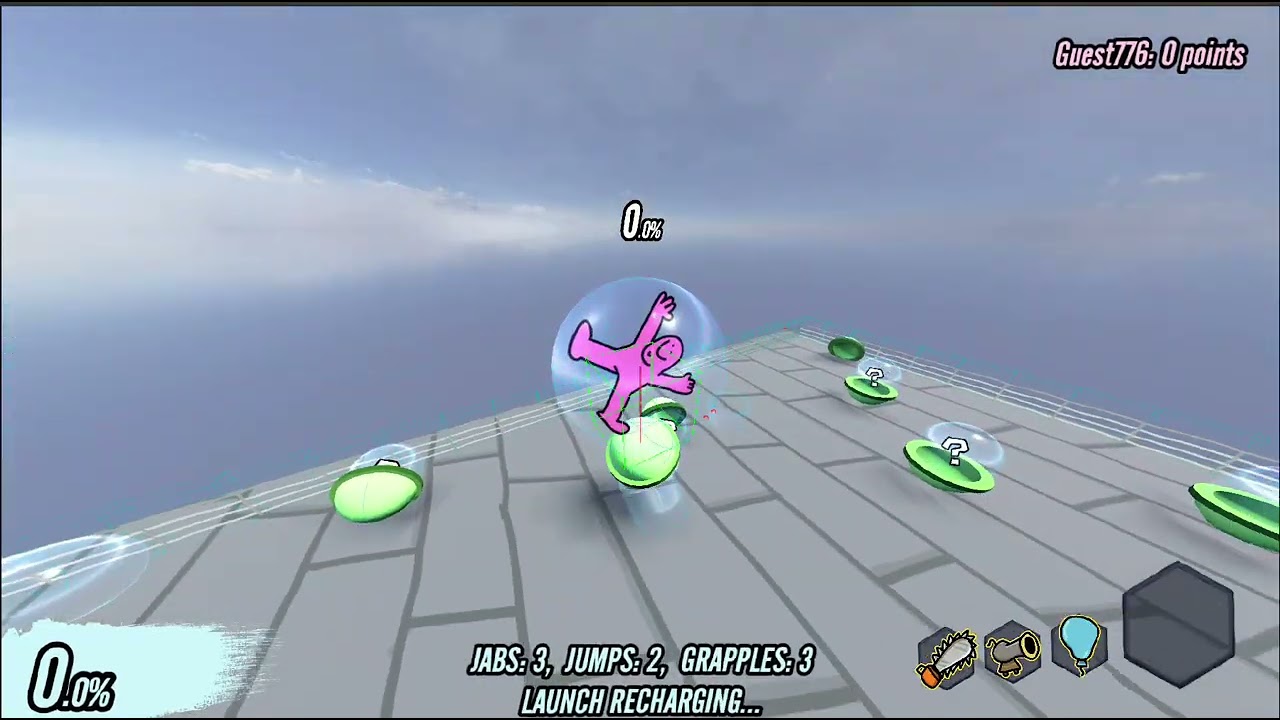
Title. In my game, I have rigidbody pieces of debris that go flying when an object is destroyed, and when these pieces are added to the scene, they appear for a split-second in front of the camera, obstructing it.

Code:

extends Destructible

@onready var collision_shape_3d: CollisionShape3D = $CollisionShape3D
@onready var loot_capsule: RigidBody3D = $"."

@onready var capsuletop: MeshInstance3D = $Capsuletop

@onready var capsulebottom: MeshInstance3D = $Capsulebottom


var capsule_bottom = preload("res://Objects/capsule_debris_bottom.tscn")
var capsule_top = preload("res://Objects/capsule_debris_top.tscn")

var is_alive = true

var killer = 0

func _ready() -> void:
	health = 5.0
	super._ready()

func _process(delta: float) -> void:
	if is_alive and health <= 0:
		is_alive = false
		var newtop = capsule_top.instantiate()
		var newbottom = capsule_bottom.instantiate()
		var randomdir = Vector3(randf_range(-1,1),1,randf_range(-1,1)).normalized()
		var randomdir2 = Vector3(randf_range(-1,1),1,randf_range(-1,1)).normalized()
		newtop.global_transform = capsuletop.global_transform
		newbottom.global_transform = capsulebottom.global_transform
		newbottom.apply_impulse(randomdir*5,randomdir2)
		newtop.apply_impulse(randomdir2*5 ,randomdir)
		newbottom.apply_torque_impulse(randomdir*2)
		newtop.apply_torque_impulse(randomdir2*2)
		#newtop.global_position = capsuletop.global_position
		#newbottom.global_position = capsulebottom.global_position
		
		GlobalHandler.main_game.find_child("Props").add_child(newtop)
		GlobalHandler.main_game.find_child("Props").add_child(newbottom)
		
		
		GlobalHandler.main_game.find_child("Players").get_node(str(killer)).receive_item.rpc_id(killer,ItemCatalog.upgrade_list.pick_random())
		
		loot_capsule.queue_free()

@rpc("any_peer","call_local","reliable")
func take_damage(amount,velocity):
	killer = multiplayer.get_remote_sender_id()
	loot_capsule.apply_impulse(velocity)
	super.take_damage(amount,velocity)

Video of the issue:
Fixed it. I ended up resetting physics interpolation, reordering a few things, and waiting one frame before showing the objects. Here’s the final code.

extends Destructible

@onready var collision_shape_3d: CollisionShape3D = $CollisionShape3D
@onready var loot_capsule: RigidBody3D = $"."

@onready var capsuletop: MeshInstance3D = $Capsuletop

@onready var capsulebottom: MeshInstance3D = $Capsulebottom


var capsule_bottom = preload("res://Objects/capsule_debris_bottom.tscn")
var capsule_top = preload("res://Objects/capsule_debris_top.tscn")

var is_alive = true

var killer = 0

func _ready() -> void:
	health = 5.0
	super._ready()

func _physics_process(delta: float) -> void:
	if is_alive and health <= 0:
		is_alive = false
		var newtop = capsule_top.instantiate()
		var newbottom = capsule_bottom.instantiate()
		var randomdir = Vector3(randf_range(-1,1),1,randf_range(-1,1)).normalized()
		var randomdir2 = Vector3(randf_range(-1,1),1,randf_range(-1,1)).normalized()
		newtop.global_transform = capsuletop.global_transform
		newbottom.global_transform = capsulebottom.global_transform
		
		
		newbottom.visible = false
		newtop.visible = false
		
		GlobalHandler.main_game.find_child("Props").add_child(newtop)
		GlobalHandler.main_game.find_child("Props").add_child(newbottom)
		
		newtop.reset_physics_interpolation()
		newbottom.reset_physics_interpolation()
		
		newbottom.apply_impulse(randomdir*5,randomdir2)
		newtop.apply_impulse(randomdir2*5 ,randomdir)
		newbottom.apply_torque_impulse(randomdir*2)
		newtop.apply_torque_impulse(randomdir2*2)
		
		await get_tree().physics_frame
		
		newbottom.visible = true
		newtop.visible = true
		
		
		GlobalHandler.main_game.find_child("Players").get_node(str(killer)).receive_item.rpc_id(killer,ItemCatalog.upgrade_list.pick_random())
		
		loot_capsule.queue_free()

@rpc("any_peer","call_local","reliable")
func take_damage(amount,velocity):
	killer = multiplayer.get_remote_sender_id()
	loot_capsule.apply_impulse(velocity)
	super.take_damage(amount,velocity)
2 Likes