Godot Version
Godot 4.6
Question
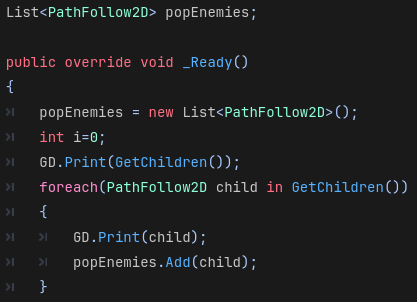
I have a script attached to a Path2D node and the node has a bunch of PathFollow2D nodes and Im trying to get references to all of them in that script via a list but it keeps returning empty when i try to grab references of them. My code:
This is what I get in the debugger:

Any/all help is appreciated 
I could be wrong but I think this is a casting issue.
GetChildren will return a list of Node, not PathFollow2D
What happens if you change PathFollow2D to just simply Node child in your loop?
Thanks for the response - I get a compiler error: CS1503: Argument 1: cannot convert from ‘Godot.Node’ to ‘Godot.PathFollow2D’, but why would the child nodes not be treated as PathFollow2Ds?
Because Godot doesn’t know what those nodes are. If GetChildren only returned PathFollow2Ds it would be quite useless for anything else.
Since godot heavily relies on inheritance, it returns a Node, which is what every other node also inherits. You need to cast the node you get back into the node you actually want.
You can do something like this:
foreach (Node child in GetChildren())
{
    if (child is PathFollow2D pathFollow2D)
    {
        // You can use pathFollow2D here
    }
}
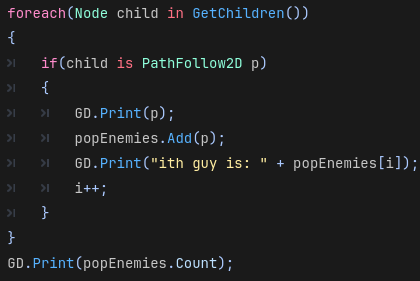
I see, thanks. This still doesn’t seem to work though:
The final line causes debugger to show 0
Are you getting any warnings or errors? Does the GD.Print(p) output anything at all?
I tried to recreate it, but it seems to work perfectly fine for me.
private List<PathFollow2D> _paths;
public override void _Ready()
{
    base._Ready();

    _paths = [];
    Array<Node> children = GetChildren();
    foreach (Node child in children)
    {
        if (child is PathFollow2D pathFollow2D)
        {
            _paths.Add(pathFollow2D);
        }
    }

    GD.Print(_paths.Count);
}
Are you sure you don’t have another piece of code that is modifying your list?
no it doesnt print anything, and im not getting any warnings or errors either
Can you confirm that your PathFollow2D nodes are indeed the children of the node where this code is being executed in?
What do you get now if you simply run GD.Print(GetChildren())?
In that case I recommend setting a breakpoint in your code and stepping through the code line by line to see what’s going on.
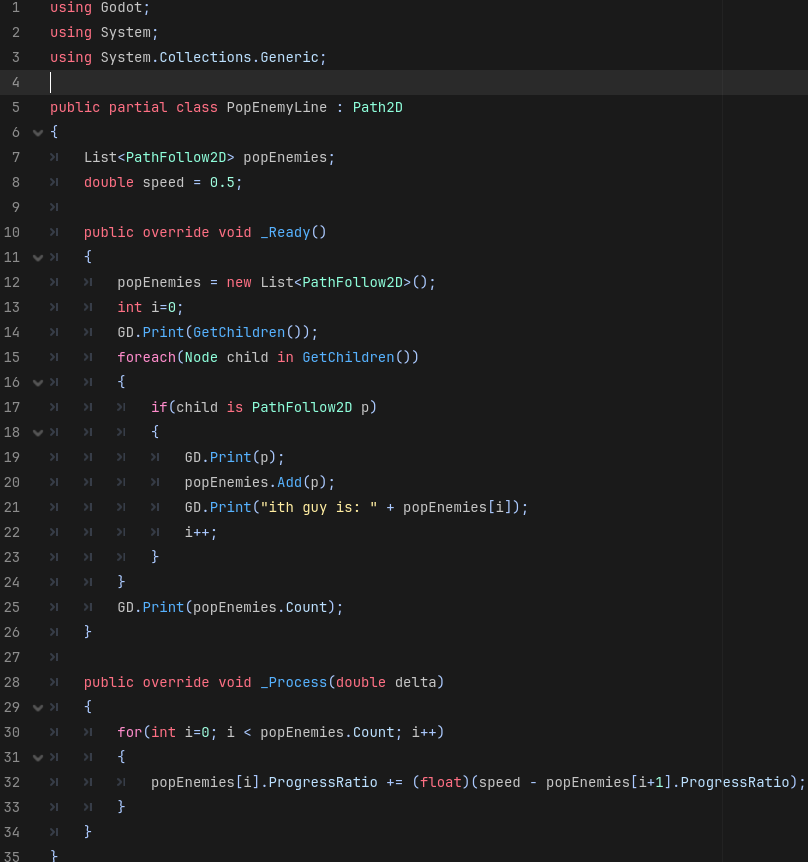
I’m pretty sure there’s no other code modifying the list, here’s the rest of the script:
I’m not sure how to add those but I’ll look into it, thanks.
Depends on what IDE you are using, you should be able to click on the left side of a line, where a red circle should appear. Put this near the start of your ready function, maybe right where you initialize the list.
Then, based on whatever IDE you are using, you can step through the code and line by line, inspect all the variables in that scope.