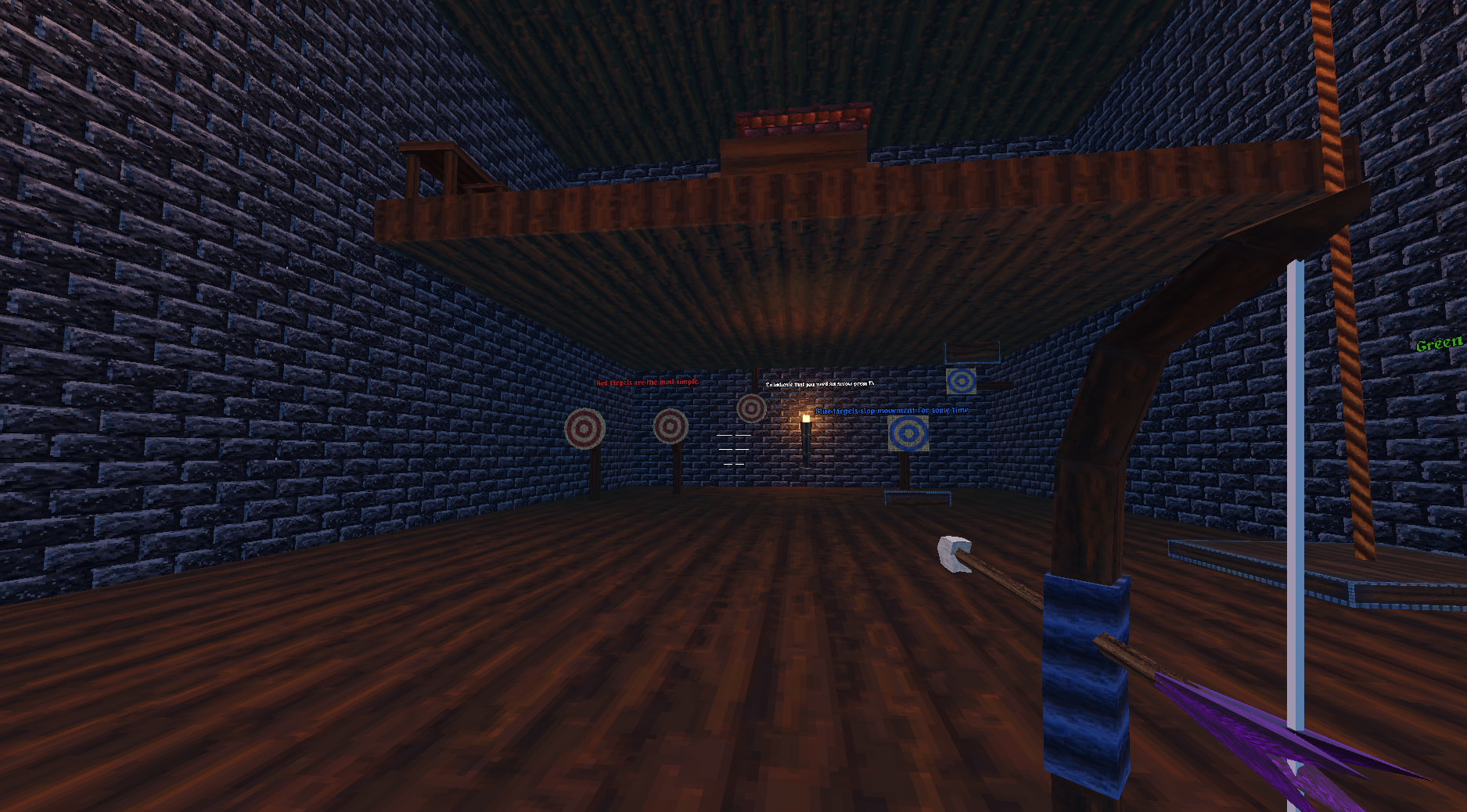
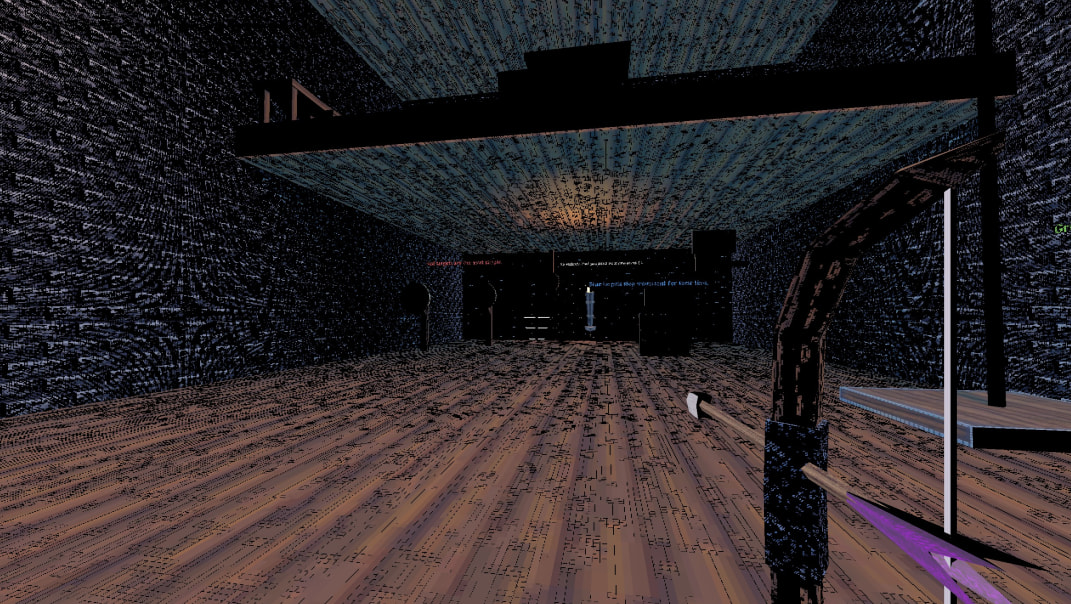
Not sure if problem is shaders but two players run into a same issue. I CAN’T REPRODUCE IT no matter what I try. Game should look like Pic. 1 but for them it’s like Pic. 2. BUT in main menu all looks good, only big difference between main menu scene and level is WorldEnvironment node. SDFGI, SSIL, SSAO, SSR all turned off on this scene. Tried to use diffrent gpus 3050, 1060, 1070 and can’t recreate this issue. It’s not an OpenGL issue for sure.
In first case player later said that there were problem with Laptop not with game and do not give any additional info. So I thought it maybe were problem with drivers etc.
but then In second case player said he has Win 11(tried on it, all works ok for others) and 5070 and assured me that latest drivers are installed, but still game looks like Pic. 2. But when he used his laptop (2070 super, windows 10) all was fine. (He played DEMO version of game on it, but it’s just same as full).
So maybe someone had similar problems before? Because I run out of ideas what it maybe since I can’t even repeat this glitch. Game name 2 Bows 1 Arrow. Demo available on Steam.
Try switching windows rendering to D3D12 from Vulkan with forward+ renderer on troublesome machines, or try compat renderer (don’t remember offhand if it has OGL and D3D options?)
Latest drivers are often the buggy ones btw, both AMD and nVidia have had problems recently, or relatively so.
Without knowing the full details, it’s pretty much going to be absolute guesswork. You should share your full system specs (including driver version, OS version ,rendering API etc.) as well as full specs of the people who tested it, some of your project settings (i.e. what rendering API is set for Windows etc.), what settings each player is using etc. You could also try implementing some logging into the game builds so the players can send back more info, and as others have suggested try different rendering APIs/drivers (or maybe even add an option to switch the rendering API in the game), some drivers really don’t like certain APIs, but again, without knowing full details it’s just guesswork. (and even with full info it might still be, diagnosing issues as such can be very tricky)