Okay, the step I was missing was actually performing the bake. It was a little weird to create an empty polygon and bake it, because it showed nothing.
There’s a few interesting nuances here that I’m going to note that might help someone in the future:
- The
Root Node Childrenmode of theNavigationPolygonSource Geometry Modeproperty seems to refer to theNavigationRegion2Das the “root node”. So I was assuming it meant the root node of the scene, and that it would pick up anything. Thanks for helping sort that out. - The z ordering of my nodes impacts what debugging elements I can see. I have
Visible Navigationchecked, and seeing that remain blank sometimes was confusing. What seems to be happening is that elements later/lower in the scene tree will show up on top of those higher. So when using the root mode, I saw my debugging area. When using the group mode, I wasn’t seeing it because myNavigationRegion2Dwas higher in my scene tree. Moving it lower let me see those elements, as well as changing theZ Indexof myTileMaplower (e.g. to -1).
With all that, I now have this, which is roughly what I was after!
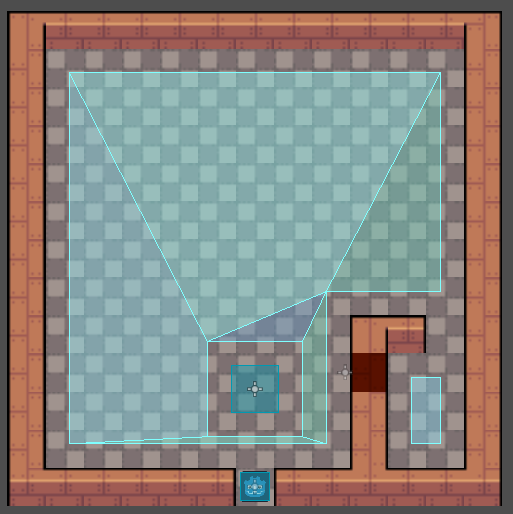
So I think I’ve finally cracked it, thank you both. I had to actually bake the polygon after setting it up correctly. I’d argue the “Root Node Children” mode for the source geometry is a little oddly named, but it seems like a lot of these improvements are works in progress, so I imagine the documentation will catch up eventually!