Godot Version
v4.4.1.stable.official [49a5bc7b6]
Question
Hi!,
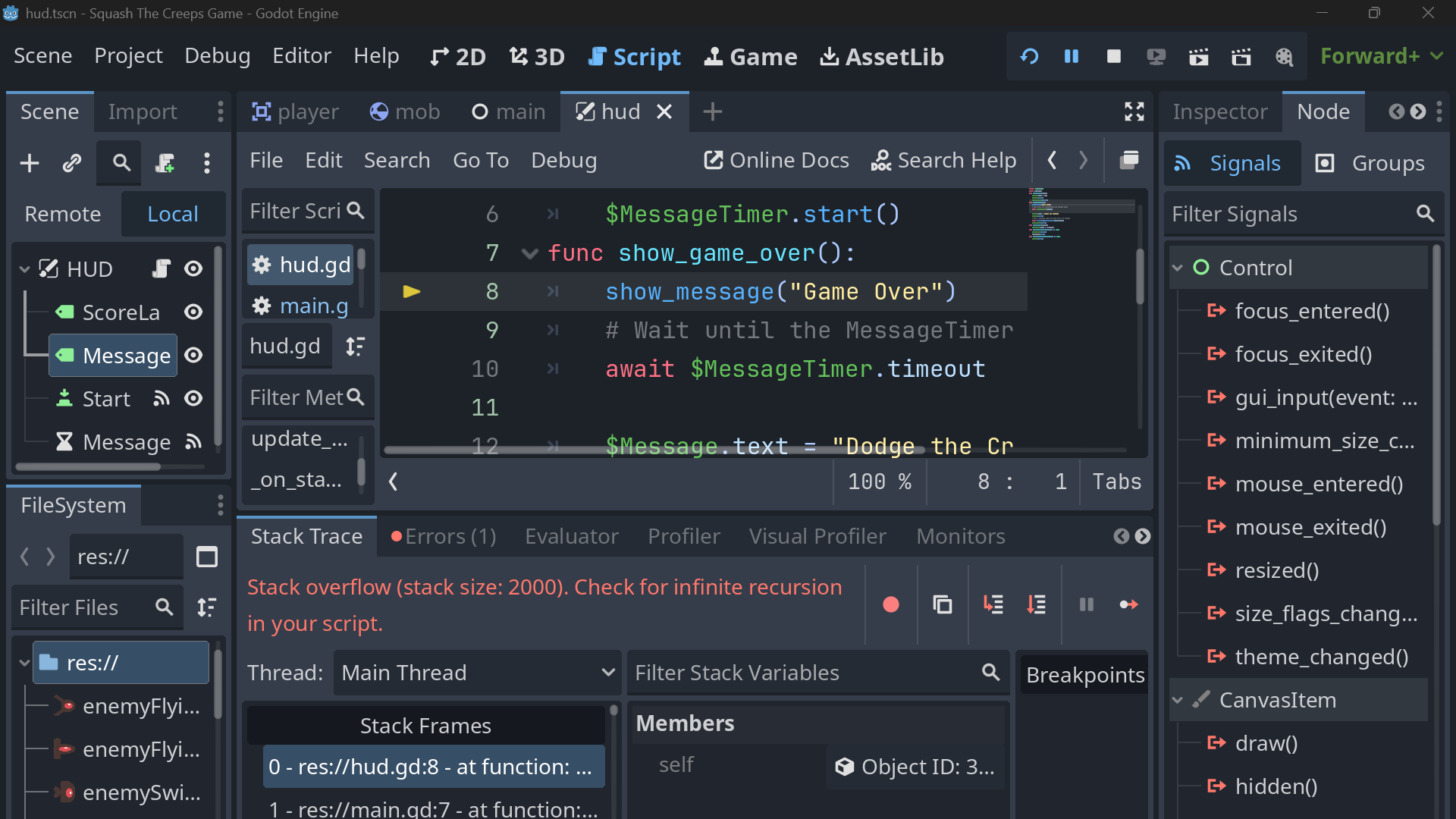
I’m having a similar issue with my game. I finished the first 2d game tutorial and everything works but the game over screen. I setup the signals properly and included the correct code but for some reason the “game over” message doesn’t display and the game won’t start over without me stopping the debugger and starting it again. I also keep getting an stack over flow error (Stack overflow (stack size: 2000). Check for infinite recursion in your script.).
I went through the tutorial steps again and searched the internet and the forum for a solution but I couldn’t find a fix for this. The only related forum post I could find was an old one with no solution posted. Would someone mind taking a look at my code for the main scene node and the screenshot below and let me know what might be wrong?
“Main” scene script
extends Node
@export var mob_scene: PackedScene
var score
func _ready():
	pass
func game_over():
	$HUD.show_game_over()
	$Music.stop()
	$ScoreTimer.stop()
	$MobTimer.stop()
	game_over()
func new_game():
	score = 0
	$Player.start($StartPosition.position)
	$StartTimer.start()
	$HUD.update_score(score)
	$Music.play()
	$HUD.show_message("Get Ready")
	get_tree().call_group("mobs", "queue_free")
func _on_mob_timer_timeout():
	# Create a new instance of the Mob scene.
	var mob = mob_scene.instantiate()
	# Choose a random location on Path2D.
	var mob_spawn_location = $MobPath/MobSpawnLocation
	mob_spawn_location.progress_ratio = randf()
	# Set the mob's position to the random location.
	mob.position = mob_spawn_location.position
	# Set the mob's direction perpendicular to the path direction.
	var direction = mob_spawn_location.rotation + PI / 2
	# Add some randomness to the direction.
	direction += randf_range(-PI / 4, PI / 4)
	mob.rotation = direction
	# Choose the velocity for the mob.
	var velocity = Vector2(randf_range(150.0, 250.0), 0.0)
	mob.linear_velocity = velocity.rotated(direction)
	# Spawn the mob by adding it to the Main scene.
	add_child(mob)
func _on_score_timer_timeout():
	score += 1
	$HUD.update_score(score)
func _on_start_timer_timeout():
	$MobTimer.start()
	$ScoreTimer.start()

Here's a screenshot of the HUD node
If you need any additional information please let me know. I appreciate any clarification you can provide.