Godot Version
@export var mob_scene: PackedScene
var score


# Called when the node enters the scene tree for the first time.
func _ready():
	new_game()

# Called every frame. 'delta' is the elapsed time since the previous frame.
func _process(_delta):
	pass


func game_over():
	print("Player Hit")
	$ScoreTimer.stop()
	$MobTimer.stop()

func new_game():
	score = 0
	$Player.start($StartPosition.position)
	$StartTimer.start()


func _on_start_timer_timeout():
	$MobTimer.start()
	$ScoreTimer.start()


func _on_score_timer_timeout():
	score +=1


func _on_mob_timer_timeout():
	# Create a new instance of the Mob scene.
	var mob = mob_scene.instantiate()

	# Choose a random location on Path2D.
	var mob_spawn_location = $MobPath/MobSpawnLocation
	mob_spawn_location.progress_ratio = randf()

	# Set the mob's position to the random location.
	mob.position = mob_spawn_location.position

	# Set the mob's direction perpendicular to the path direction.
	var direction = mob_spawn_location.rotation + PI / 2

	# Add some randomness to the direction.
	direction += randf_range(-PI / 4, PI / 4)
	mob.rotation = direction

	# Choose the velocity for the mob.
	var velocity = Vector2(randf_range(150.0, 250.0), 0.0)
	mob.linear_velocity = velocity.rotated(direction)

	# Spawn the mob by adding it to the Main scene.
	add_child(mob)

### Question
For some reason, I copied the coding from the site and the mobs are not spawning, did I not connect the functions properly?
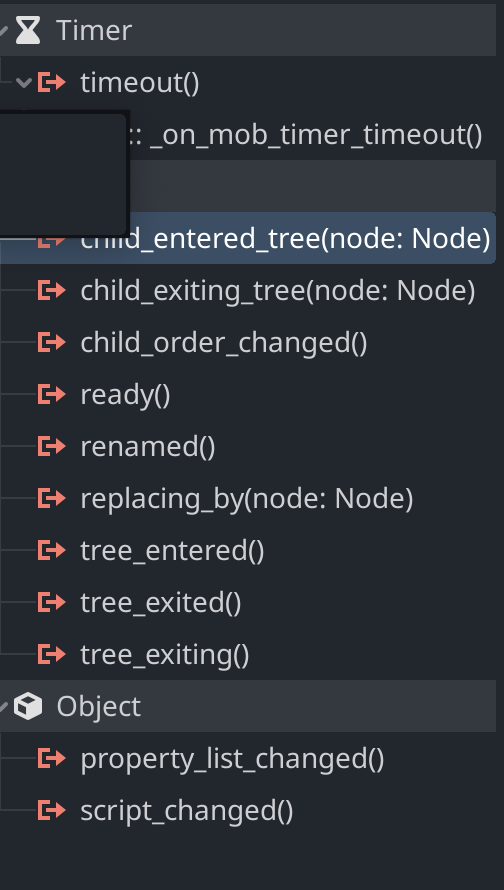
Did you connect the timer’s signal to the function through the editor?
That looks good. Are you sure the timer is running? Did you connect the other timers too, such as StartTimer’s timeout?
The other 2 are connected as well. This is the code for starting mob_timer
	$MobTimer.start()
	$ScoreTimer.start()
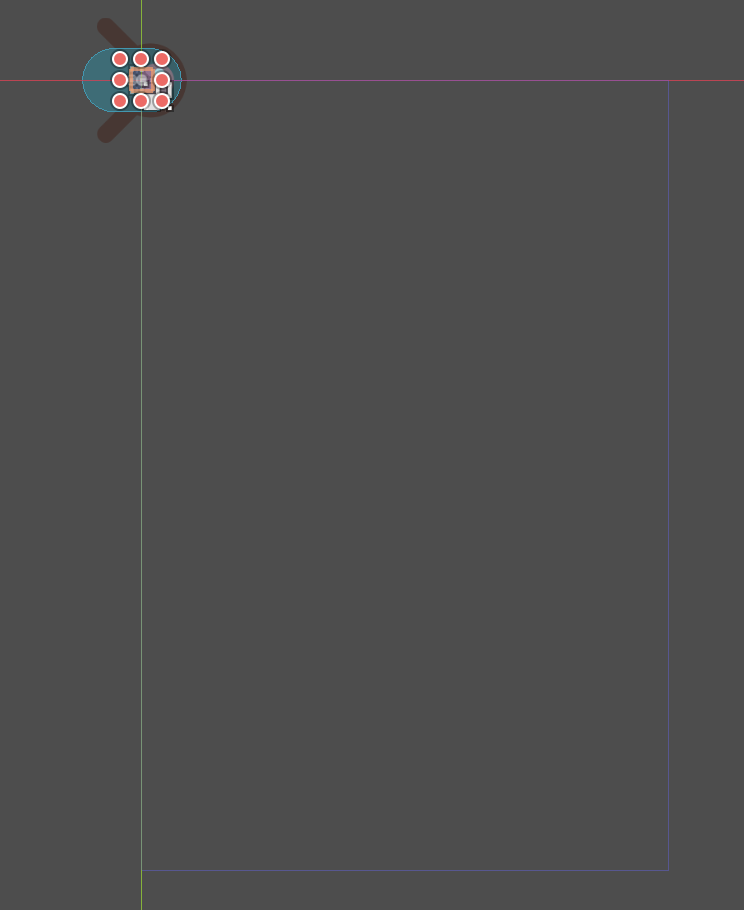
Very interesting, do you get any error or stack traces? If not I’d say maybe your mob scene is not centered, so it spawns at a great offset, could you share a screenshot of your mob scene in the 2D view?
Here you go, I just don’t know what I did wrong, was the pathing bad and the enemy got queued outside the frame?
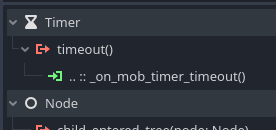
I can’t tell from your screenshot, does it look like this? Should have the little green arrow to show it’s connected.
If you have the full example game code and resources already setup, you can comment out:
new_game()
near the top as it’s not needed once the full game is complete. It didn’t break anything when I turned it back on in mine, just double-started the game, but it shouldn’t break the mob spawns.
Sorry for it being covered, but the green arrow is there.
All of your code for your Mob scene looks like this (mob script I mean)
extends RigidBody2D

# Called when the node enters the scene tree for the first time.
func _ready() -> void:
	var mob_types = Array($AnimatedSprite2D.sprite_frames.get_animation_names())
	$AnimatedSprite2D.animation = mob_types.pick_random()
	$AnimatedSprite2D.play()

# Called every frame. 'delta' is the elapsed time since the previous frame.
func _process(delta: float) -> void:
	pass

func _on_visible_on_screen_notifier_2d_screen_exited():
	queue_free()
Well, it might be just a missing “piece” of the tutorial somewhere, I hate when that happens too.  I could send you a copy of mine, as I did it step by step in the tutorial and it works for me. If it works for you too, it will give you something to compare to see if there was a step missed somewhere, that’s about the most I think anyone here will be about to help with.
Sure, might be a good idea, to compare notes
I can’t attach files in a private message or here, so I just threw it up on a google drive link. I did a test import to see if I can run it straight from import, so everything appears to be in place properly.
Thanks, will take a look.
Alright, still having problems, seeing what’s wrong, maybe it’s just a small detail I missed?
I’m new to Godot myself, but it appears to be very forgiving to code mistakes, which is great for published games (so as not to just have random crashes during play), but can also make it difficult for the developer to locate what the issue is.
1 Like
If you want to debug your code, I’d recommend just adding a print statement in the timeout function. See if the timer is firing.
func _on_mob_timer_timeout():
	print("Mob Timer timeout")
	# The rest of your code here.
.
.
.
If that prints out then the timer is working. If it doesn’t print out, the timer isn’t working and you can focus on reviewing the steps for setting them up.
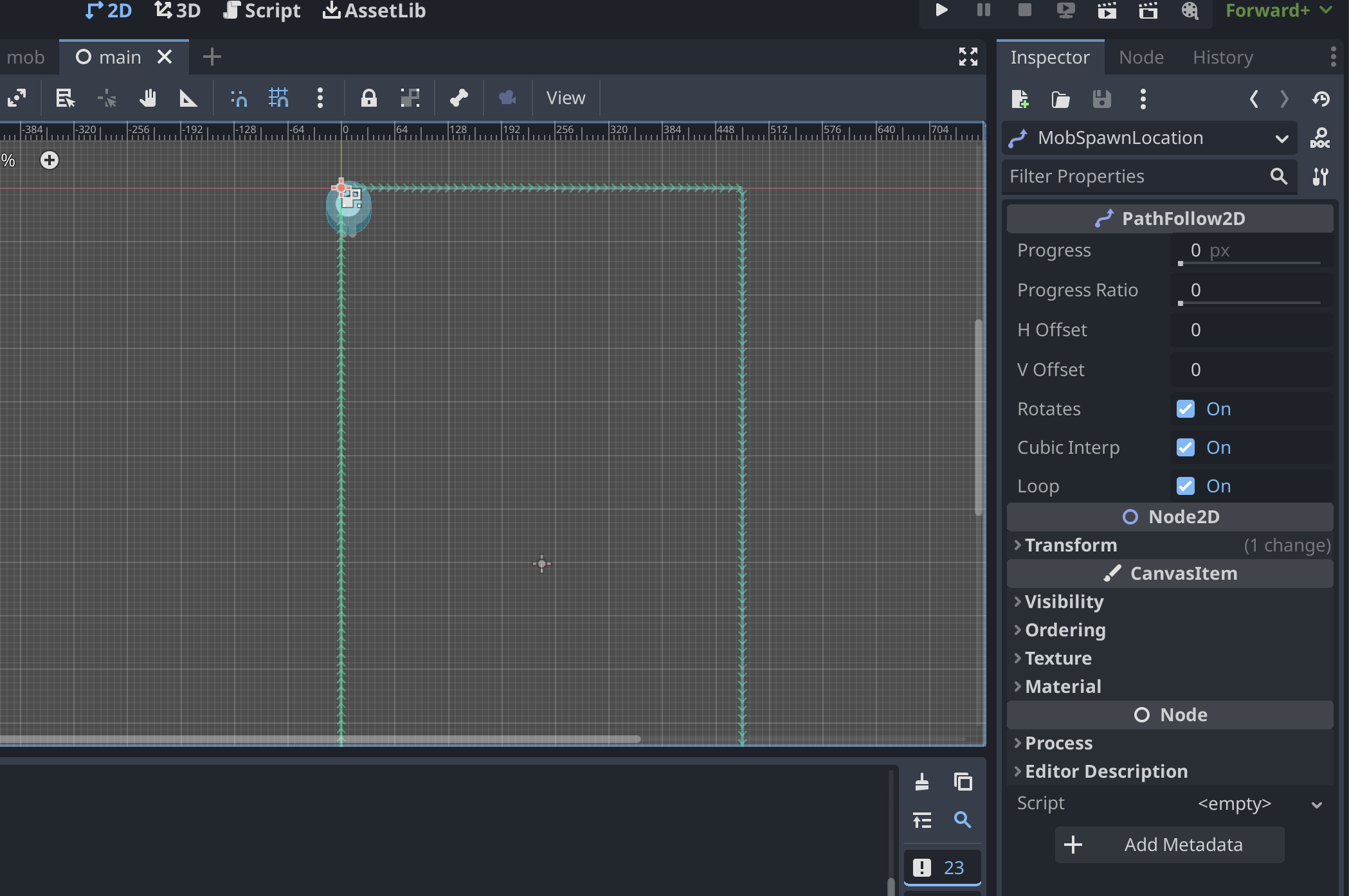
From your screenshot it also looks like when you setup the spawn path instead of stretching it around the edge of the screen, it’s concentrated in the top left corner.
1 Like
You are right, wrote a print statement and turns out it was working, but for some reason the mobs are still not spawning. Maybe the path is wrong? Will start messing around with it.
1 Like