Godot Version
4.6.1
Question
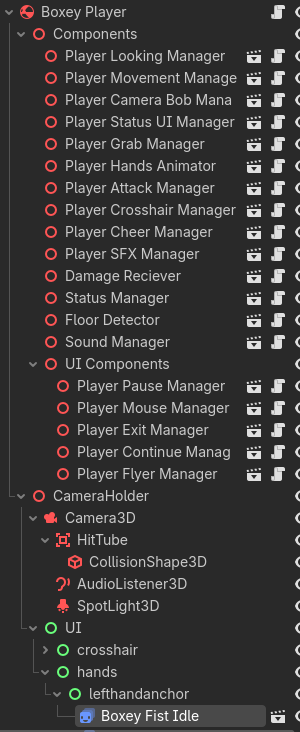
(The sprite 2d’s mentioned here are in a ui system. I have checked if it being a child of a control node is the issue and no it is not it has the same issue outside a control node)
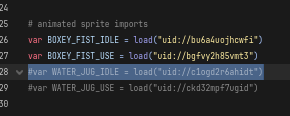
Ok so there’s something really weird going on here. When I uncomment three or more of the load/preloads in the screenshot, the game will lag until the editor crashes. Weirdly after the editor crashes the lag disappears and the game works fine. The lag isnt just in the game window, my entire pc lags during this lag→crash process. The nodes in question that are being loaded/preloaded (Ive tried both) are animated sprite2ds with 1 animation each with 7 frames. The textures in the animations are admittedly very very high resolution (7680 by 4320) and while I admit this is absurdly high and I should compress these, this seems strange even with that in mind as I have many 3000/3000 animated sprite 3ds in the scene too. Also Idk where to find the setting if there is one to automatically compress textures. Originally I had one sprite 2d for each hand (these are animations for the player’s hands and held items) and, so far, 4 animations each, idle and use for fist (empty hand) and water jug (item). Originally I had testing textures on these animations which worked fine, they were lower res I believe and also were just at most 4 frames of animation on their respective animation. I only got this issue once I tried using the new higher res textures for the sprite animations. And even if an animation was never played, just it existing would cause the issue Ive mentioned.
I really dont know what to do, since I need to have a lot of animations (for each item) so if it ends up being too much Idk like, what to do. Even if I downsize the textures Ill need more and Ill probably have this issue again?
How big are your scene/resource files in your OS filesystem? Those are pretty big textures, but they should load OK and it sounds like the editor didn’t crash when it imported them the first time, maybe you’ve accidentally embedded the resource into a scene .tscn or duplicated a large texture into a .tres, these text formats are significantly larger than even an uncompressed texture and take tons of time to load which will stall the editor and game.
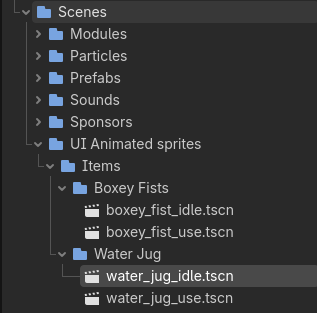
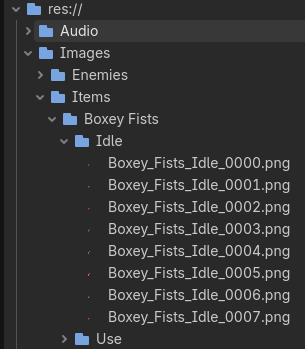
Sorry I dont think Im familiar enough with less front end parts of godot to understand what you mean, do you mean the FileSystem tab in the editor by OS filesystem? Idk what exactly you mean by “embedding the resource” but I can attach screenshots of the textures and saved animated sprite nodes in the file system tab. They seem to be “embedded” as just .png files
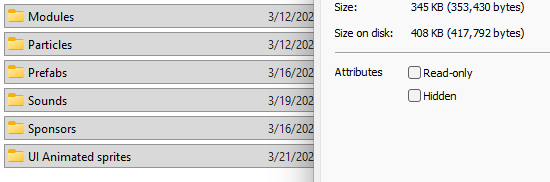
That’s the filesystem panel inside of Godot, what does your Windows explorer, Mac finder, or Linux thunar/dolphin say about this folder? Right click “Boxey Fists” and select “Open in File Manager”
I think this means they imported as pngs?’
Yes the PNG files will be normal, not very large at all. How about the scene and/or resource files?
Originally these werent even saved as scenes they were just one animated sprite 2d per hand (left/right hand) with the same animation frames set resource thing. Each had “Fist Idle” “Fist Swing” “Jug Idle” “Jug Use” animations each being like, 4 frames max when they worked and after I made the new animations 7 frames (which is when the issue started happening)
Those are also normal sized. You said the water jug caused the slow down? What about those scene files?
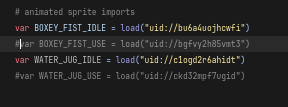
its not the water jug specifically, if I turn off the FIST_USE reference like here it also seems to not crash. Its like the magic number is having 3 or more 2d animations (for the hands) exist anywhere in godot for it to crash. Also which scene files specifically how do you mean that?
Hmm, maybe you could try using @onready for those variables, or only the string "uid://" part and load as needed?
I mean to check the size of any and all of your potential scene files you are loading here, if they are over 10kb they might be problematic, anything over 1 megabyte is very likely an issue
I checked the size of all scenes in the game’s “scenes” folder and uhh yeah is this the problem? For context almost everything is a scene. The way I handle sound effects is I spawn a scene that handles that sound effect. Particle effects are separate scenes. Every “module” in the player, enemies, and objects are scenes (Do you mean if any specific one is over 10 kb or if all of them together are over 10 kb?)
If any one scene is over 10kb
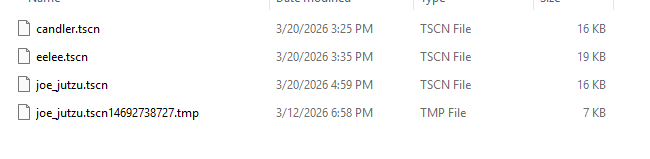
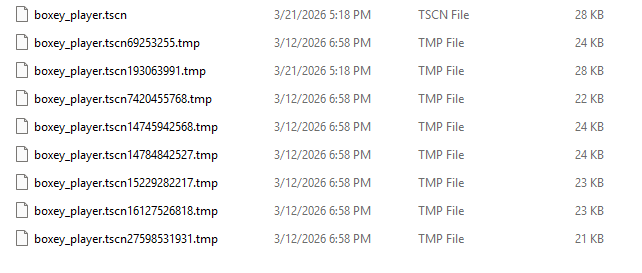
These are the only scenes I found that are over 10 kb, being the player scene, the enemy scenes, and the healthbar (for enemies) scene. Idk why there are multiple copies of certain scenes like the player and joe

What are the tmp files?
If they are not being used stick them in a folder that Godot won’t use.
I create a folder called /Ignored.
Inside that folder put an empty .gdignore file and everything in that folder will be ignored by Godot.
Cut/paste all those temps into it.
I did that and somehow for some reason the issue I was having isnt happening anymore. I have no idea what saved me because there does not seem to be any relevant difference from before, the definition of insanity (I tried to not do an emoji but this textbox is adamant on turning “:”+”)” into  )
)
Solution? Solved? Magic?
1 Like
The problem is back I dont know why I have changed nearly nothing
I believe I have found a bug with Godot. When I have the animation open anywhere in godot (like, a packed node thing open in one of the scene tabs) and also loaded in a script, it lags until the editor crashes. This makes sense since specifically the editor freaks out and makes the game lag. The game runs fine once the editor crashes behind it
Id make a bug report at the github but I really am not clear on what exactly is causing this and I dont have time to check because game jam