Godot 4.5.1 stable
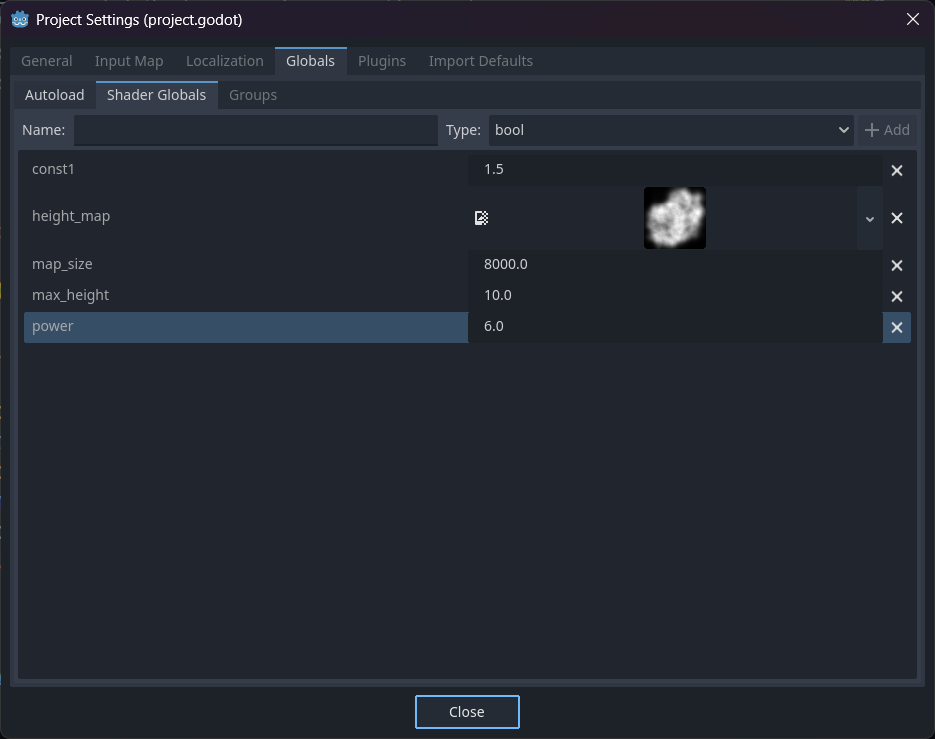
I have a bunch of shader globals defined in project settings, one of which is height_map, a Texture2D. For some reason, while working perfectly in the shaders, they are inaccessible in GDScript. Relevant code is:
var updated : bool = false
func update_shader_parameters():
	if updated: return
	print("Updating glovals...")
	print()
	heightmap = RenderingServer.global_shader_parameter_get("height_map").get_image()
	print("global heightmap: ", heightmap)
	power = RenderingServer.global_shader_parameter_get("power")
	max_height = RenderingServer.global_shader_parameter_get("max_height")
	const1 = RenderingServer.global_shader_parameter_get("const1")
	original_map_size = RenderingServer.global_shader_parameter_get("map_size")
	factor = size / original_map_size
	offset = (1.0 - factor) / 2.0
	updated = true
Another issue is that for some reason the height_map gets set to null everytime I restart the project for whatever reason. This only happens with this Texture2D, and not floats or other values.
I have checked and this isnt due to typos or anything, I can’t figure out what the issue is. Any help would be appreciated.
mrcdk
November 7, 2025, 11:04am
2
Seems like the documentation for these functions is wrong. They can’t be used outside the editor:
          		for (const RID &E : gv.texture_materials) {
          			Material *material = material_storage->get_material(E);
          			ERR_CONTINUE(!material);
          			material_storage->_material_queue_update(material, false, true);
          		}
          	}
          }

          Variant MaterialStorage::global_shader_parameter_get(const StringName &p_name) const {
          	if (!Engine::get_singleton()->is_editor_hint()) {
          		ERR_FAIL_V_MSG(Variant(), "This function should never be used outside the editor, it can severely damage performance.");
          	}

          	if (!global_shader_uniforms.variables.has(p_name)) {
          		return Variant();
          	}

          	return global_shader_uniforms.variables[p_name].value;
          }

          RS::GlobalShaderParameterType MaterialStorage::global_shader_parameter_get_type_internal(const StringName &p_name) const {
ERR_FAIL_V_MSG() is a macro that prints the error message and returns.
You should use an autoload to manage their values.
You can get the default values you assigned in the editor with: ProjectSettings.get("shader_globals/%s" % param_name)
You’ll still need to use the RenderingServer to update them (they won’t update the ProjectSettings ones though)
system
December 7, 2025, 11:05am
3
This topic was automatically closed 30 days after the last reply. New replies are no longer allowed.