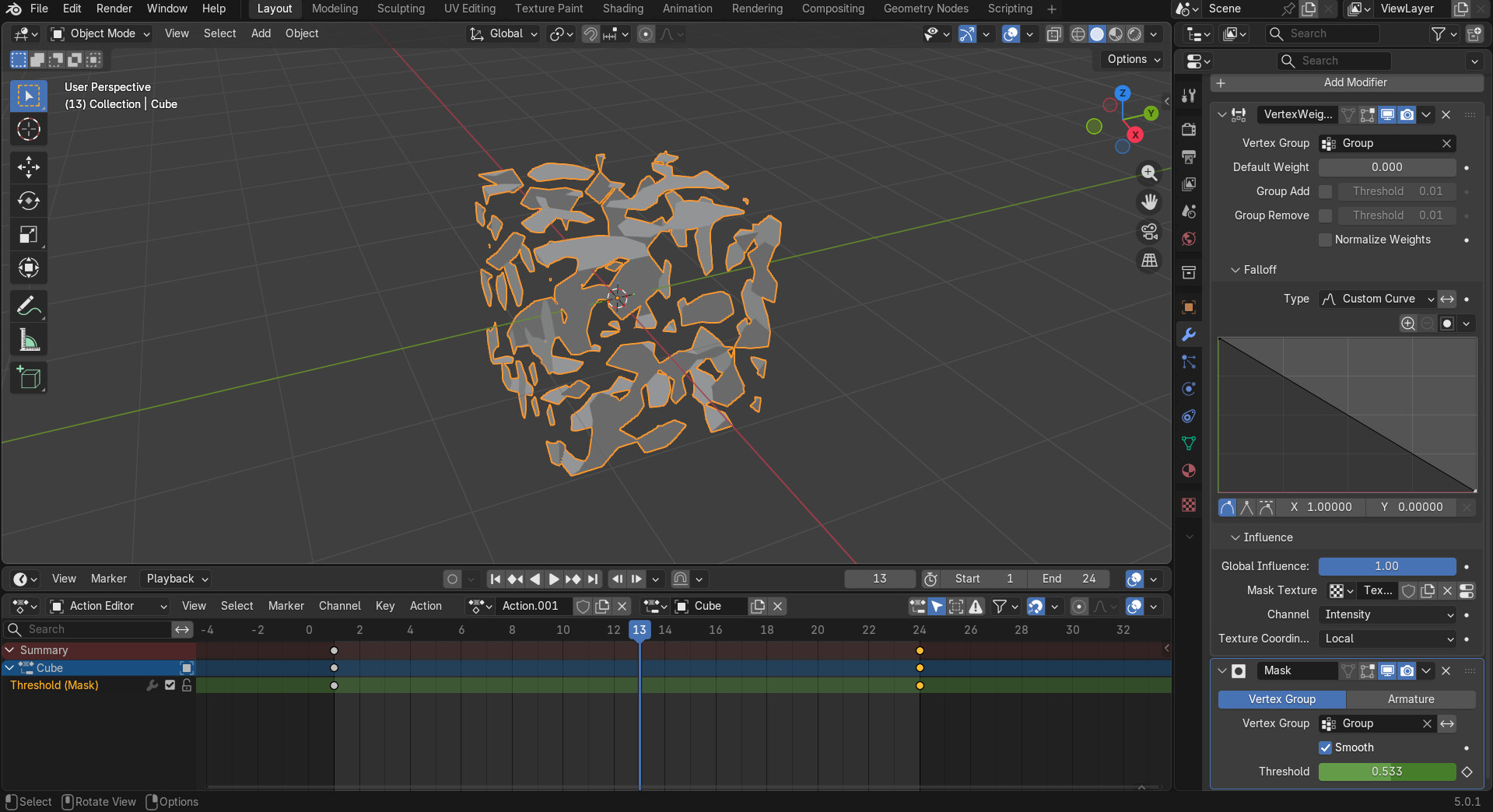
I’m making vfx in blender and I want to export it to godot, but the problem is that with standard export in .gltf format, modifier animations (in my case, Mask) are not exported. The screenshot shows an example of an object where I’m trying to animate the Mask modifier so that the cube dissolves smoothly:
I know about the shader solution, but it doesn’t really suit me.
In the screenshot, I just showed the simplest example, but I also have vfx that consist of other modifiers (like simple deform). This method won’t work for them.
Blender does not export it’s modifiers, especially not as animations. If it did, then Godot couldn’t read them any ways. You will have to create such dynamic effects in Godot, typically through the use of shaders, if it helps deforming is also a basic shader fundamental.
To play back a baked animation would very likely require shaders too, especially for a dissolve. It looks like this plugin only creates images, which would have to be fed into shaders, and at that point it would be easier to use one noise texture than hundreds.
That plugin would be converting a 3D VFX in Blender into a 2D flipbook/spritesheet for Godot. Not ideal, but shouldn’t require a shader–which seemed to be the important thing for @_kolhoznik No, that Blender plugin bakes animated PBR materials, so not what I thought.
Mesh modifiers and geonodes don’t have a common or straightforward way to bake to keyframe animation (but I’m no expert).
You will have to re-create it in Godot using shaders, as already mentioned. Exporting procedural geometry that alters topology per frame - is a no-go. Not because it couldn’t be done but because such things would perform very poorly in a realtime environment that needs to keep on spitting frames at 60 fps. So no game engine would support something like that.
Show a video of the entire effect if you want some suggestions on how to re-create it in Godot.