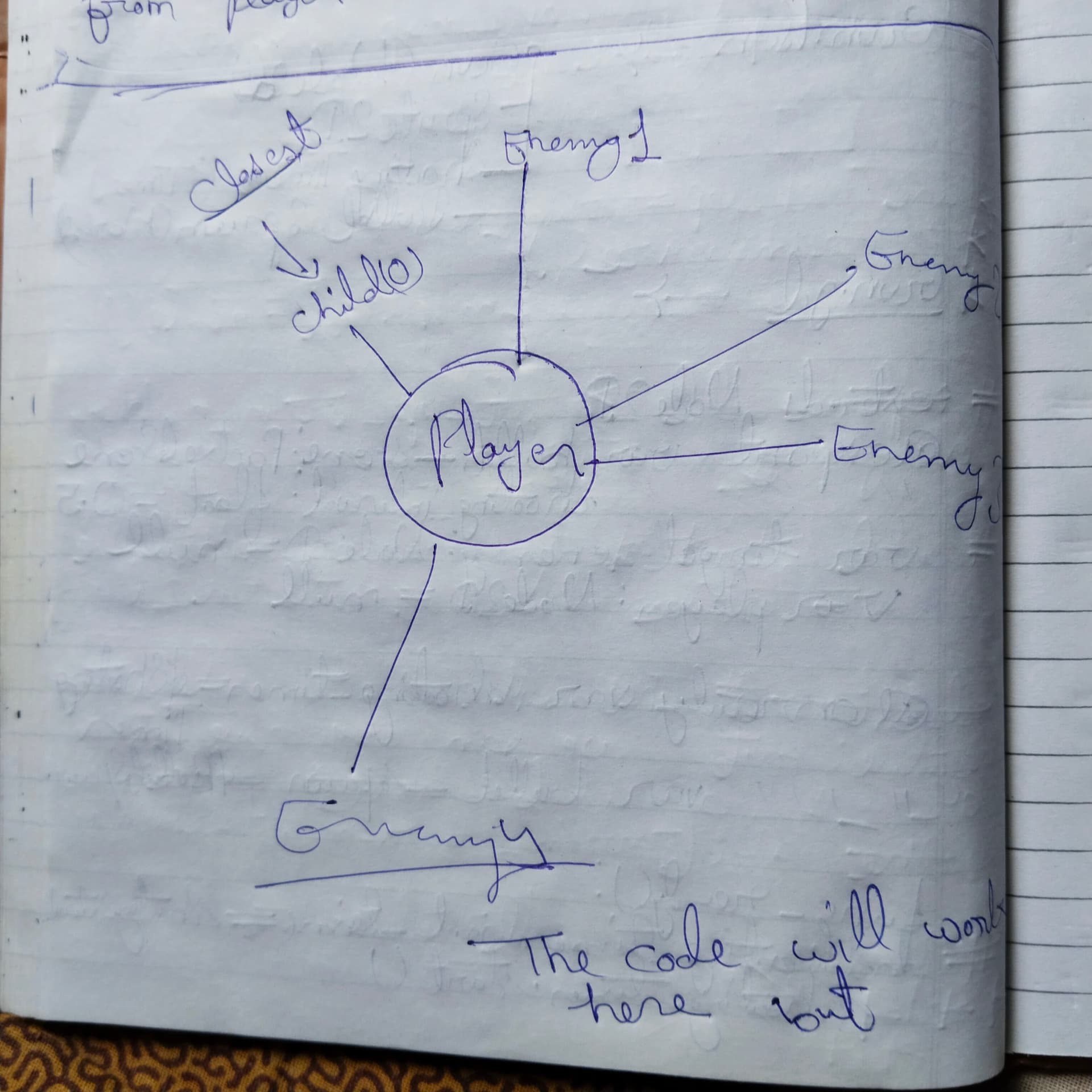
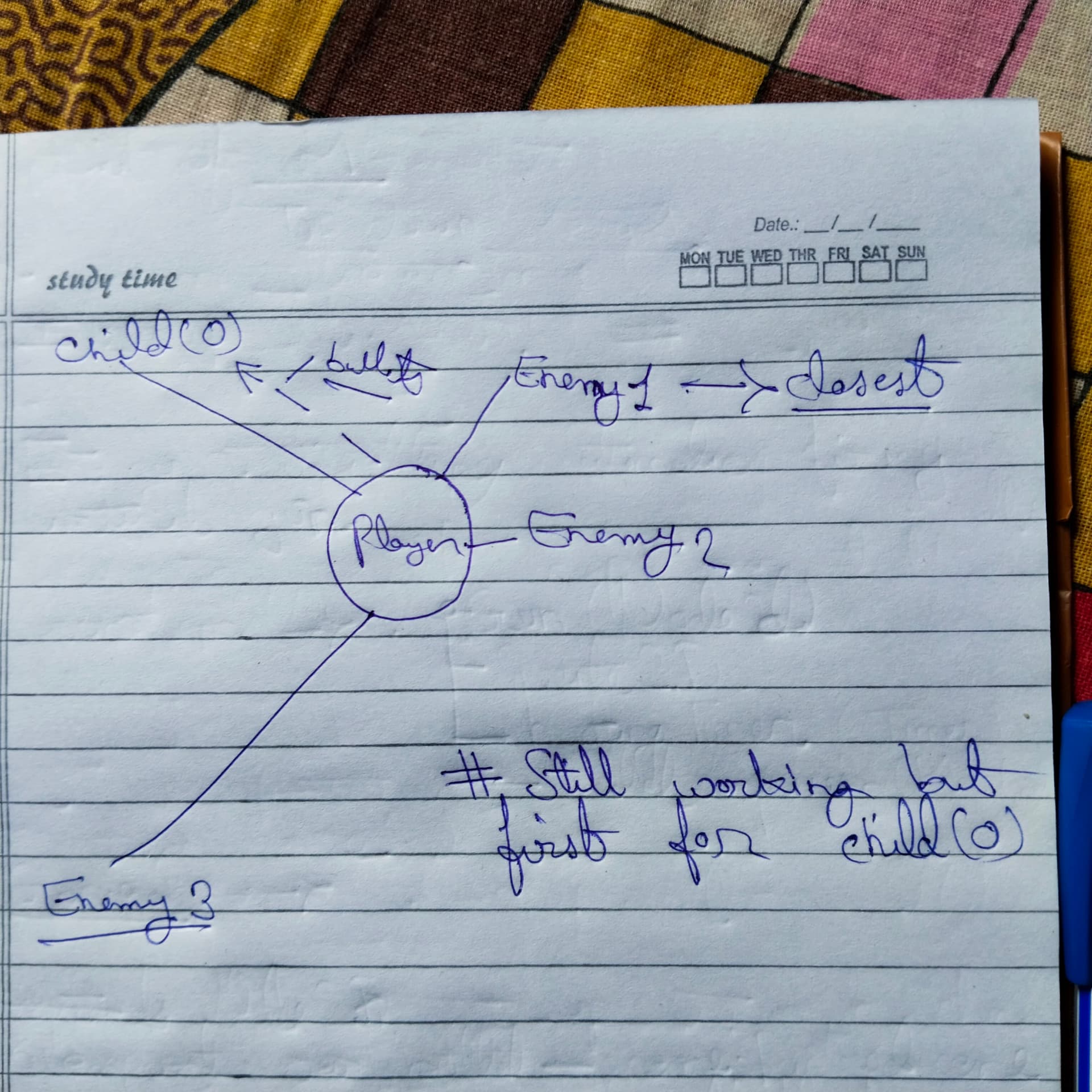
Creating a 2d top down shooter but confused on how to create gun for character body 2d that shoots automatically at the nearest enemies.
Node structure for Player is the Normal structure for any character body 2d.
extends Sprite2D #Gun is taken as Sprite 2d and this is Gun.gd
@onready var player = $"." #player refrence looking weird idk why
var enemies = {
	"Normal" = {health = 100 , speed = 200 , damage = 10} ,
	"Boss" = {health = 1000 , speed = 400 , damage = 100} ,
	"Giant" = {health = 2000 , speed = 500 , damage = 200}
}
var mobs = enemies
func _process(delta: float) -> void:
	var nearest_enemy = (enemies.global_position - player.global_position)
	if nearest_enemy.position >=  player.global_position:
		pass
extends Sprite2D
# Have a node somewhere that contains the enemy nodes, and reference it here.
@onready var Enemies = $"../Enemies"
const COOL_TIME: float = 0.2 # 0.2 seconds
var gun_cooldown: float = 0.0
func _get_closest_mob() -> void:
var dist_squared: float = 100000.0 # "Infinity".
var player_pos: Vector2 = player.global_position
var closest: Node = null
for mob in Enemies.get_children():
var dsq: float = player_pos.distance_squared_to(mob.global_position)
if dsq < dist_squared:
closest = mob
dist_squared = dsq
return closest # Note this can be null; there may be no enemies left...
func _process(delta: float) -> void:
if gun_cooldown:
gun_cooldown -= delta
else:
var mob = _get_closest_mob()
if is_instance_valid(mob): # Check for null or being queue_free()d...
_shoot(mob)
gun_cooldown = COOL_TIME
what you want is an Area2D. it will detect collisions of your enemies or some Area2D that’s part of them.
when the collision happens, a target reference is assigned, and the gun aims in that direction.
if the target gets out of range, it gets nulled and a different collision must happen to assign a different one.
this solution is optimal for hundreds of enemies, as it will use the physics engine and godot can optimize it, it will also run in c++ instead of gdscript.
first, your gun should be its own node and you instantiate it as child of player, it does its own thing.
this will have an Area2D or ShapeCast2D to detect enemies. this example uses an Area2D but a ShapeCast would be better for line of sight, like an auto-aim.
extends Node2D
@onready var area_2d : Area2D = $Area2D#this is the reach of the gun
var target : Node2D#selected enemy
func _ready() -> void:
area_2d.body_entered.connect(enemy_near)#connect the area2D. use area_entered if using areas.
func enemy_near(body) -> void:
if not target:
target = body#set target for firing at
func _physics_process(delta : float) -> void:
if target:#weapon does nothing if there are no enemies
if target.global_position.distance_to(global_position) > 400.0:#or the radius of your area2D
#fire should be handled by a different node, the weapon just aims at them, a Node2D at the tip would fire when a button is pressed or if target is not null
#you could also fire from here by calling a method in the weapon trigger
#look at enemy #this would be done with some math
pass
else:
#enemy is out of reach, null
target = null
this is pseudo-code, I recommend you type it in the editor to fix any misspellings, and you need to aim at the position of the enemy, but you get the idea.
@export enemy_parent : Node

func get_closest_enemy() -> Node2D:
    var closest_enemy : Node2D = enemy_parent.get_child(0)
    for enemy in enemies:
        if distance_to(enemy) < distance_to(closest_enemy):
            closest_enemy = enemy

    return closest_enemy
Well this can work but how can you say the first child (0) will be the closest enemy always ?
I say this code is well working for child (0) but only if distance_to(enemy) < dist_to(closest_enemy) , what if distance_to(enemy) > dist_to_closest enemy.
That code doesn’t assume the first child is closest, it starts with the first child as a candidate for closest, and then loops over the rest checking if any are closer.
It’s not very efficient; it’s recalculating the distance to closest_enemy every loop iteration, and it does wind up with a redundant check at the beginning (since the for loop will start with child 0…) In the event that enemies is empty it’ll probably error on get_child(0).
But as long as the enemy list isn’t empty, this will tell you the closest one.
where dx is the difference (or “delta”) between the x coordinates and dy is the same for the y coordinates.
Distance is a magnitude; it’s always positive. If we have two positive numbers (let’s say A and B) and we know A > B, then we also know sqrt(A) > sqrt(B). The difference between them will change, but if all we care is “which one is bigger?” or “which one is smaller?”, then the square root doesn’t change that relationship.
Square roots are expensive, in CPU use terms.
On the other hand, if we calculate distance squared, the equation is:
(dx * dx) + (dy * dy)
Without that expensive square root. Since we’re just looking for which distance is smallest, we can use the cheaper-to-calculate squared values and get the same result with less math.
This same trick works (for similar reasons) if you’re trying to check whether something is within a certain distance (say, for collision or aggro or something). You can check if the squared distance is inside the squared range, and will get the same results as if you had checked distance within range, but the CPU does less work to get you there.
No, look at what the code does:
func get_closest_enemy() -> Node2D:
    # This line initializes `closest_enemy` with the first child.
    var closest_enemy : Node2D = enemy_parent.get_child(0)

    # This loop iterates over the list of enemies.
    for enemy in enemies:
        # If the enemy in this loop iteration is closer than `closest_enemy`...
        if distance_to(enemy) < distance_to(closest_enemy):
            # ...then replace `closest_enemy` with our new closer one.
            closest_enemy = enemy

    # The loop is done, `closest_enemy` should be whichever one the loop picked.
    return closest_enemy