So, I was learning to code in Godot C# by moving an object with Position += new Vector3(0,40,0); with GD.Print in public override _Ready(). The GD.Print works its the object thats not moving and I tried it with a few objects and its not working even though the scripts are in the right nodes.
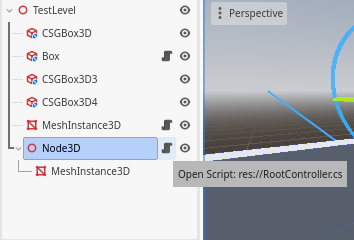
Edit: Sorry it took me long to respond here’s what im referring to
There can be multiple reasons it doesn’t work.
Share the whole script using preformatted text with triple backticks ``` and a screenshot of the scene tree.
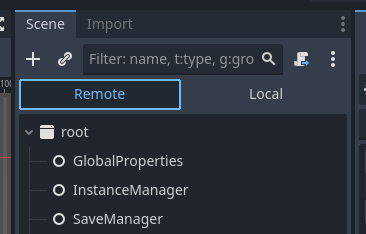
I checked the position through GD.print and what I found something strange is the Node’s position in the remote tab changed when I look at the inspector but the position doesn’t change in the scene but when I go to the local tab and look at the inspector it shows the original position as it was before
I don’t see that in the script you shared, so can’t tell if you’re doing it right.
So that means the position did change. The Remote tab is the one you should be looking at to verify the parameters of the running game.
How do you verify that? Because maybe you’re looking at a wrong thing, or in the wrong place, or simply it just looks like it didn’t move, but it actually moved, just not relative to the camera. If the position changed in the Remote tab, then it must’ve changed.
That’s expected, because Local tab will not change at runtime. It shows you what the scene looks like before you start the game.
It’s okay, I made a mistake this whole time, I’ve been treating Godot like Unity lol I needed to put a camera in the scene and play “current scene” the one with the little clapboard. My apologies if I wasted your time but thank you for helping me!