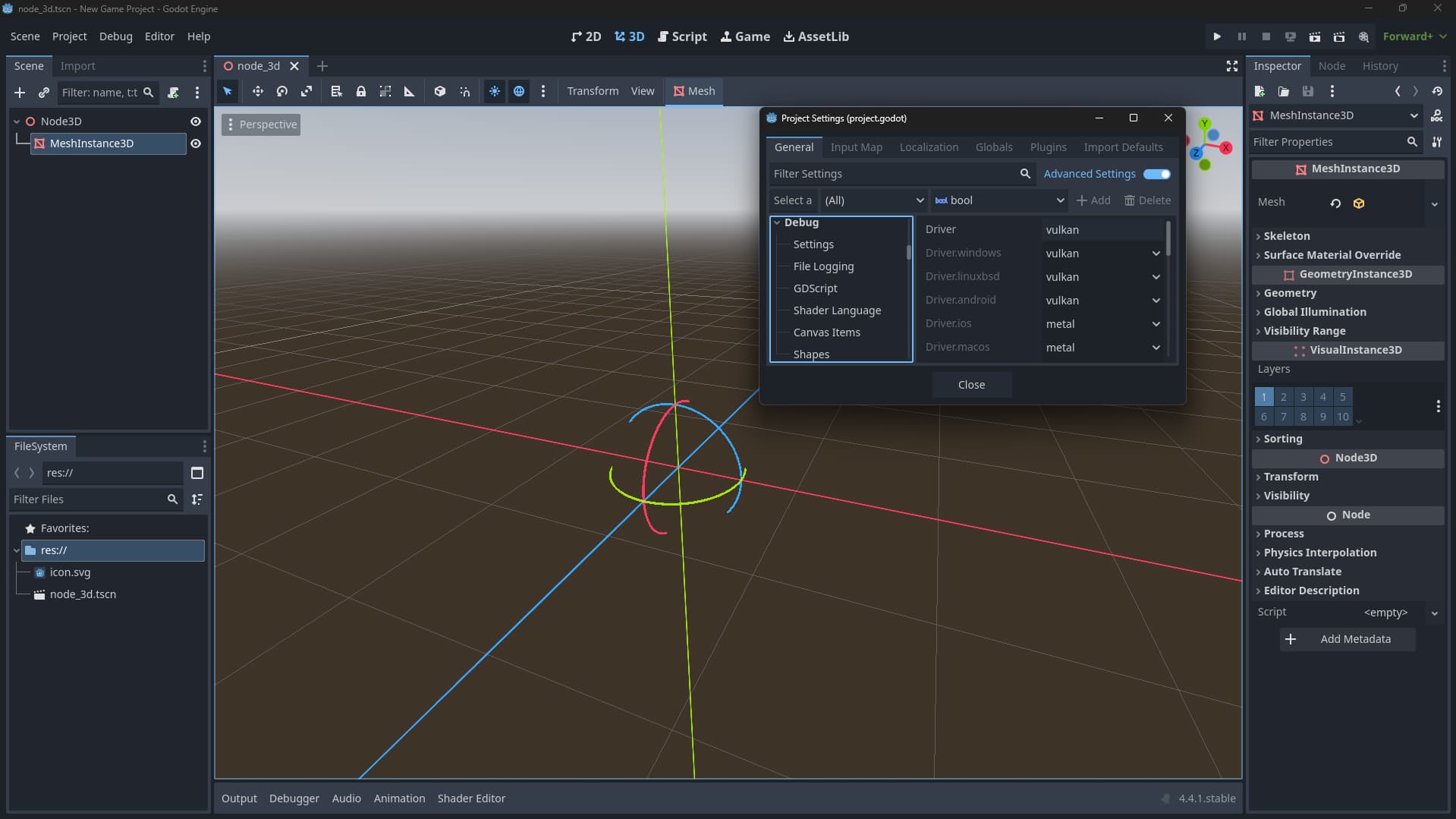
On the Godot version 4.4.1 which is the latest stable version as of 8/8/2025.
When I add a Node3D for my main scene, and then add a MeshInstance3D and try and assign it a cube mesh, or plane mesh, nothing appears. Not even in the actual Inspector which shows that little viewport of the mesh. The transform graphics also don’t work the only one that does show up is the rotation graphic.
I must add that I changed the driver in: rendering/rendering_device/driver
To “vulkan” “d3d12” “opengl”
And D3D12 was the only one that worked for me.
And it says the recommended Vulkan version is: Vulkan 1.0 compatible hardware
And that the minimum required is: OpenGL 3.3 / OpenGL ES 3.0 compatible hardware
That’s why, just in case, I am gonna include a setting to switch between Vulkan and D3D in the game’s settings, just to be safe from AMD breaking their drivers again, and having a bunch of AMD users mad at me.
Since it can’t be changed at runtime, the settings menu basically needs to re-launch the game with command line arguments --rendering-method and/or --rendering-driver (and remember it somewhere, so that the game is launched with those params again).
I am not sure how this can be done on Android or iOS though, since their apps are technically not launched from a command line.
EDIT: Actually iOS has command line arguments. So it’s only Android that doesn’t have them, but it has “intent data” instead, not sure whether Godot implements those to apply the same behavior as command line arguments.
Android and iOS would only be OpenGL or Vulkan anyway, so I personally wouldnt worry about it there. Video drivers dont work the same way on mobile as they do on a desktop Windows PC.
For Windows you could just have two different /exe files depending on which renderer you want, or create a launcher (which could be created with Godot in theory).
True but someone might wanna let the user select between mobile & compatibility, for example if someone has a really low end phone they might like an option that allows them to switch to compatibility.
Also an option, but imo the flag being set by an options menu in-game would be nicer (I haven’t tested it though).