Godot MCP Studio, an AI tool for Godot 4
Godot MCP Studio connects an AI client (Claude Code, Cursor, Codex, Gemini CLI, Cline) to a Godot project through a desktop app, an editor addon, and a local MCP server. You pick your project and your client in the app, it writes the config and installs the addon, and the AI has 347 tools pointed at that project.
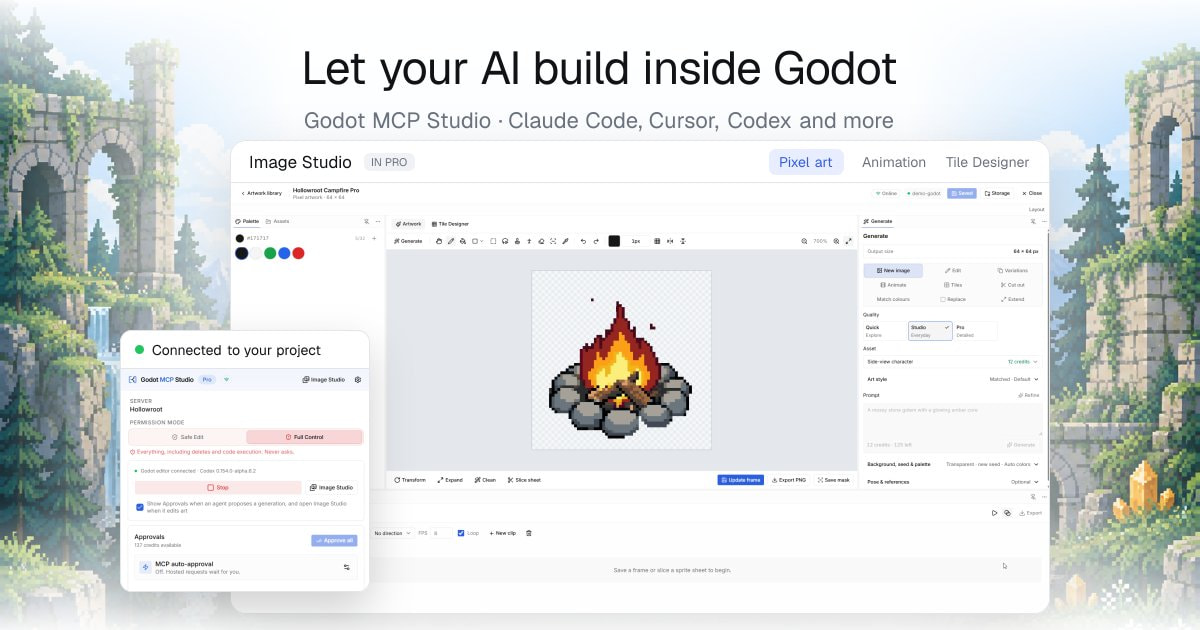
The part that makes it different from wiring an AI to your project folder is that it does not stop at files. The addon runs inside the editor, so the AI works on the open scene the way you would: add nodes, attach scripts, set up an AnimationTree, paint a tilemap, build a theme, place lights, bake navigation, edit shaders, then save the scene.
Then it can run the game and look at it. A temporary service is injected into the played game, so while your game is running the AI can read the live scene tree, check a node’s property, simulate input, take a screenshot, capture a GIF, read the errors the game pushed, watch a value over time, pause, or slow time down. It writes a change, plays it, sees the result, and fixes it. That loop is the whole point, and it is the part I have not found anywhere else.
Some of what that unlocks:
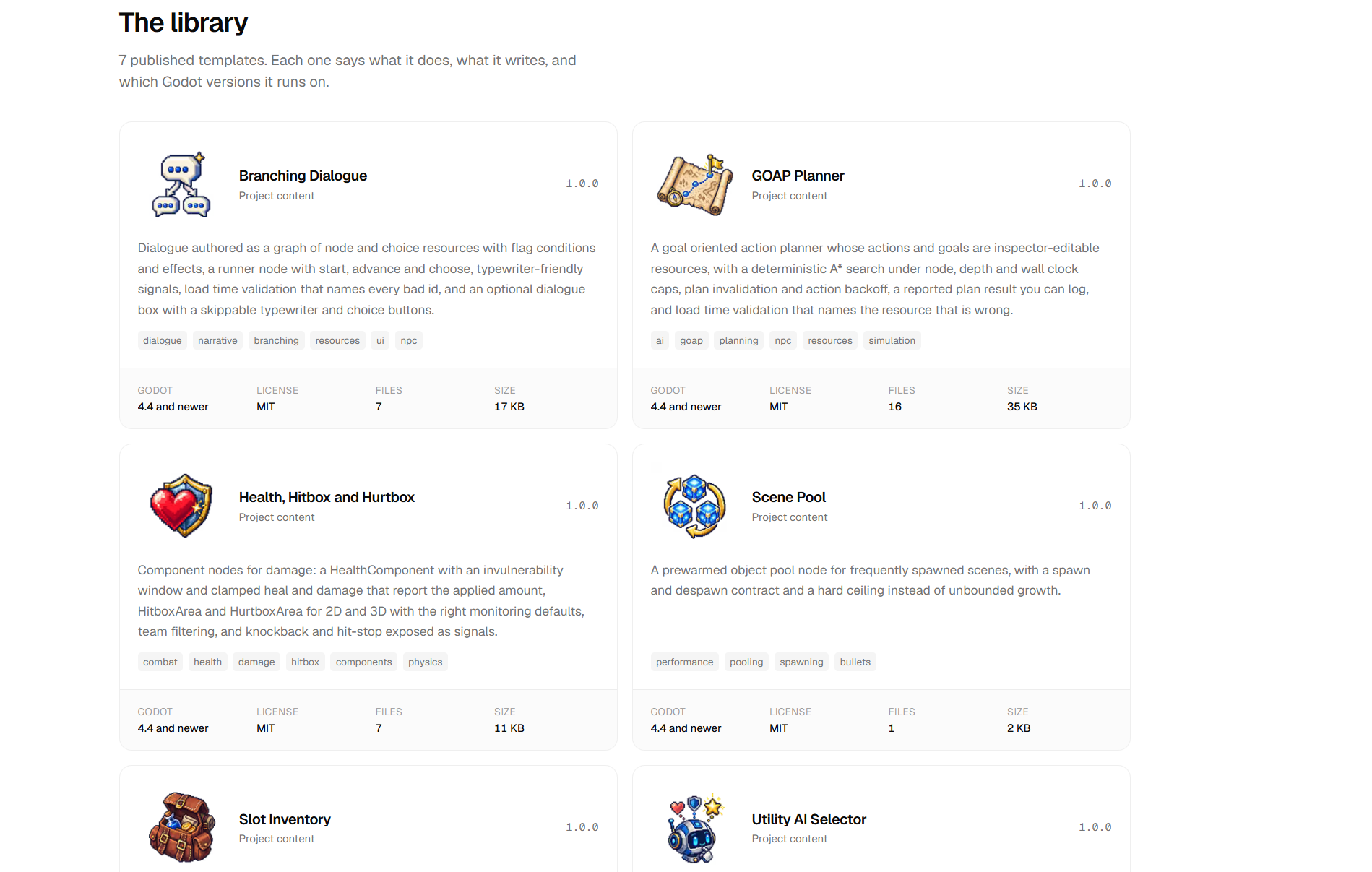
play_multiplayerstarts 2 to 8 real instances of your game, each addressable on its own, so the AI can host on one, join on the others, move a player on one instance and watch the remote copy on another to prove replication is actually working.- A template library it installs and wires up: branching dialogue, slot inventory, versioned saves, GOAP, utility AI, health and hitboxes, scene pooling. All MIT, the installed code is yours.
- Image Studio, a pixel art workspace in the app. Draw, import, generate, animate, design tiles, export into the project as a PNG. Drawing and editing are local and free.
- Asset Library installs by asset id. GDScript addons install directly; native GDExtensions only from a small reviewed list, and those always ask you first.
- Agent rules and skills for your client are installed with it, so the AI knows how to use the tools and which Godot 4 idioms to follow instead of guessing.
Every call goes through a local server that enforces a permission mode. Safe Edit is the default: it creates and edits freely, and stops to ask you before a delete, a run, or any code execution. Full Control does not ask. The server enforces it, not the AI.
Lite is free, with 77 of the 347 tools, no account and no license. Pro is a one time payment. Windows and macOS, Godot 4.x.
Happy to hear what you think, including if you think tools like this are a bad idea.
