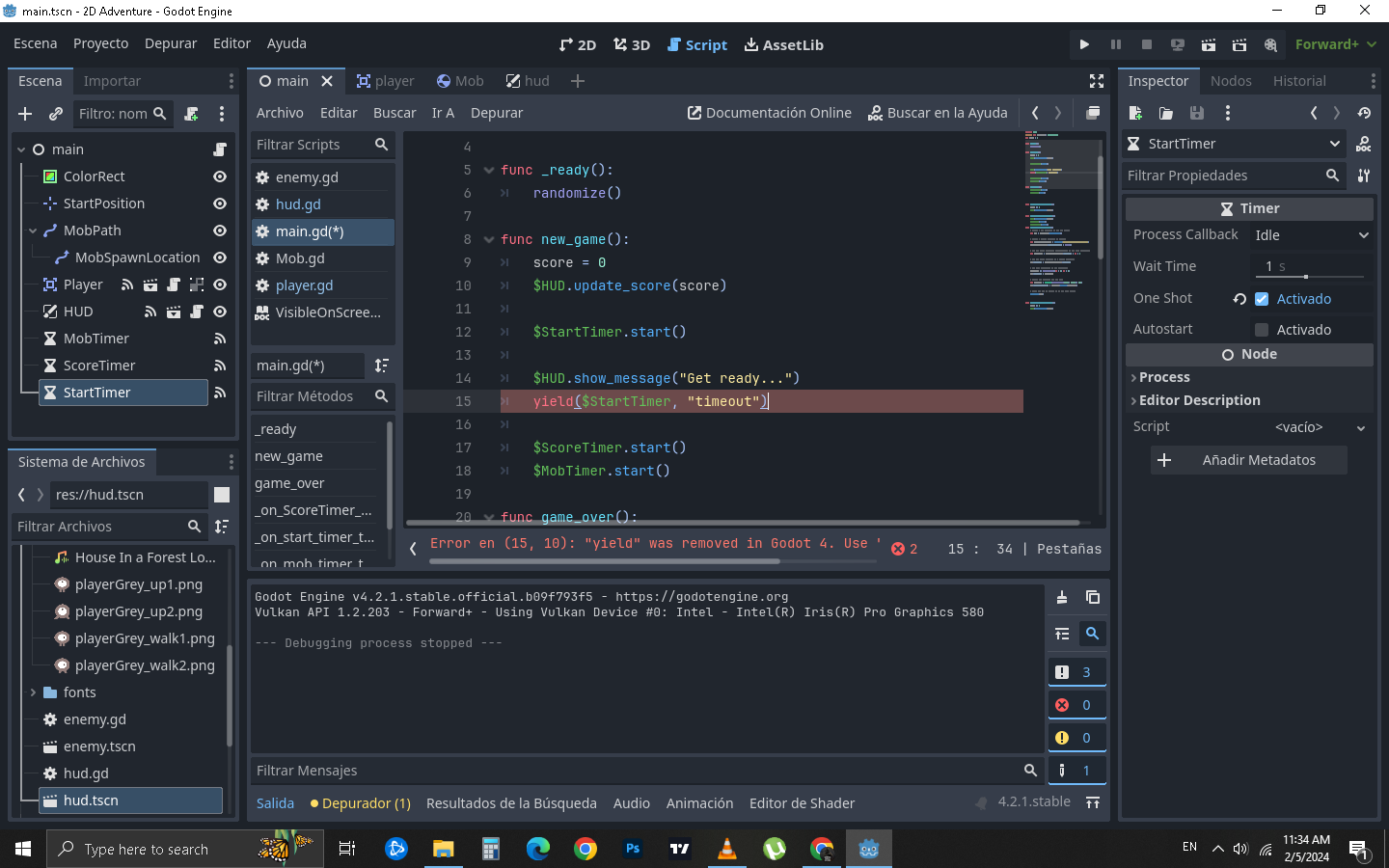
I’m following the official Godot tutorial to make the first 2D game, but in the part where you have to place the “YIELD” function, it tells me that it was replaced by "AWAIT. But I don’t know how to make that call. I am putting this line of code:
yield($StartTimer, “timeout”)
Also, when you place this: $StartTimer does not autocomplete, that is, as if it were not created.
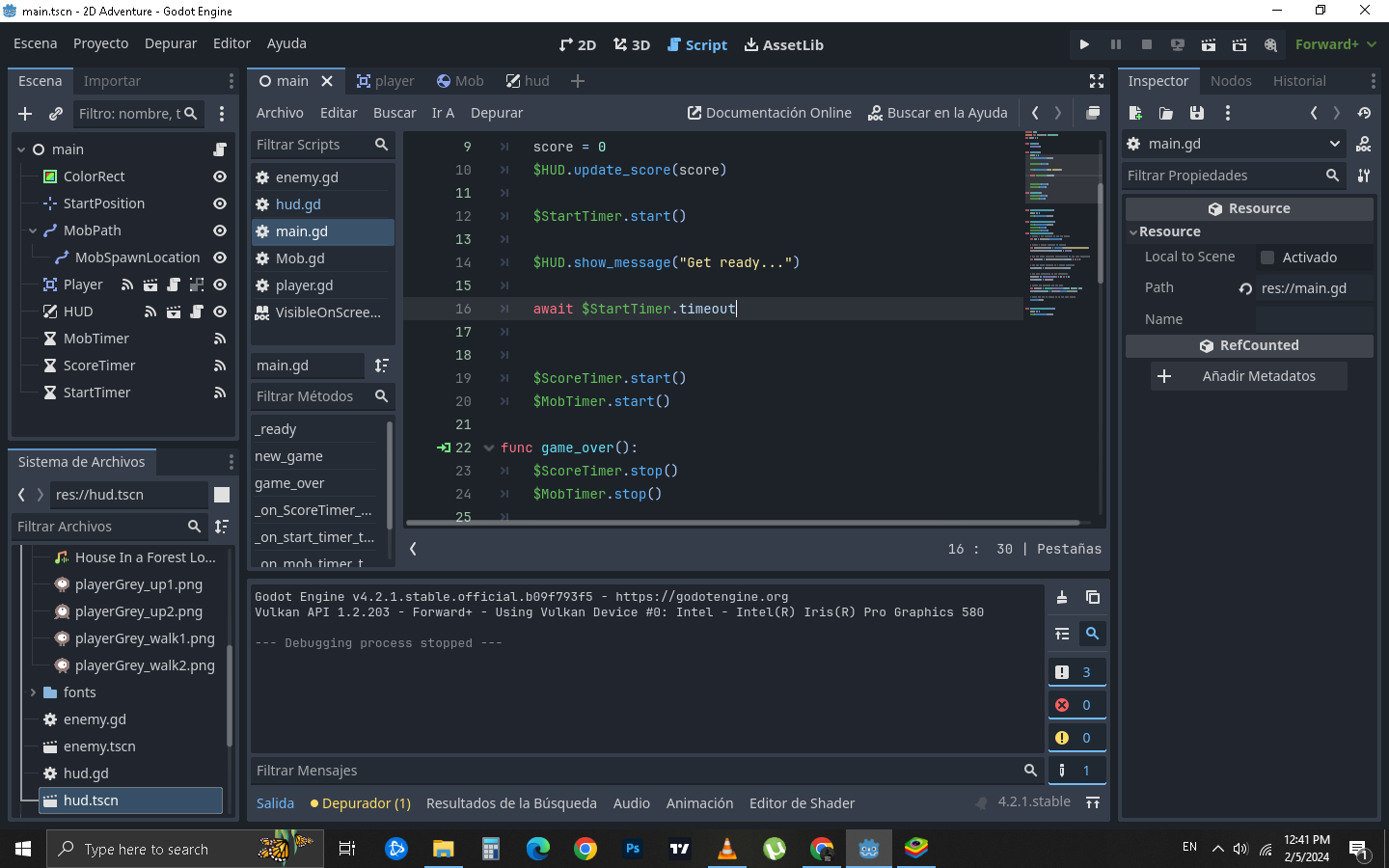
Hm… this is because yield is not the same as await. yield “gives” away control from the function to the caller, while “await” just “pauses” execution at the code line until the signal returns a value, even as other scripts are running. It’s very different. The tutorial clearly needs to be updated if it still tells you to use yield. *goes investigate*
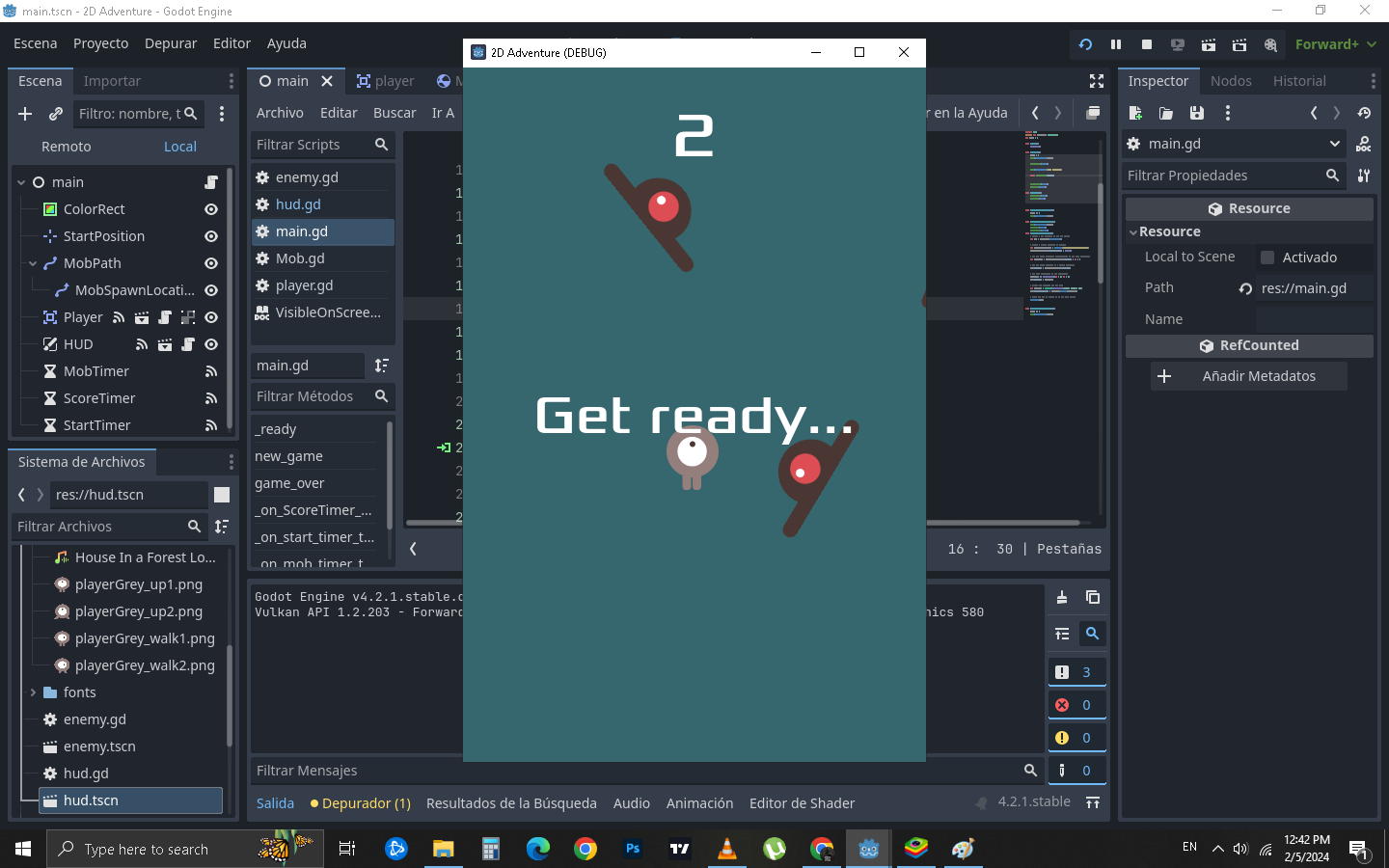
I had been following the old tutorial, you are right, but then I realized it and continued with the new one and this has been giving me several errors because I had almost everything done, I have been correcting them but I couldn’t solve this AWAIT error. It is so that when you press play on the game, GET READY… appears for a moment and then disappears. I can’t solve that
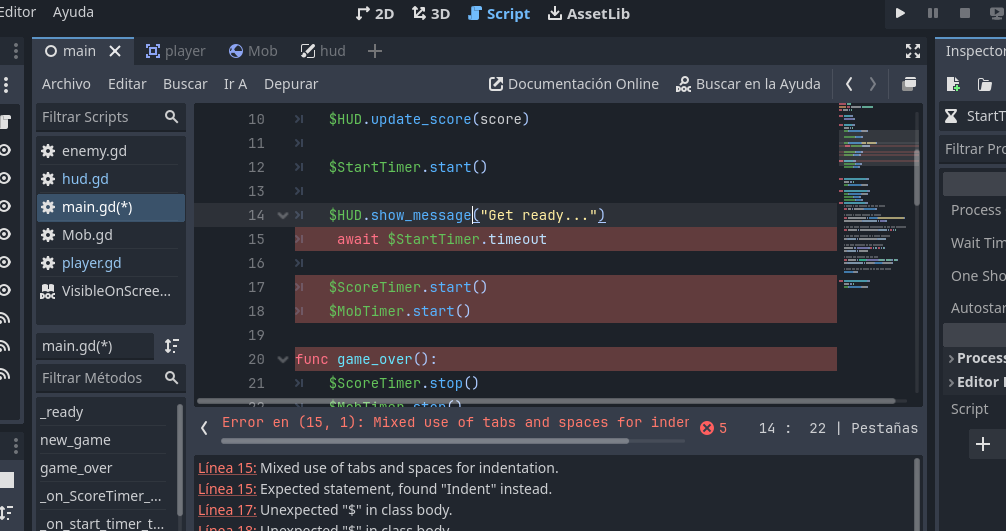
Oh, that just means there’s an extra space to the left of the “await”.
Indentation in GDS matters, like in python. You don’t want to have a line that starts with both a tab and a space.
(im not bro, im grl)
What do you mean by that? the error does not disappear? What error do you get now? What script? Without details it is impossible to guess what might be wrong now.
I think the only way to explain it is with a video but I don’t think you can upload videos. The red error no longer appears, but the function is not being performed. GET READY appears but when you start playing it does not disappear.
 , I owe you one, friend. you’re the best. Thank you for your patience and for helping me. This is my first thread on this forum