Godot Version
4.4
Question
Hello!
I’m working on a simple heightmap implementation using a shader, and creating the collision shape with the heightmap texture passed to a HeightMapShape3D node.
It mostly seems to work okay, except near the borders of the mesh. The UV coordinates seem to work up to edges in the shader part, but the collision shape stops matching.
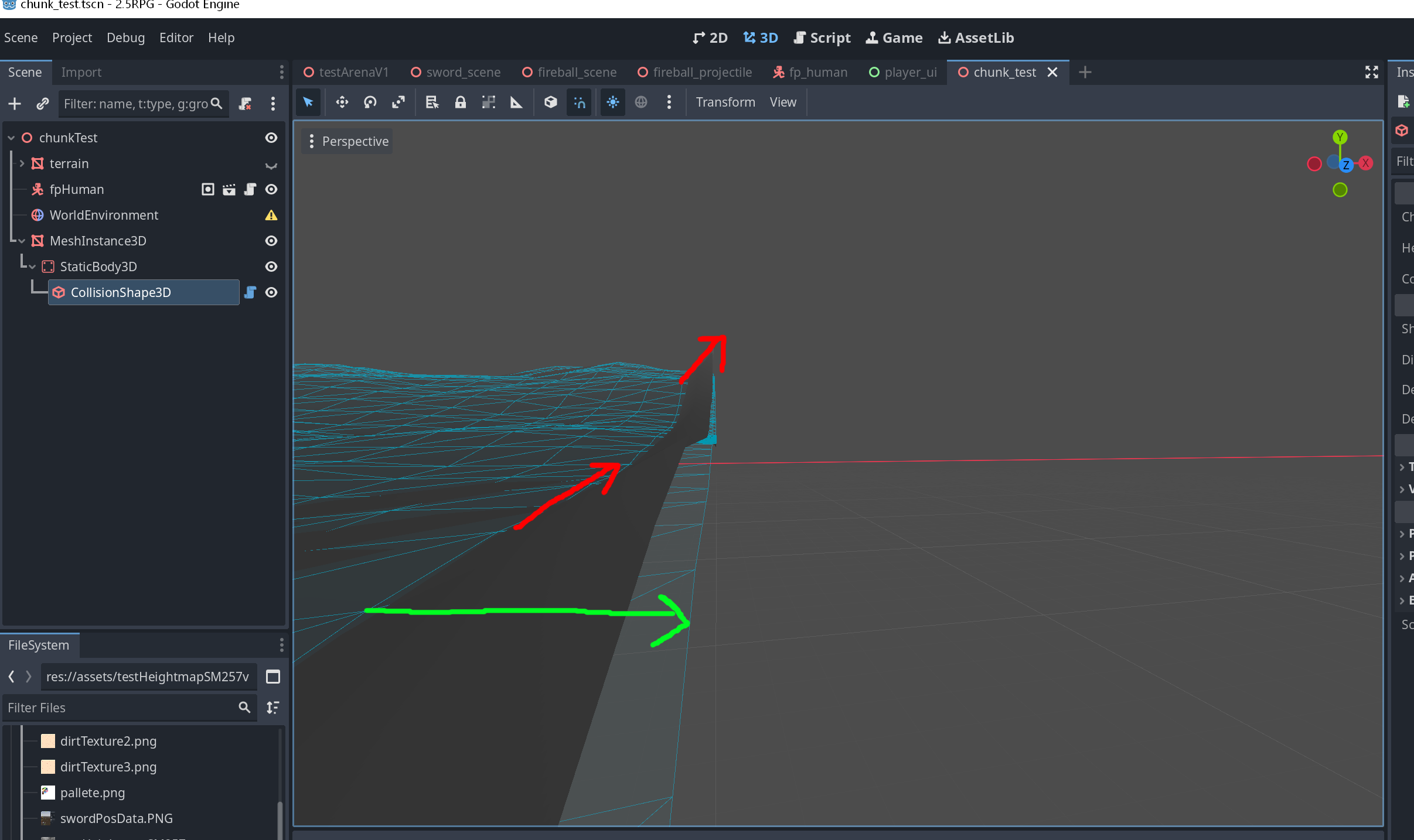
The shader itself is really simple, and the planemesh is created in godot with a subdivision for each meter.
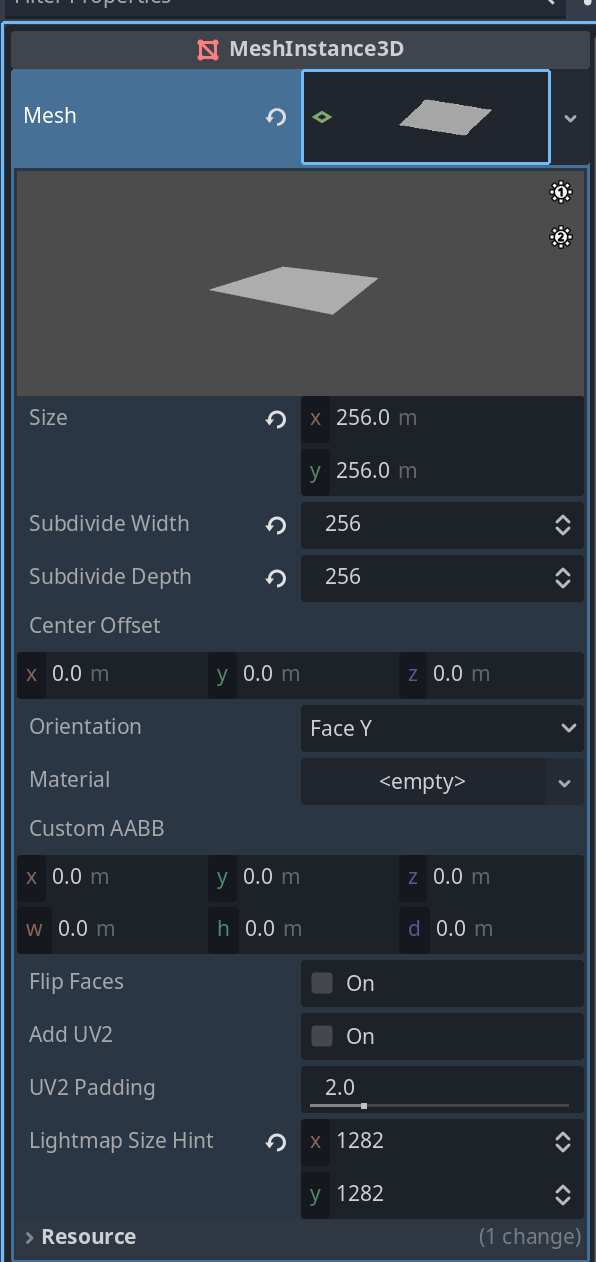

The heightmap texture is 257x257, so one pixel larger than the vertice count on the actual mesh. I’m also using the built in update_map_data_from_image() function with the same texture I pass the shader:

I’m at a loss as to why the mesh seems to deform correctly at the edge, but the collision seems to just stop in place at borders and continue straight.
