Godot Version
v4.4.1.stable.arch_linux
Question
I have a 3D Scene which features a bunch of stuff, but there are two Cameras in the scene. These are like surveillance cameras.
I want a kind of desktop environment where the player would open up the surveillance cameras and watch what’s happening.
So I have a scene with a Control root node:
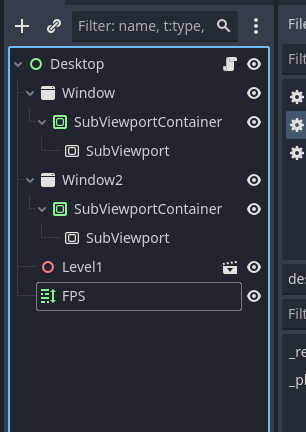
And I’ve added the 3D scene here. In my “desktop” script, I’m assigning a different camera to each of the subviewports:
extends Control

@onready var subview1 = $Window/SubViewportContainer/SubViewport
@onready var subview2 = $Window2/SubViewportContainer/SubViewport

@onready var camera1 = $Level1/Camera01
@onready var camera2 = $Level1/Camera02

@onready var fpsLabel = $FPS

func _ready() -> void:
	RenderingServer.viewport_attach_camera(subview1.get_viewport_rid(), camera1.get_camera_rid())
	RenderingServer.viewport_attach_camera(subview2.get_viewport_rid(), camera2.get_camera_rid())

func _physics_process(delta: float) -> void:
	fpsLabel.text = "FPS: " + str(Engine.get_frames_per_second())
The problem is the scene is in the background. If I hide it, the cameras don’t show anything either.
The performance is also pretty bad despite it being a very simple scene. With just two cameras, it should be equivalent to a splitscreen, and I’m also using fairly small subviewports, so the terrible performance is a little confusing.
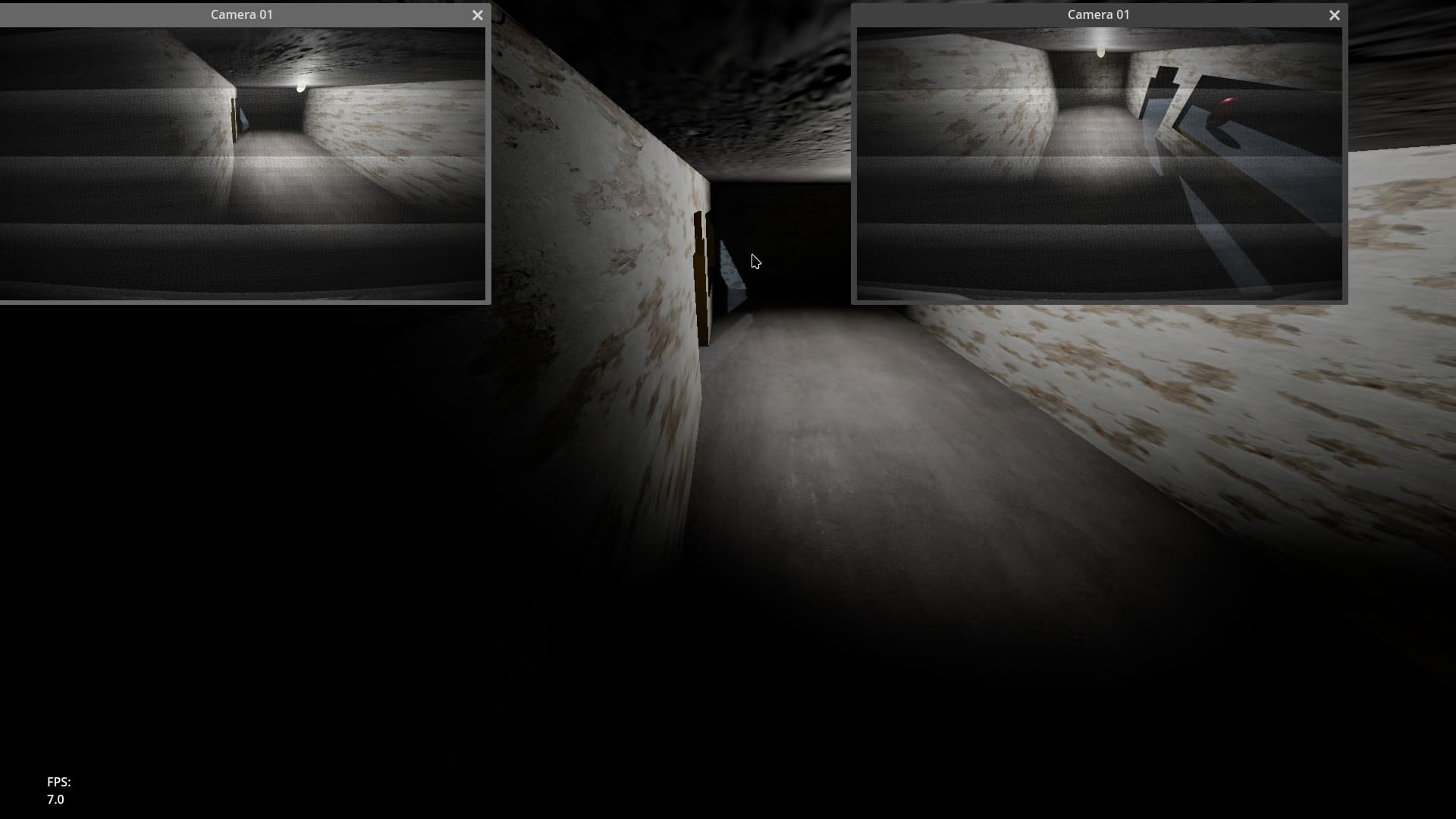
6 FPS is pretty bad. The Level1 Scene run on it’s own is an easy 60fps. I originally only had one camera feed, and positioned the Level1 Scene under the subviewport node. This also performed perfectly fine at 60fps.
Ultimate outcome is to have a single 3D scene displayed in two or more subviewport windows, without it also occupying the background.