Godot Version
Godot 4
Question
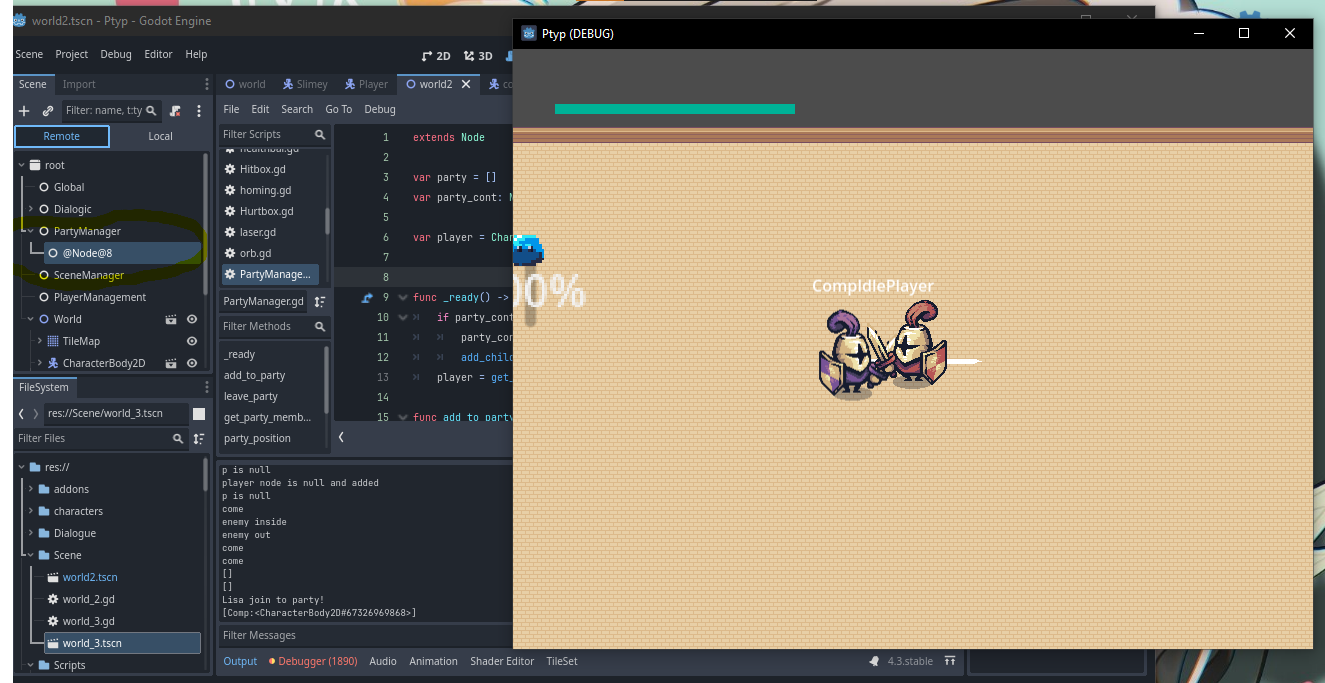
I’m working on party system on godot that can follows player around the scene, i tried to add the companion scene to a party manager container so it wont be freed while changing scene… but it seems didn’t work
PartyManager.gd

func _ready() -> void:
	if party_cont == null:
		party_cont = Node.new()
		add_child(party_cont)

####

func add_to_party(member : CharacterBody2D):
	party.append(member)
	party_cont.add_child(member)
	print(member.Name, " join to party!")
the add_to_party() function called when the player recruit the companion
func _dialogic_signal(arg : String):
	if arg == "Ended":
		Transitioned.emit(self, "CompIdle")
	if arg == "JoinParty":
		Transitioned.emit(self, "CompFollow")
		PartyManager.add_to_party(owner)
but when its called, in remote scene tree i cant find the child which is the companion
but when i change the “member” valuee to node.new() it appears on the scene tree…
am i missing something???
When you say “changing scene”, do you mean you are completely unloading the whole scene and then switching to the new scene, creating a new scene tree?
When switching your scene, the partymanager node and every character node will be unloaded and can’t transfer over to the new scene. If you want to keep data about nodes when changing scenes, you will need to either:
- Stay in the current scene and unload child scenes and load new scenes to change the level for example
- Use autoloads to keep memory of the data when switching scenes. In this case, you’d need to: 1. keep a reference to every node that needs to transfer in the autoload and 2. remove every node that needs to transfer from the scene tree by calling remove_child. When the new scene is loaded, you would then need to add each child that was removed previously to the new scene.
Typically, the nodes themselves do not transfer between scenes. It is more common to collect the data from each node and destroy it, then create a new instance in the new scene and set the data on it that was previously collected.
Maybe this tutorial can help you:
1 Like