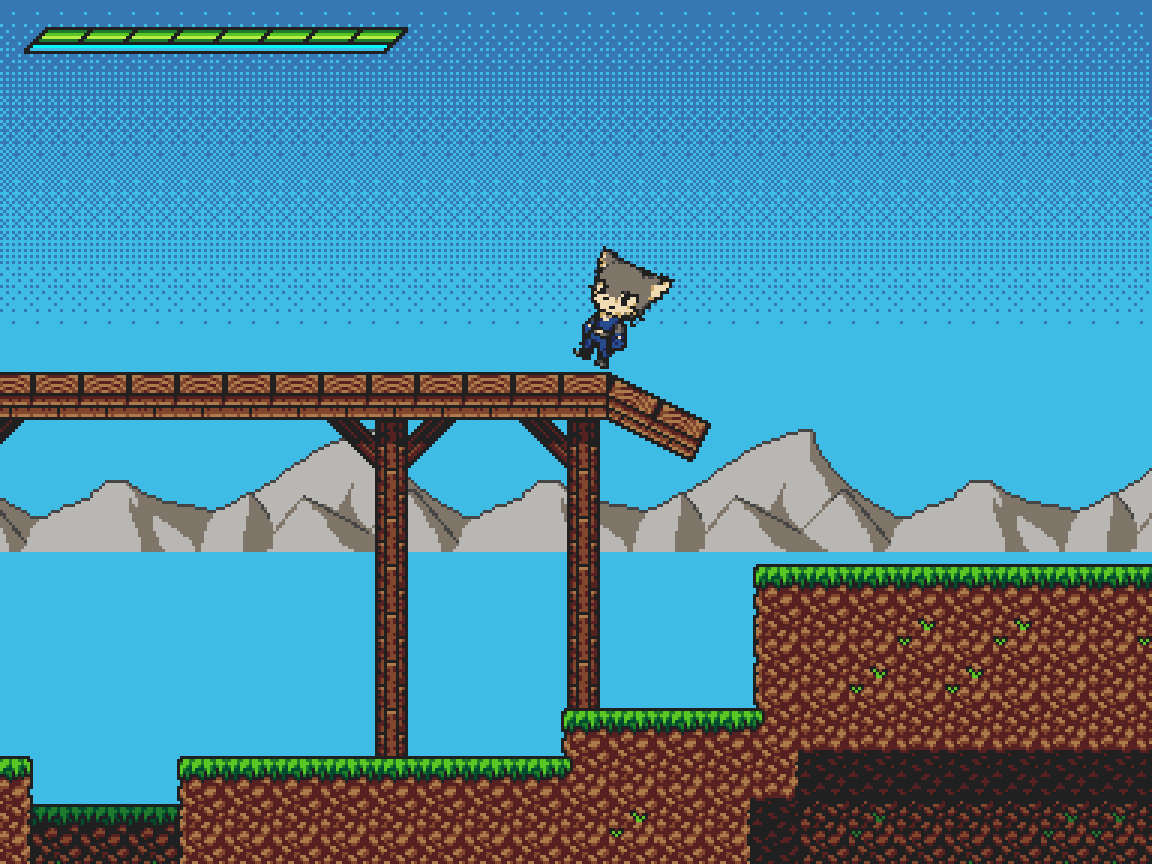
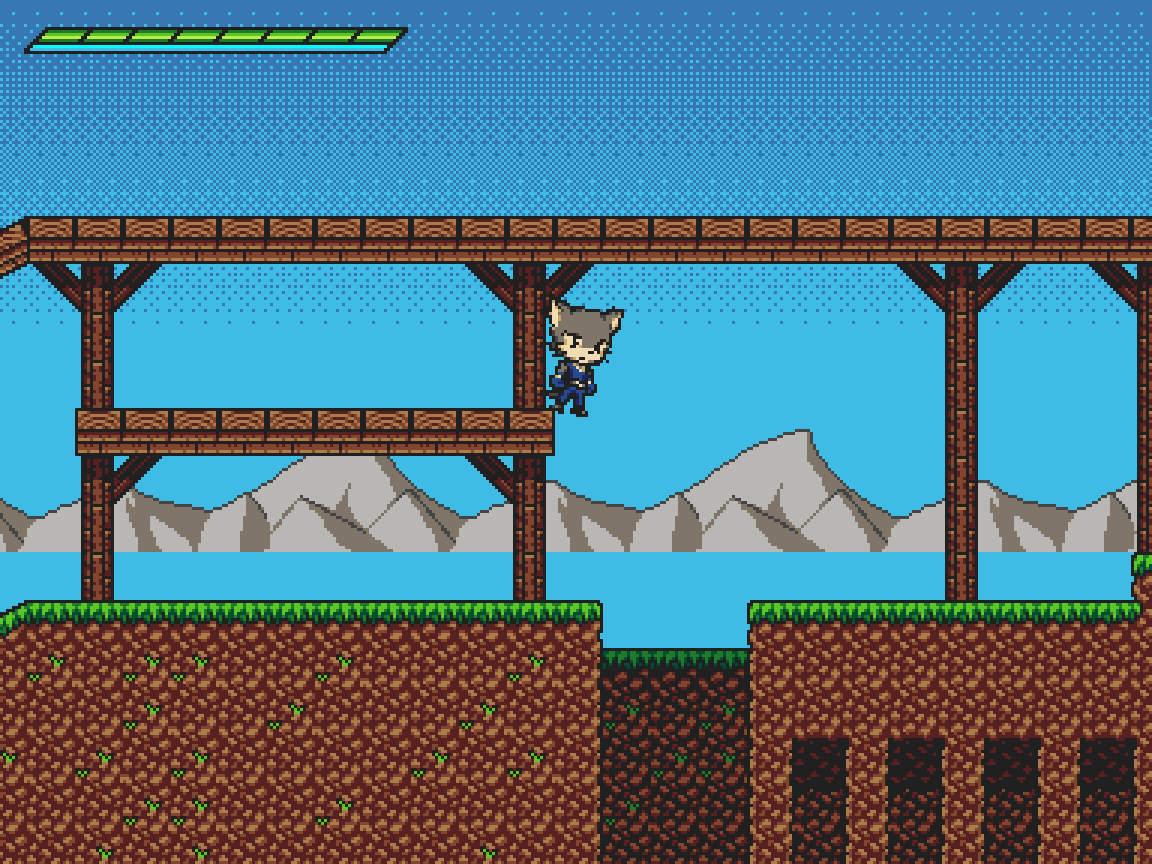
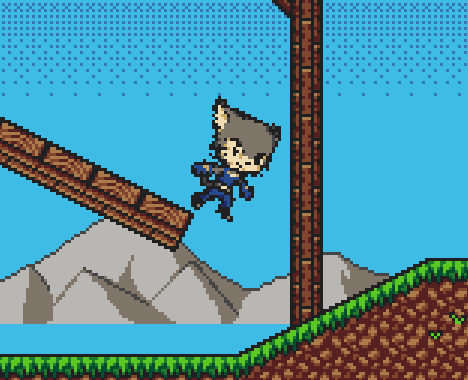
I want my character to rotate properly when interacting with slopes. While I have achieved that, it introduced a few new problems, namely that when reaching the upward edge of a slope that’s connected to flat ground, the character doesn’t snap back to the ground properly until I jump:
(ignore the broken background, that’s a different problem)
Changing the collider shape from a rect to a capsule fixes that, but introduces a different problem: now, when moving to the very edge of any platform, the character doesn’t fall off properly or slide off like it should with a capsule collider. Instead, he kinda just balances on that edge (you can’t see this in the screenshot but he’s shaking like crazy):
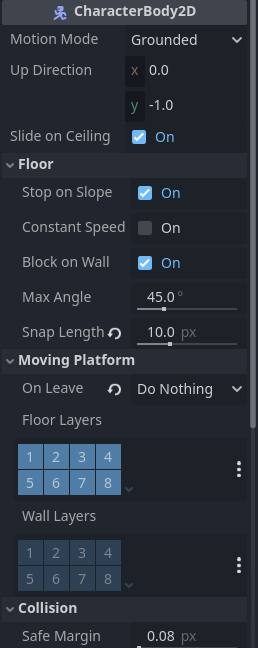
There are a number of options in CharacterBody2D that can be tweaked to resolve movement issues. Take a look at max_angle and snap_length. While they will not rotate your character, they will make it act appropriately on slopes and may give you another solution to your problem without all the rotating you’re doing.
To fix the bug you’re currently experiencing, you’ll probably need to put a Raycast2D pointing down at the edge of the capsule shape and push the character off the edge if they get too close. This will probably lead you to needing to implement Coyote Time for jumping.
Oh, snap. Didn’t notice your reply. I actually already have coyote time, and I have adjusted snap length, but that simply snaps the character to slopes, and I want him to also be rotated, like in Sonic games, so it’s more of an aesthetic choice than an actual solution to anything.
Your suggestion to use raycasts has given me an idea of my own, and now my character basically has both a capsule and a rect collision and switches between them depending on whether both raycasts are colliding with the ground or not. This results in being able to stand at the very edge of a platform, and in proper snapping when running on contiguous ground.
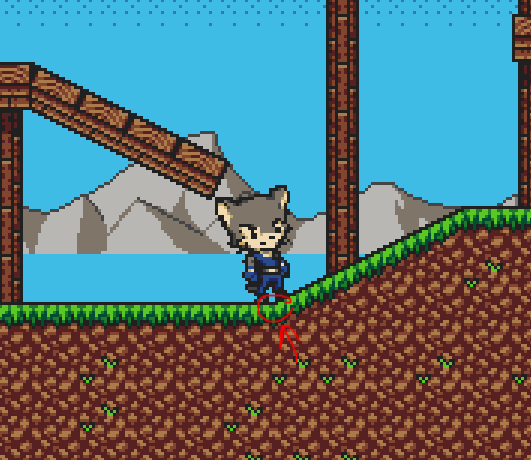
There is, however, one bug that happens regardless of whether the collision is a rect or a capsule: when standing in the spot where a downward slope connects to the ground, the same shaking thing occurs (video didn’t wanna upload correctly but basically it’s this spot right here):
I’m having the same problem right now with an is_on_wall() detection for wall sliding. What’s happening is that if you fall next to the wall, it detects the collision, then the next frame it doesn’t and this goes back and forth. It makes the character flicker between animations. I don’t know if this helps you, but it sounds like your character is switching between two states every frame, so figuring out what’s doing that may allow you to solve it.
I’m actually pretty sure that’s not what’s happening in my case, seeing as the idle animation seems to play perfectly fine while he’s flickering (if it was switching between states, wouldn’t it get interrupted every time?) I think in my case it might be something like changing rotation every frame because the floor normal changes?
I was actually thinking about rewriting the rotation code to fix this problem. Consider this: a rectangular block, placed in the spot where a slope connects to the floor, has 2 points touching differently angled surfaces, just like the raycast setup you suggested. The further it’s moved up the slope, the more its angle changes to be perpendicular to that of the slope rather than the floor. So I was considering basically calculating the difference between these two points and having the rotation be based on that? Except I have no idea how to do this in code because the collision normal of the raycasts themselves doesn’t really change gradually, it’s always either -1 or that of the slope you’re standing on, so idk what kind of math I need to do to calculate that.
Don’t use the normals. A normal is literally taking a value and converting it to 0 or 1 to indicate direction without magnitude. Instead, you can get the collision points of the two rays and draw a line between them to determine the angle.
It’s time to learn some Vector Math then; and if you need it - Advanced Vector Math. It’s not as complicated as it first seems. In this case, it’s just learning what methods to call.
What you want to do is take the two points and find the Vector between them. Then find the perpendicular negative-y (because -y is always up in 2D Godot) Vector to that.
Thanks! While you were typing, I simply swapped the capsule collision for a polygon with a downward facing triangle shape, and that seems to solve my problem just fine and even better because now the character properly approaches the slope and then rotates, whereas with the approach I thought of before, I assume he would’ve stood on air in that spot (or maybe not, idk). Regardless, both the “standing/shaking on air” and the clipping problems are solved, one more thing left:
Here, at the very edge of a downward slope that’s not connected to the ground, he once again shakes weirdly and here you can see that he indeed swaps between the idle and falling animations. What can be done about this?
I am new in godot but if it helps, I can try to help you. If the problem is the animation, could you show me the code? Something similar has happened to me.
I don’t really think the problem is in the animation, my animations are all properly set up and are simply played at the appropriate time. Basically this:
if is_on_floor():
	if !attacking and !hurt:
		if abs(velocity.x) >= 25 or !is_equal_approx(input_vector.x, 0):
			anim_state.travel("run")
		elif Input.is_action_pressed("ui_down"):
			anim_state.travel("crouch")
		else:
			anim_state.travel("idle")

else:
	if !attacking and !hurt:
		if velocity.y < 0:
			if !double_jumped:
				anim_state.travel("jump")
			else:
				anim_state.travel("double_jump")

		else:
			anim_state.travel("fall")
The problem with that last bug is that, like @dragonforge-dev said above, one frame it detects floor collision, the next it doesn’t. But like, they’re having a similar problem, so I guess they can’t help me with this one either until they solve it for themself first
My initial thought on a solution which I’m considering for myself is to create a bool variable that tracks what happened in the last physics tick. So if it doesn’t match for two frames in a row, don’t switch.