I’m developing an app and would like to have it present differently for different devices and different screen resolutions.
Now, I don’t simply want it to stretch a bit; I want to have a completely different layout depending on if it’s being shown on a mobile screen (tall and narrow) verses a tablet (wide). In one case the user controls should be on the bottom and in the other on the right.
Godot seems to lock you in to one screen size and I don’t see any way to write for multiple configurations. Do I need to create a new project for each presentation style? How would I share common code between projects?
I’m not sure I completely understood your response.
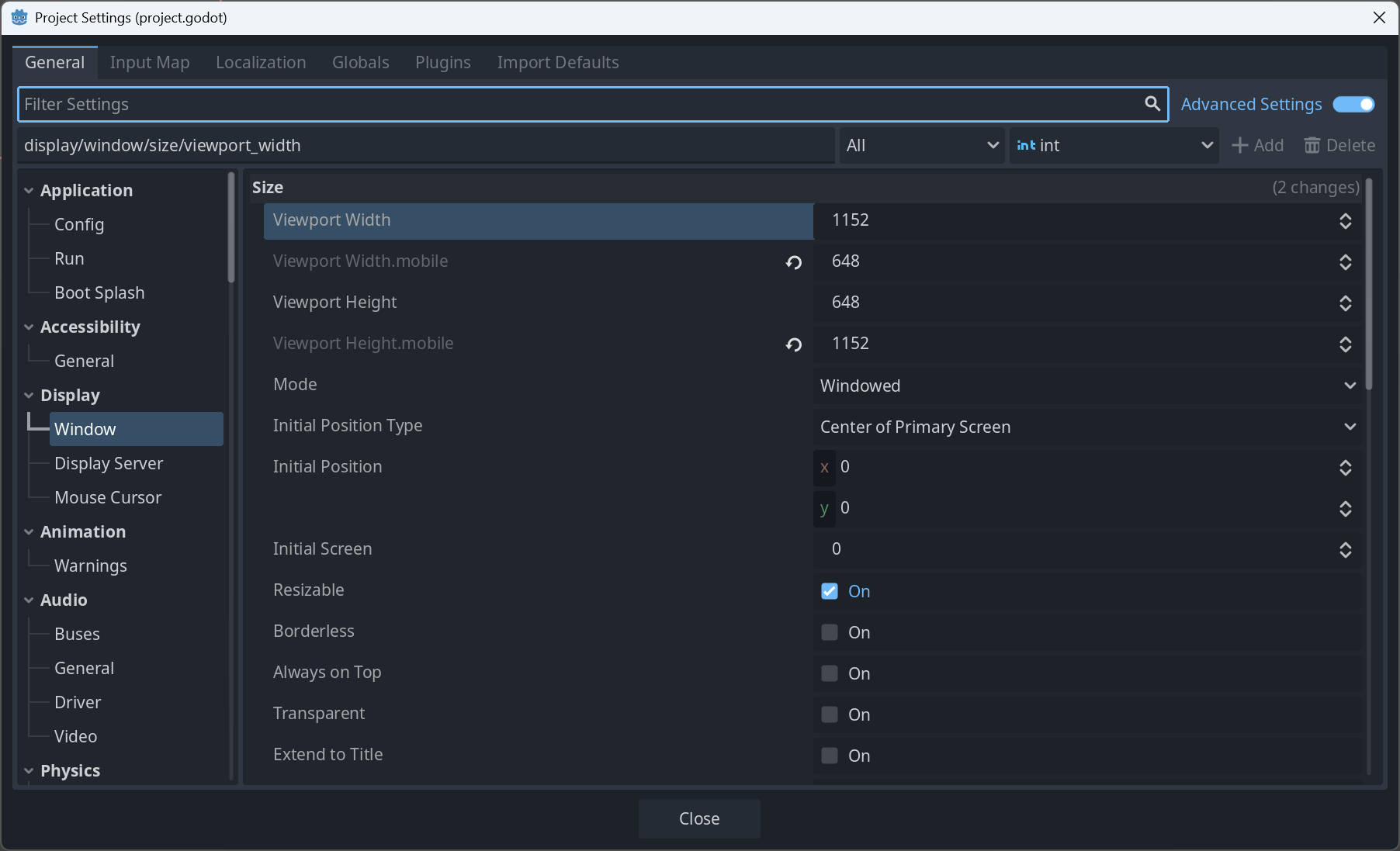
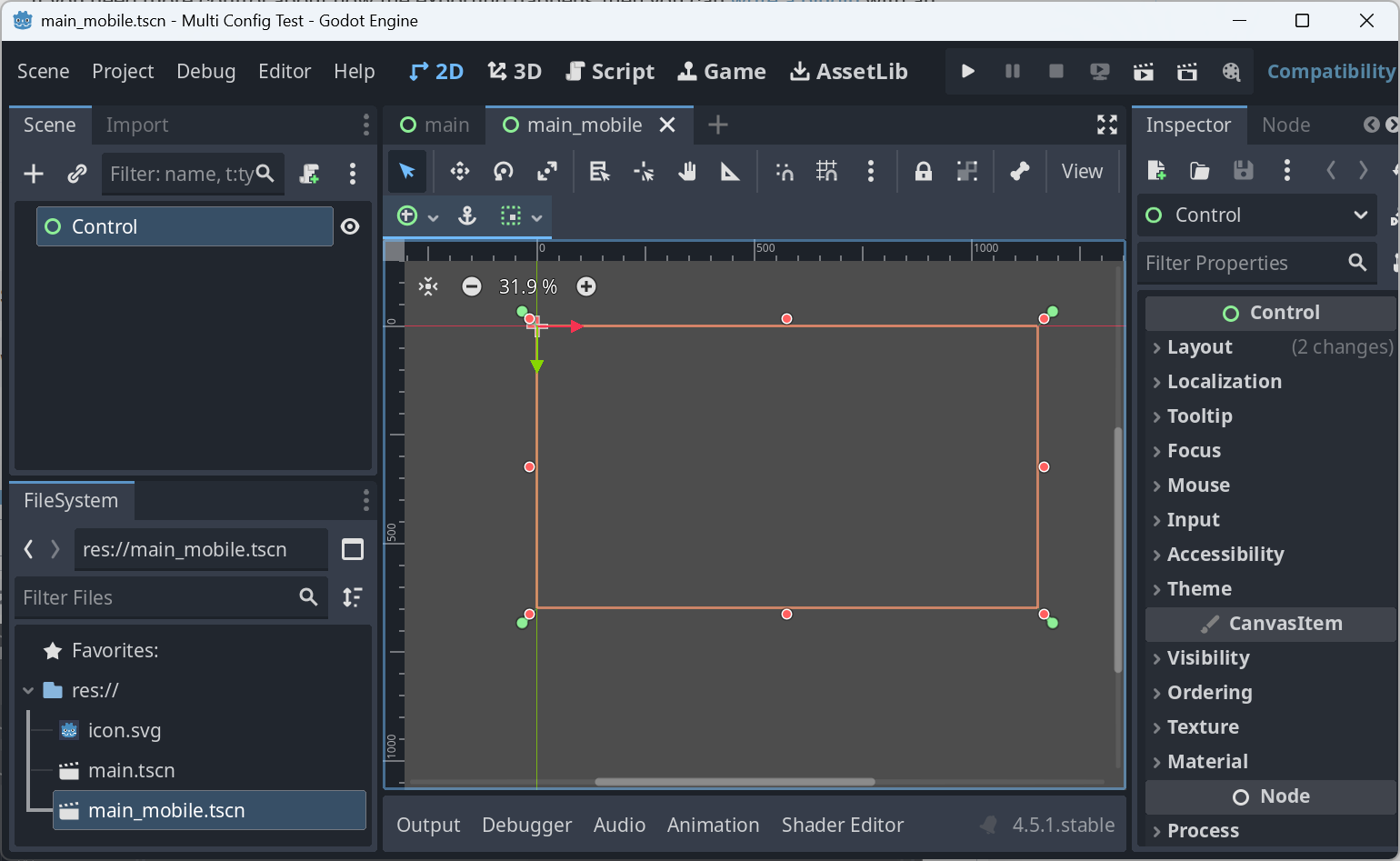
Since portrait mode has such a different aspect than landscape, I want do design a completely different UI for when the app is in portrait mode. I’ve added a different window size for ‘mobile’. However, there seems to be no way to switch to it. Even though I’ve added different dimensions for the mobile window settings in the project properties, the default settings are still used in the editor. Even if I set the feature tag from All to mobile, the editor’s design aspect for my mobile page is still the landscape size.
I think the answer you got gave a pretty good response. There are many feature tags that will give you a lot of information about where your game is currently running, and based on those tags you can use different controls that you made, change aspect ratio etc… during startup or even during runtime.
Part of the issue is that it is tough to design for both portrait and landscape in the same project. The editor it set up to lay things out according to the window size you set in the project settings. So if I make it landscape proportions, that makes it very difficult to create a second component that is portrait. I’d have to go back in and change the window size in the project settings every time I want to switch the aspect ratio I’m designing for.
Also, when I run the project, Godot seems to prevent me from making the horizontal of the screen smaller than the window design size. So even if I could detect the window resizing to that aspect, Godot seems to stop it from happening in the first place.
@blackears Have you figured out a solution to this?
I am running into a similar issue. I would like a portrait layout and and a landscape layout, then place my UI scenes into the correct slot in the appropriate layout.
I’ve been searching various sources and I’m just not getting a solution I can implement that I am satisfied with. It appeasrs that the UI scenes have to be created in a specific way otherwise they do not appear or scale where I want them.
Not really. There is a way you can cheat if your game can be neatly split into a square-ish gameplay area and a similar sized control area. Create one PanelContainer for the gameplay and another for the controls and then put them both inside a GridContainer. Then set the GridContainer’s columns to be 2 if your root component’s size is wider than it is tall and set it to 1 otherwise. You can also catch the resized signal to dynamically change it if the user turns the phone on its side.
Very specific to games that can be broken into parts like that, but a nice way to automatically resize if it is.
I was hoping Godot might adopt something more like how Android Studio handles multiple screen sizes:
I’m a bit frustrated at this point since I’ve spent a few days trying things with little success. I have a portrait mobile game with a tileboard in the center of the screen, and the UI is at the bottom. I would like to support landscape, and potentially release a PC/Mac version, so I would like to place these UI components to the right when in landscape mode.
I started creating portrait and landscape layouts and placing the componenets into these “slots” but it seems a bit more complicated than it should be. It comes down to how you create your components, how they are anchored and what their container sizing is set to. Same with the layouts.
I appear to be making progress, but its not as easy as it should be, imo.
The other thing you might want to try is to use the addon system. Design your project as if you were designing a Godot addon. The only things you put in the main project outside of the addon are things specific to one layout design. Then create a separate project with a different layout that uses the same addon.
The drawback here is that there is currently no good way to have two different projects use the same addon - you’ll have to manually copy your addon into your second project every time you make a change. Maybe a script could make that easier.
I do agree that Godot is missing some features more advanced users need. GDScript currently has no namespaces and adding an addon to your project is basically just copying the source code for the addon into a subdirectory under /addons. Godot really needs to provide a way to make writing code libraries a lot easier.