Godot Version
Godot 4.4
Question
I am trying to make a dialogue system in the style of a text messaging system. I want some text to appear on the left side of the UI and some text to appear on the right side. However, I cannot get the text boxes to appear anywhere but the left side, even when I try to affect all children. I have tried changing the alignment properties of the child’s scene and the properties of the VBox containers themselves. How can I get the instantiated children to align themselves on the right side of the screen?
Here is what the project looks like. I want Speaker 1 and Speaker 2 to be displayed with different alignments. I have not been able to get any text boxes onto the right side:
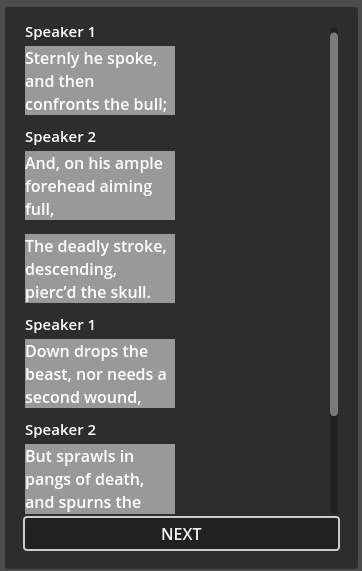
Here is the code I am using to instantiate the children:
func _on_button_pressed() -> void:
	var entry = TEXTS.instantiate()
	dialogue_entries.add_child(entry)

	var response = INPUTS.instantiate()
	dialogue_entries.add_child(entry)

	if _next_content_index >= CONTENTS.size():
		print("The last line has already been added!")
		return
	if _next_content_index >= SPEAKERS.size():
		print("The last line speaker has already spoken")
		return

	match _next_content_index:
		1, 2, 4, 8:
			print("Speaker 2 Speaks")
			entry.anchor_left = 200
		0, 3, 5, 6, 7:
			print("Speaker 1 Speaks")
			entry.anchor_left = 0

	entry.set_content(SPEAKERS[_next_content_index], CONTENTS[_next_content_index])
	_next_content_index += 1
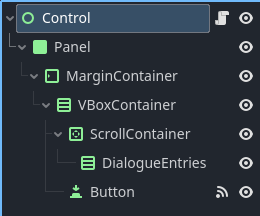
Here is the scene tree of the main scene:
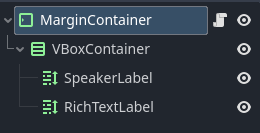
Here is the scene tree of the dialogue boxes: