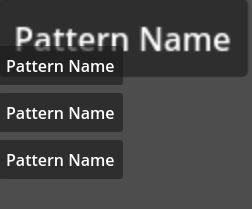
I have a queue of popping out notifications. The notification on top is twice the scale of the other ones. When a new notification appears, when notification ascends to top and when top notification dissapears, i use Tweens to animate their scale. However, that does not change the size that VBoxContainer is using to place them.
Using Container’s queue_sort resets all panels’ scale. Is there another way to change scale of the controls? Is there a need of some custom container that can scale stuff?
Sorry, English is not my native language so maybe I am not getting right but allow me to rephrase:
In your picture, you would like your first smaller “pattern name” to appear below of the bigger one, but the “pattern name” nodes are added in game and not in the editor?
If so, I may have an explanation:
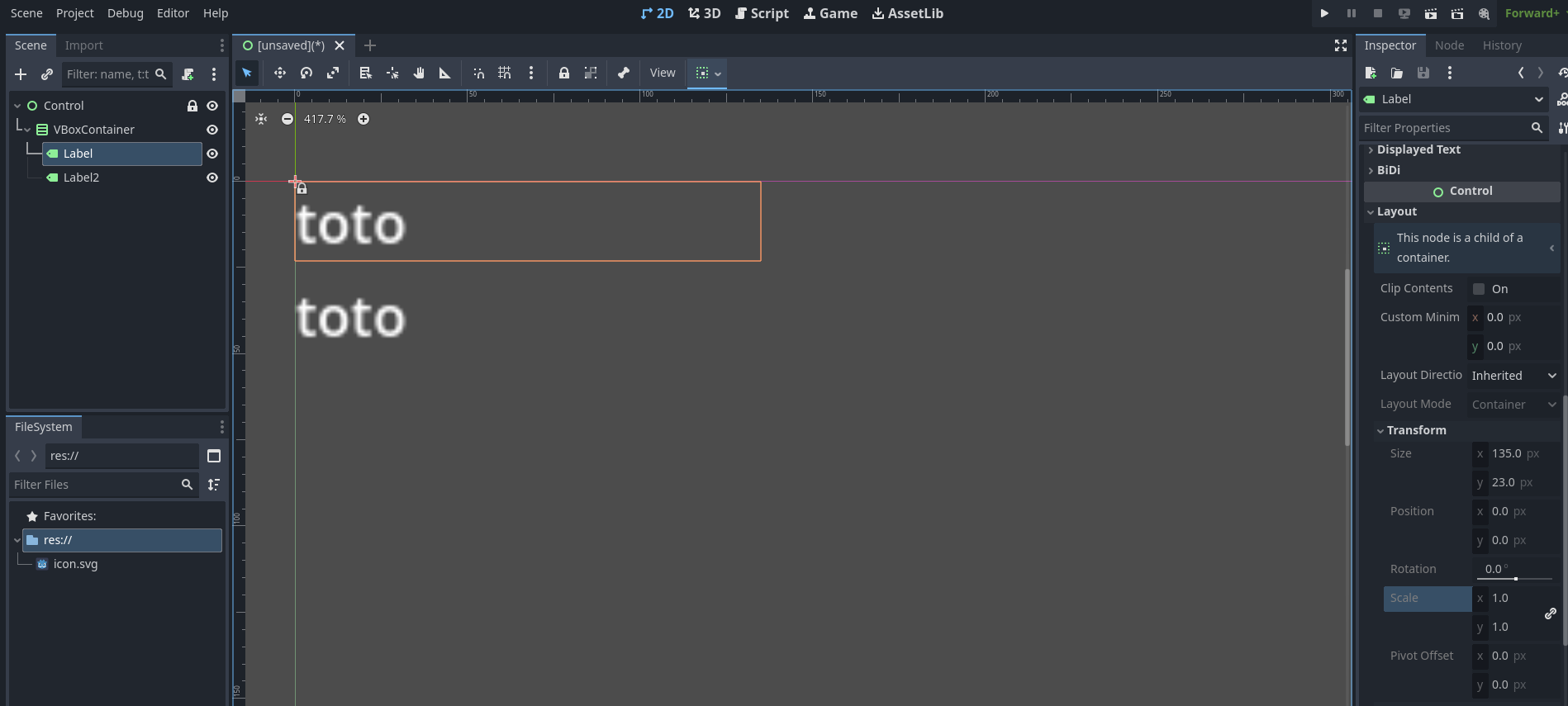
In the editor, when you add a control node to a VBoxContainer, its transform property is locked (as it is controlled by the VBoxContainer). So if you modify the transform of a child node by script afterwards… Well, I don’t think it is the intended way of doing it.
So my first idea was to this ‘first notification’ behavior handling to the VBoxContainer and modify the scale of the node before adding it to the VBoxContainer:
But it does not work, even when I use size instead of scale for the sake of it… It seems that all transform property of child nodes are imposed by the VBoxContainer. You can check it in the editor as well by copying a Label node with scale (2.0, 2.0) into a VBoxContainer, it goes back to (1.0, 1.0). so maybe it is not the correct node for the behavior you are looking for.
Maybe the simplest solution would be to handle the first notification and other notifications in two separated containers and change the scale of the first notification container instead?
I don’t think you can do it cleanly without a custom container.
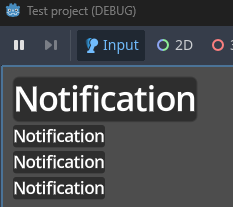
However, I was able to hack around this solution:
extends Control

const SCALE_MULTIPLIER: float = 2.0

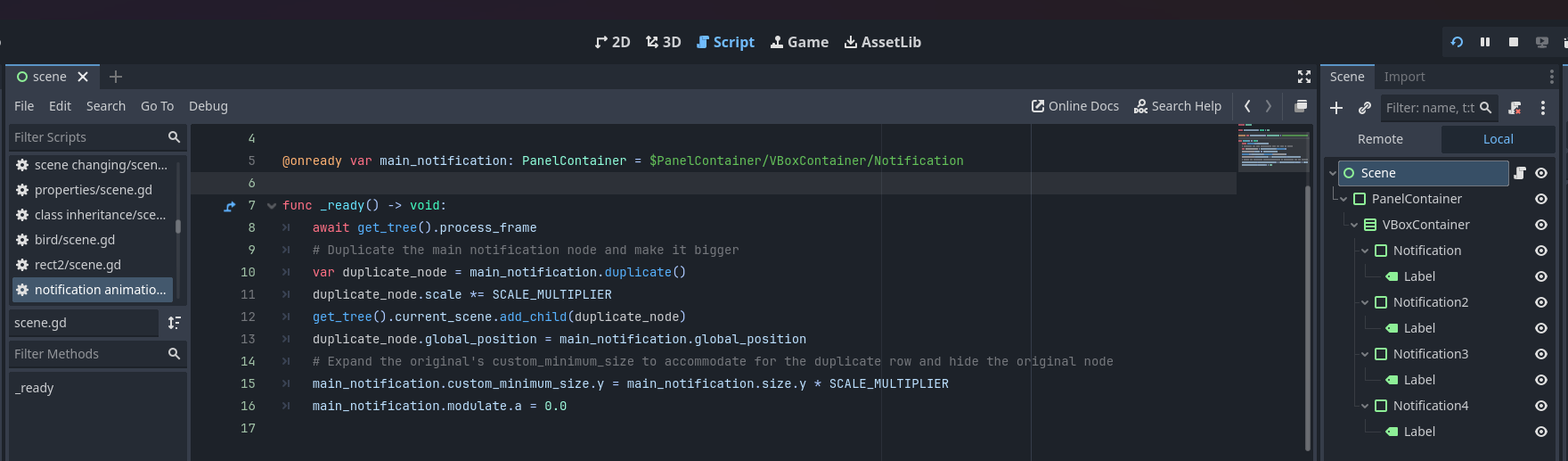
@onready var main_notification: PanelContainer = $PanelContainer/VBoxContainer/Notification

func _ready() -> void:
	# Let the container settle down the nodes
	await get_tree().process_frame
	# Duplicate the main notification node, detaching it from the container, make it bigger and place it in the original position
	var duplicate_node = main_notification.duplicate()
	duplicate_node.scale *= SCALE_MULTIPLIER
	get_tree().current_scene.add_child(duplicate_node)
	duplicate_node.global_position = main_notification.global_position
	# Expand the original's custom_minimum_size to accommodate for the duplicate row and hide the original node by making it transparent
	main_notification.custom_minimum_size.y = main_notification.size.y * SCALE_MULTIPLIER
	main_notification.modulate.a = 0.0
This is my current implementation, scale is stored in array in the container.
@tool
class_name QueueContainer
extends Container

@export var child_scales: Array[float] = []

var minimum_size: Vector2

func _notification(what: int) -> void:
	match what:
		NOTIFICATION_SORT_CHILDREN:
			sort()

func sort():
	var min_length := 0.0
	var max_width := 0.0

	var children: Array[Control] = []

	for i in get_child_count():
		var child : Control = get_child(i) as Control
		if not child or not child.visible:
			continue
		children.append(child)

	if children.size() > child_scales.size():
		var child_scales_new = child_scales.duplicate()
		var i = child_scales_new.size()
		child_scales_new.resize(children.size())
		while(i < child_scales_new.size()):
			child_scales_new[i] = 1.0
			i += 1
		child_scales = child_scales_new
	elif children.size() < child_scales.size():
		var child_scales_new = child_scales.duplicate()
		child_scales_new.resize(children.size())
		child_scales = child_scales_new

	for i in children.size():
		var child := children[i]
		var child_size := child.get_combined_minimum_size()
		child_size *= child_scales[i]
		if child_size.x > max_width:
			max_width = child_size.x
		min_length += child_size.y

	var current_length := 0.0

	for i in children.size():
		var child := children[i]
		var child_size := child.get_combined_minimum_size()

		var rect: Rect2 = Rect2(0, current_length, child_size.x, child_size.y)
		fit_child_in_rect(child, rect)
		child.scale = Vector2(child_scales[i], child_scales[i])
		child_size *= child_scales[i]
		current_length += child_size.y

	minimum_size = Vector2(max_width, min_length)

func _get_minimum_size() -> Vector2:
	return minimum_size
It works, however doesnt yet have fancy features that VBoxContainer has.
Can you show a short demo video how it works? I’m curious.
Also, you should put your code snippets between the 3 backticks ``` from both sides of the code, it will format it properly then.
However, what are the fancy features of VBoxContainer you’re interested in?
Because, the solution of embedding two VBoxContainer, one for the main/first notification and one for the other notifications, within a custom Control (with the correct anchors) which handles putting nodes in the correct VBoxContainer should do the trick without having to re-develop all VBoxContainer features.