Godot Version
3 version
I want after my players death my enemy and bullet fade out and then been deleted.
3 version
I want after my players death my enemy and bullet fade out and then been deleted.
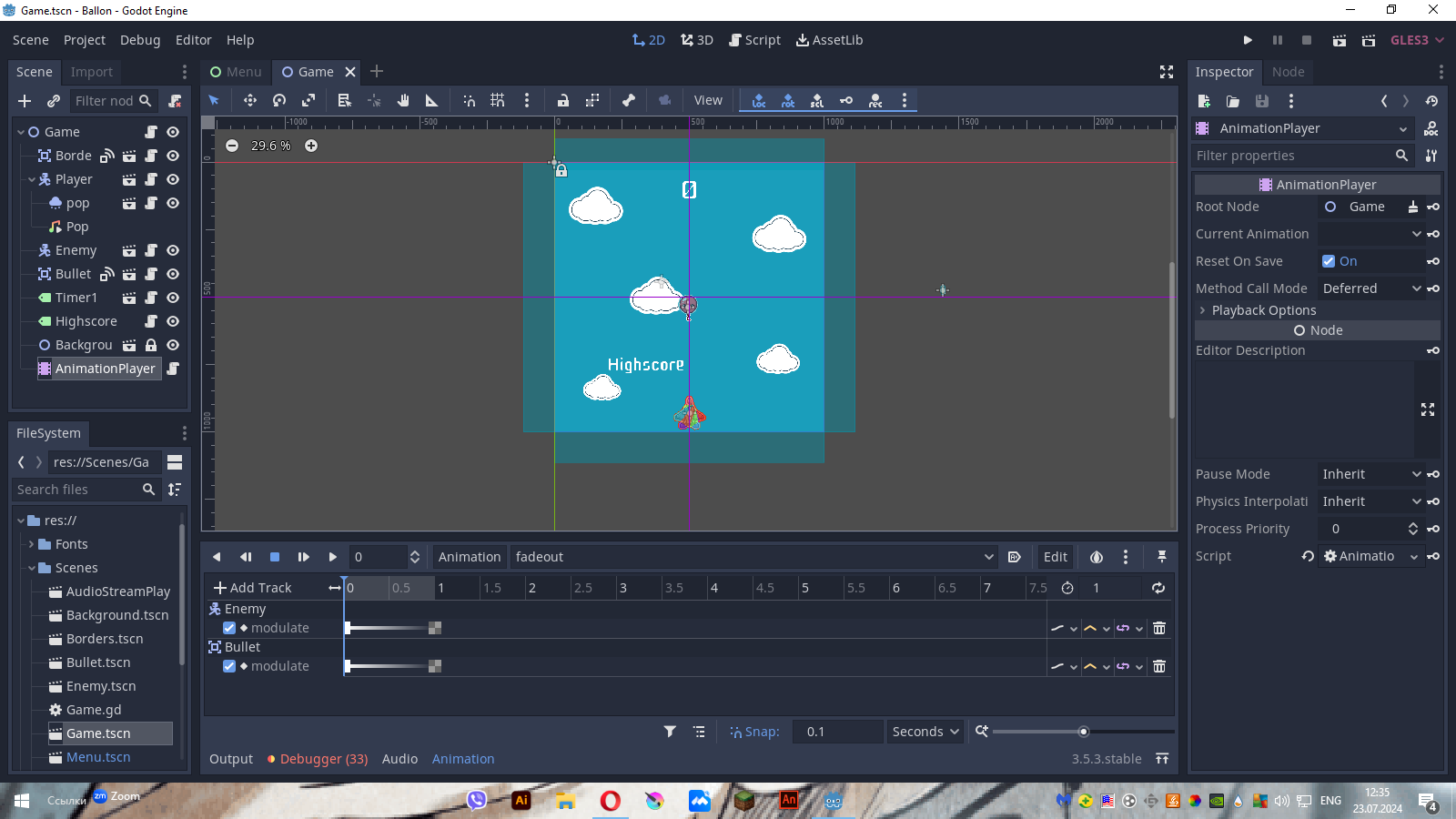
You can either use an animation-player or a tween to change the alpha value of the modulate-property to 0 and when its finished you can call queue_free()
i was making it with tween but it not working
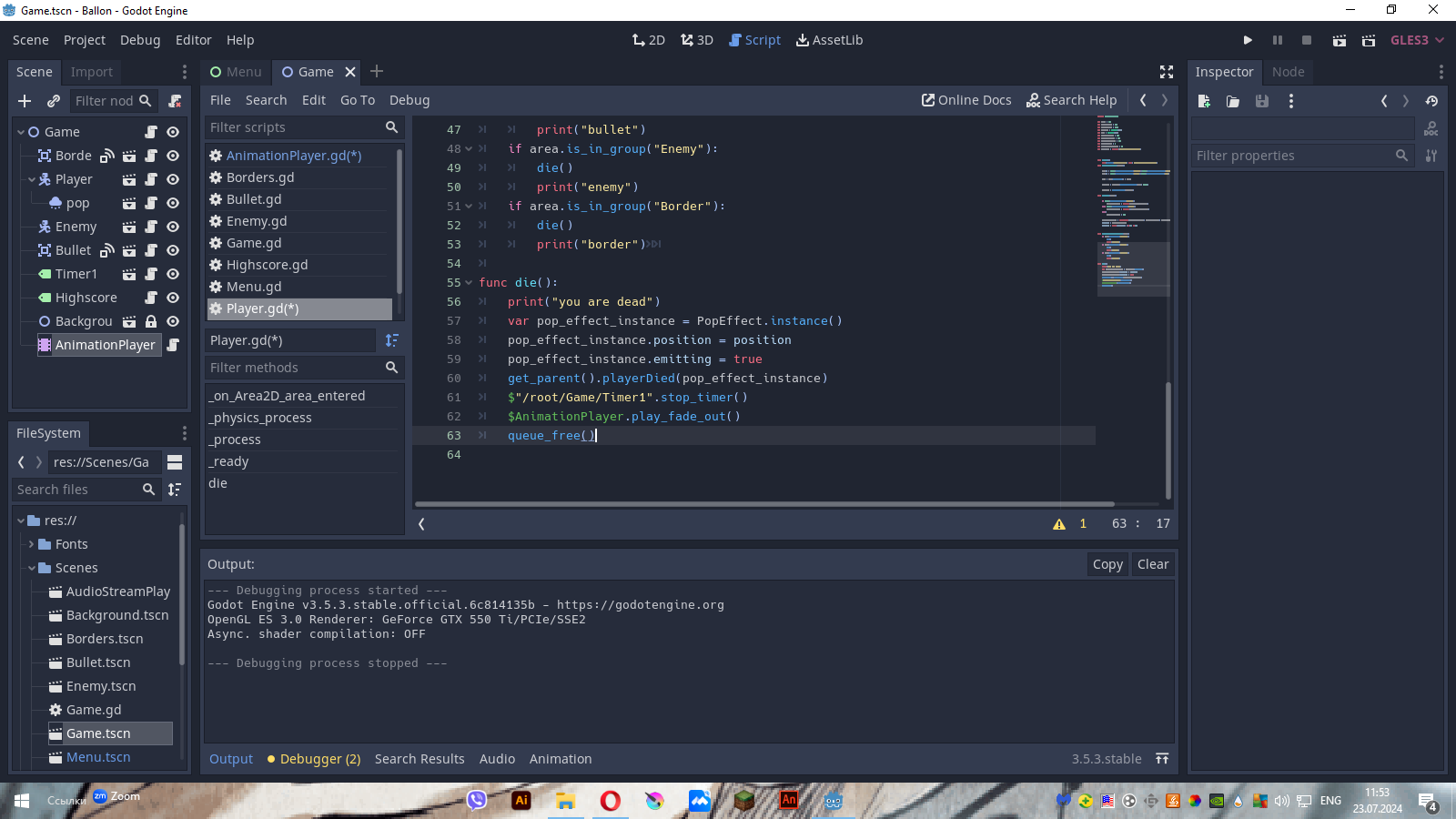
	print("you are dead")
	var pop_effect_instance = PopEffect.instance()
	pop_effect_instance.position = position
	pop_effect_instance.emitting = true
	get_parent().playerDied(pop_effect_instance)
	$"/root/Game/Timer1".stop_timer()

	var parent_node = get_parent()
	for child in parent_node.get_children():
		if child.is_in_group("Bullet") or child.is_in_group("Enemy"):
			fade_out_and_delete(child)
	queue_free()


func fade_out_and_delete(node):
	var tween = Tween.new()
	node.add_child(tween)

	tween.interpolate_property(node, "modulate:a", node.modulate.a, 0, 1, Tween.TRANS_LINEAR, Tween.EASE_IN_OUT)
	tween.start()

	tween.connect("tween_completed", self, "_on_fade_out_complete", [node])

func _on_fade_out_complete(tween, node):
	if node is Node:
		node.queue_free()
	tween.queue_free()
i think i cant use this tween as i am beginner but with animation i dont understand how to make it fade out
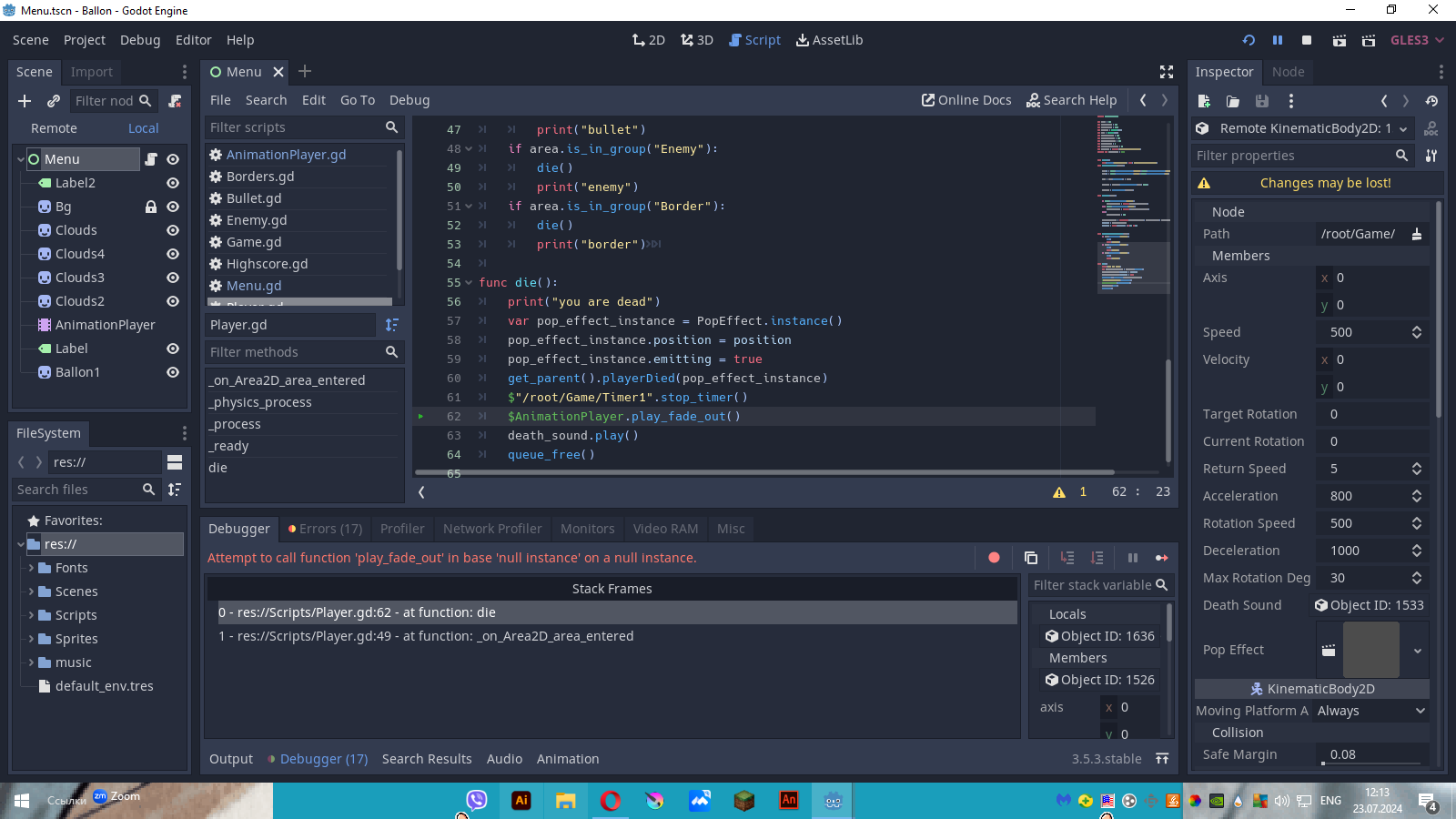
@herrspaten i made it, but in the script there is an error
extends AnimationPlayer

func play_fade_out():
	play("fadeout")
whats the error?
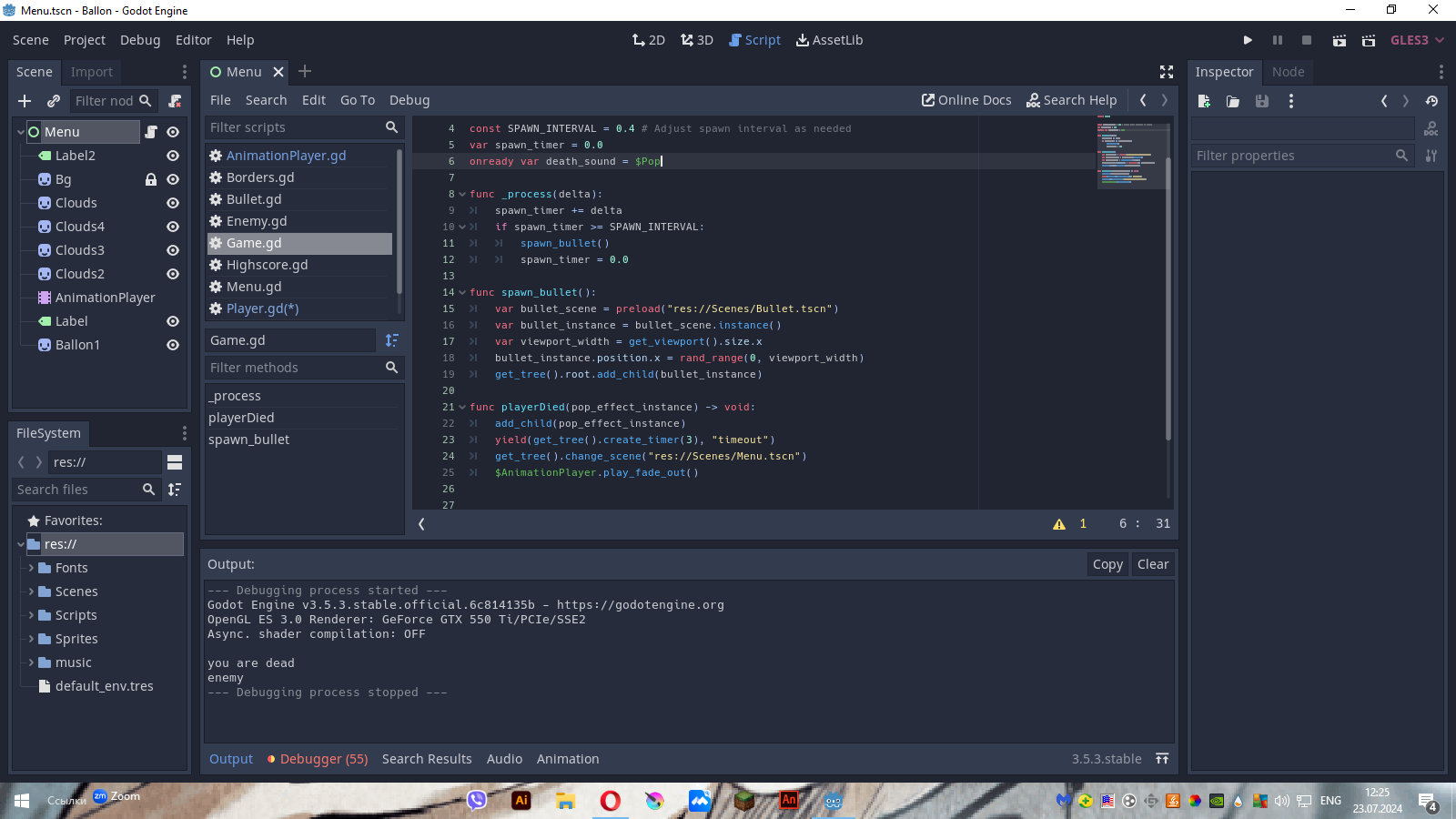
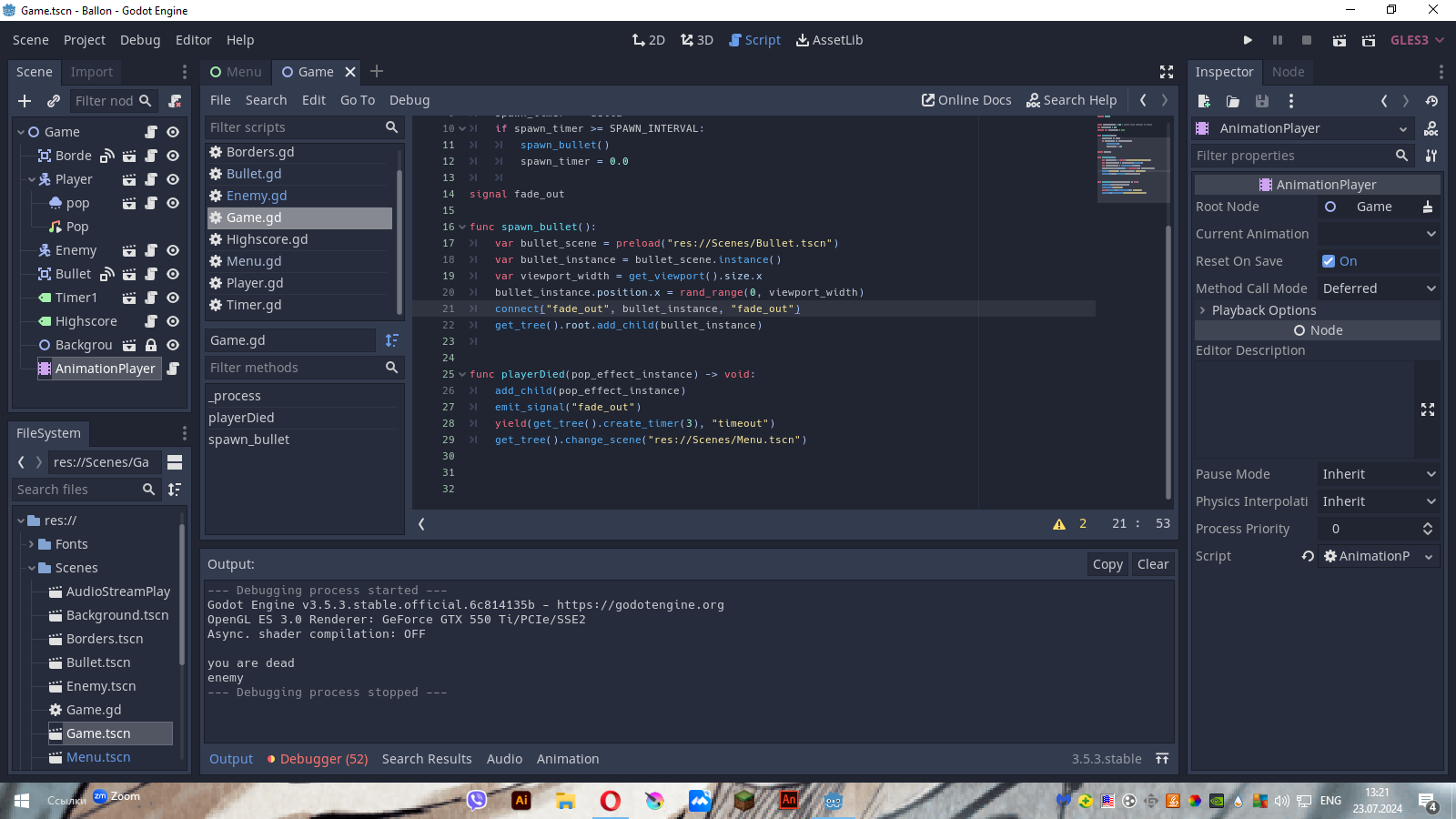
Put line 62 in your Game.gd script in the playerDied-method. “$” only accesses child-nodes. The animationPlayer is a child of the Game-Scene and not of the Player-Scene
Put it before the “yield(get_tree()…)”. Yield stops the method until the given signal is recieved. In this case it waits till the 3 second timer finished
The problem with the bullets is, that you dynamically spawn bullets and you cant reference them in the animationplayer. In this case you should probably use signals
I was thinking about that i spawn them and thats the problem but i think i dont now how to use signals properly, so thank you very much with this.
First add this method to the script of every object you want to fade out:
func fade_out() -> void:
    var tween = Tween.new()
    add_child(tween)
    tween.interpolate_property(self, "modulate", Color(1, 1, 1, 1), Color(1, 1, 1, 0), 1)
Then add this in the corresponding spawn method in the Game.gd script:
signal fade_out

func spawnObject() -> void:
    var object = PACKED_OBJECT.instantiate()
    connect("fade_out", object, "fade_out")
    add_child(object)
This is just a sample spawn-method. Important is that you have the line:
connect("fade_out", object ,"fade_out")
and then you can emit the signal in your playerDied-method:
func playerDied(pop_effect_instance) -> void:
    add_child(pop_effect_instance)
    emit_signal("fade_out")
    yield(get_tree().create_timer(3), "timeout")
    get_tree().change_scene("path/to/new/scene")
Thank you very much i will try soon.
This was just example code. Use your spawn_bullet-method and put this line in it:
connect("fade_out", bullet_instance, "fade_out")
ah  okay i will try
Put a print(“Fading out”) in the fade_out()-method of the bullet and test if it gets printed