Godot Version
4.5.1
Question
I’ve got a GPU particle node set up with this process material. I’m trying to adjust the y position of point 1 in the scale curve to manipulate the scale of the emission.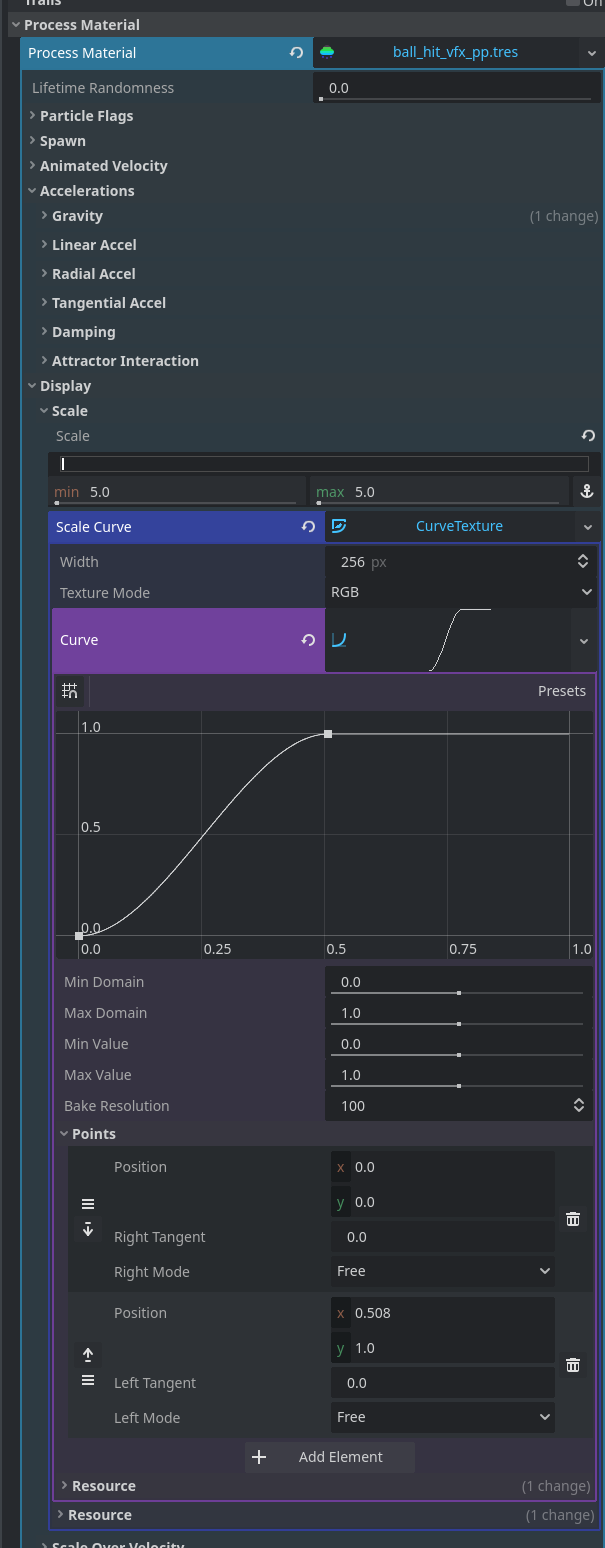
I think I’ve manages to access the settings using:
@onready var coll_vfx: GPUParticles3D = $coll_vfx
@export scale_vfx = 1.0
# export is set to .3

coll_vfx.process_material.set("point_1/position", [0.508, scale_vfx])
I’m not getting any errors and the particle looks like the scale is the same as 1.0 when I run the scene.
print(coll_vfx.process_material.get("point_1/position")) I tried running this to see what s going on but I just get <null> . What is the correct way to set this value?