How to fix projectiles clipping through bodies if they're moving too fast? (And can I get some more information on how physics work?)

Godot Version

4.4.1

Question:

So, as I was working with my game’s projectiles and testing for kinks on stream, I noticed that my projectile’s clip through bodies…

BUT, only if moving at a speed greater than 350 m/s, the camera is facing in an upward direction, AND is facing a specific angle at the edge of bodies.

The angle in question:
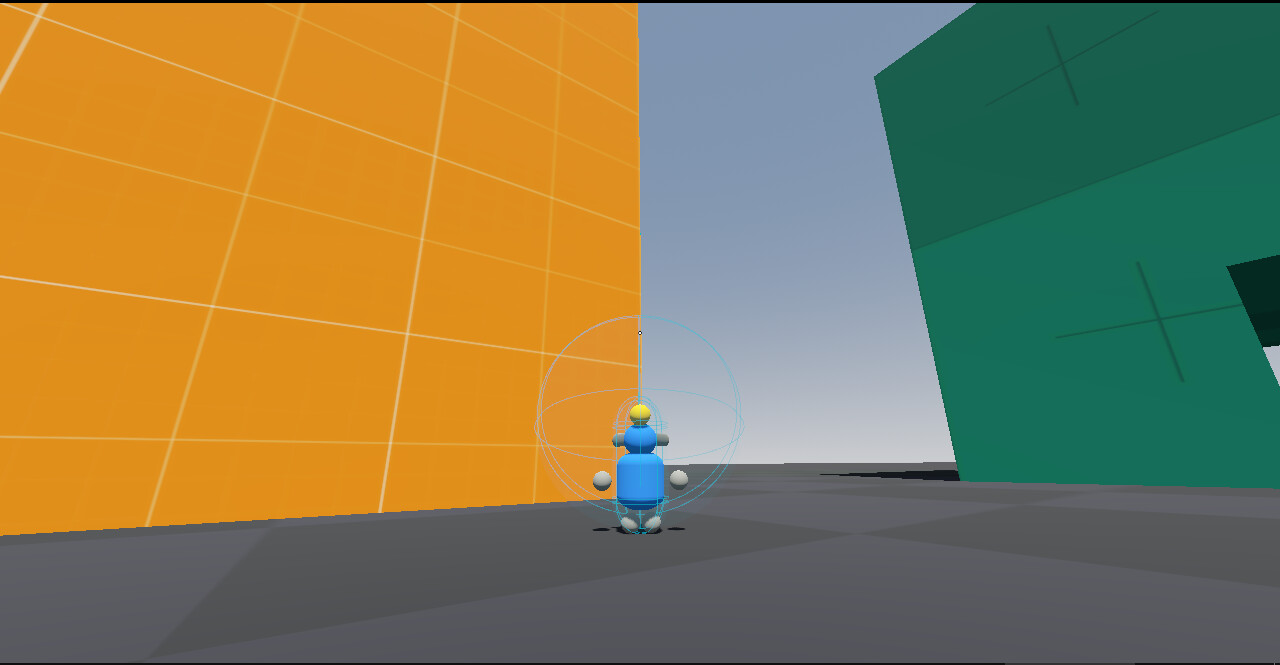
The exact issue is that the projectile doesn’t collide with the body as it moves toward the center of the crosshair (It’s small, but it’s there), causing the projectile to clip through the wall as it’s shot from the crosshair.

This collision problem is QUIRKY, so say the least. There’s a lot of moving parts and potential pitfalls I could stumble into.

However, with this question, I could just use some information rather than a clear-cut solution. Because this is more fascinating than frustrating. Plus, I don’t need to spend hours in analysis paralysis for horrifically rare edge cases.

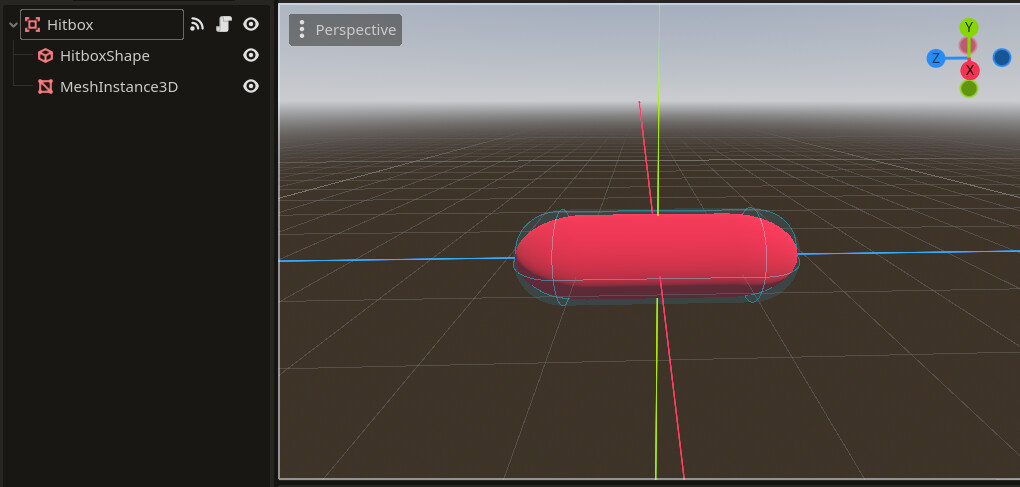
This is my projectile scene:
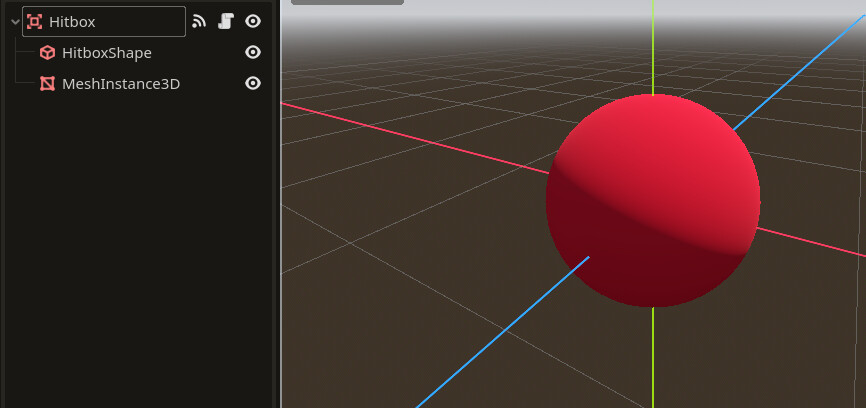
I use an Area3D node to detect body and area collisions.

I use the Jolt physics engine (I’m not forgetting to mention that this time). I use it because it [mostly] works better than Godot’s in-house physics engine out of the box.

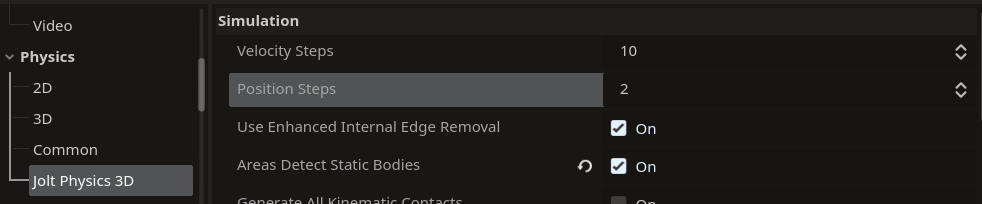
I checked out some Jolt 3D settings to see if I could improve collision consistency with high-speed projectiles. It’s located in Project Settings > Physics > Jolt Physics 3D

I saw a setting called position steps, that by default is set to 2. I tried some different options, but 10 was what I needed do to partially mitigate the issue.
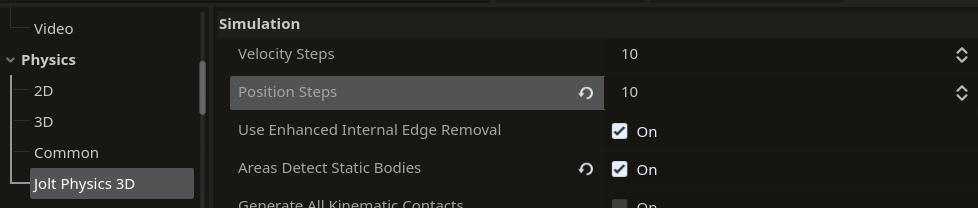
Now, I’m not sure if that’s a “good solution” or not. That’s why I’m asking this question.

How will this affect game performance overall? Because while projectiles are everywhere, only the server calculates physics, while the client’s see the replicated position.

Also, tell me more about physics in general. I could really learn how to handle all of this.

Apologies if this topic felt a bit scattered, I’m just having a lot of curious ideas at once.

Use a long capsule for the hitbox shape. Instead of using more steps, cover more ground with each step

2 Likes

That’s an angle I haven’t thought of. That’s the first thing I’ll try tomorrow. :+1:

Why not make the capsule exactly the length of the physics step? This would eliminate the problem completely, no?

1 Like

Sounds good, but what IS the length of a physics step?

My game runs 60 physics ticks a second. So would I stretch the projectile hitbox based on the time it takes to travel for 1 physics frame?

(BTW, the reason I’m asking hypotheticals instead of testing immediately is because I’m resting from an already completed dev session today.)

If it moves at 350 m/s and the physics steps at 60 step/s then you could divivde the two for about 5.8 meters per physics step, but this might be better as a reference try higher and lower numbers to see what works best.

1 Like

Alright, I tried making the projectile a capsule, and it WORKED!!!

I reset Jolt’s position steps back to 2 as well.

Thanks for the suggestion guys. :+1:


Addendum

I wanted to add some more observations I’ve had as I ran more live tests.

So, I decided that Monkanics’ maximum projectile speed game design-wise is 1,000 m/s.

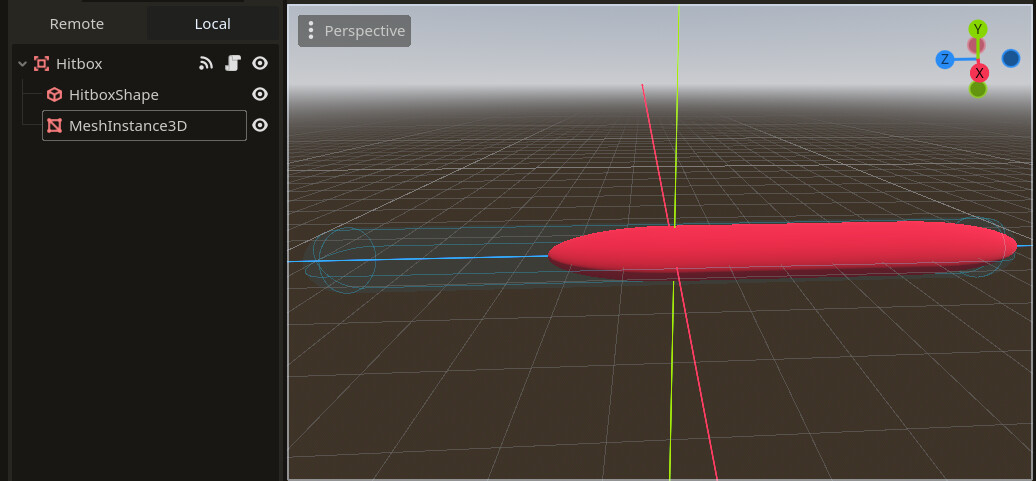
To support collisions with this projectile speed, I increased the length of the collision shape:

It’s CRAZY long now. But I soon noticed that, while playing the game, it barely matters. The player won’t notice it in the slightest. Especially if the mesh instance is smaller in size (and combined with some VFX as well).


I also noticed, the faster the projectile speed, the bigger/longer the collision shape needs to be to detect collisions.

This is because on every physics step, the projectile moves a set amount, then the area attempts to detect bodies. However, the body can teleport right past a body because it moved too much in a physics tick.

This is why longer/larger collision shapes work, because it covers more ground per physics tick, giving enough room for error.


That’s all I wanted to say. I had to get it out somewhere, because it really got my game designer gears turning.

I think this is an example of abstraction for the player. Something that makes that game feel/run better, but the player isn’t aware of it. Kinda like a coyote time mechanic for jumping or input buffer.

1 Like

Worth noting you do not need to make the visual element longer too, but it may look good with a cartoony squash-and-stretch aesthetic

1 Like

This topic was automatically closed 30 days after the last reply. New replies are no longer allowed.