Godot Version
Godot 4.6.2
Question
How to fix Sprite2D pixel art not aligning to Godot editor pixel grid?
TL:DR; Two Sprite2Ds drawing from same 360 x 136 texture split into 8 Hframes and 3 Vframes by the Animation tab in the Inspector. Neither sprite’s pixels align to the built-in Godot pixel grid.
The set-up:
I am totally new to Godot, and am following a so far wonderful tutorial series by Clear Code (The new ultimate introduction to Godot). I’ve hit a bit of a snag with Godot’s snap to pixel grid though, and none of the pixels for my sprites are aligning to the grid correctly.
I am currently making a player character for the 2D platformer project, and have a set up where the legs and torso are two separate Sprite2Ds drawing from the same sprite sheet image. The tutorial has me using the AnimationPlayer note to take individual frames from the sprite sheet, with the upper 8 being for the torso and the lower 10 for the legs. I have just added the torso, and without animating it yet I already see an issue with how the grid is aligning to the sprite pixels for both the legs and torso.
I’m using Godot 4.6.2, and the tutorial was made for a slightly earlier version.
The Problem:
Here’s what I’m seeing, both in the editor and in-game:
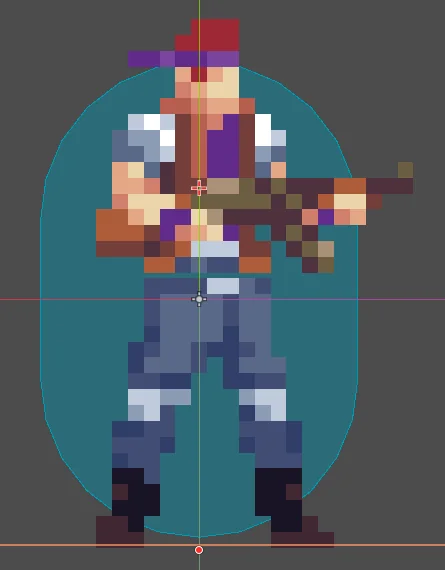
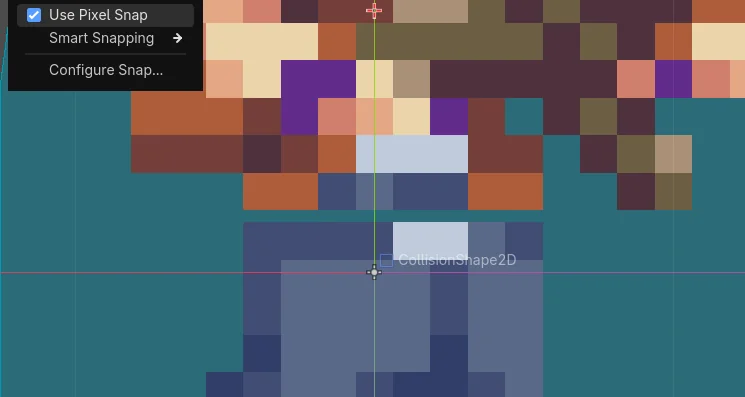
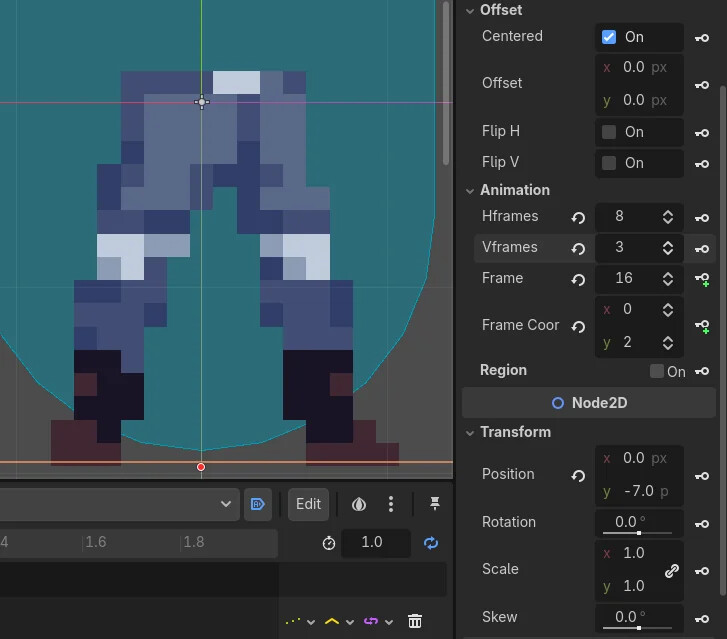
What I’ve already tried:
I already fixed a separate issue where the sprite sheet was 360 x 135 pixels, which caused the bottom of the middle row to clip into the top of the bottom row from the sprite sheet. This misalignment issue persisted even after I edited the art to be 360 x 136 and fixed the overlap.
I’ve tried turning off the centering from the Offset tab and manually realigning the sprite, but it still didn’t align 1-1 to the editor’s grid. Snap to Pixel is also enabled, as shown in the images above.
My only guess is that this issue has to do with the way the tutorial is having me split the sprite sheet into frames. I’m using the animation tab int he inspector to split it into 8 Hframes and 3 Vframes, which by all means should be making an even image.
My humble request:
I am stupid, and in addition to that, as I mentioned above I’m new to Godot. If any kind souls out there know of anything from a one-button solution I just missed entirely, I’d love to hear it. If not, please give me all the suggestions you can think of!