If you notice that multiple scripts in the Script panel are highlighted even though you’re only working on one, here’s the fix.
Before:
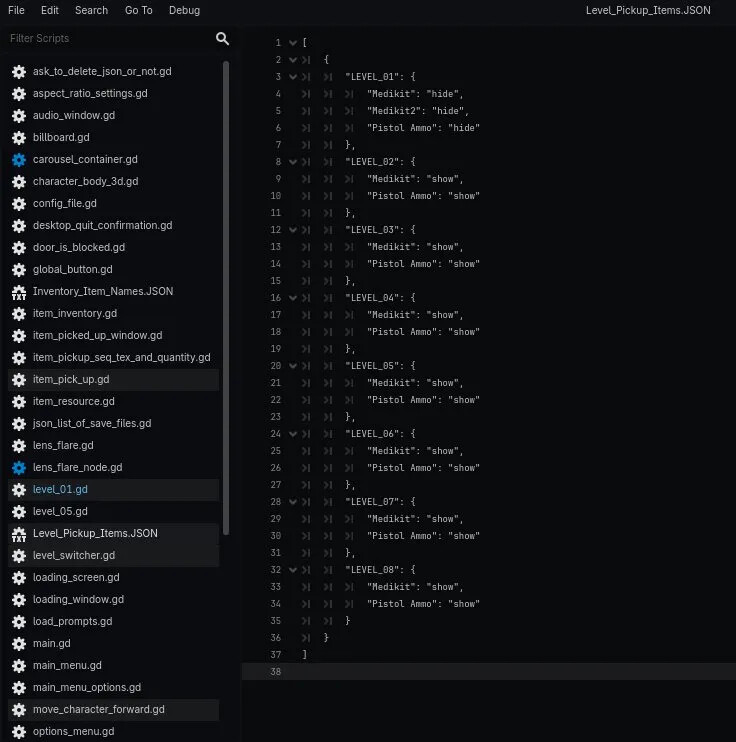
The Problem: In Godot 4.6, all scripts belonging to the currently open scene get highlighted in the Script panel, making it hard to visually identify which script you’re actually editing.
The Fix: Go to Editor → Editor Settings → Text Editor → Open Scripts and turn off:
Highlight Scene Scripts → OFF
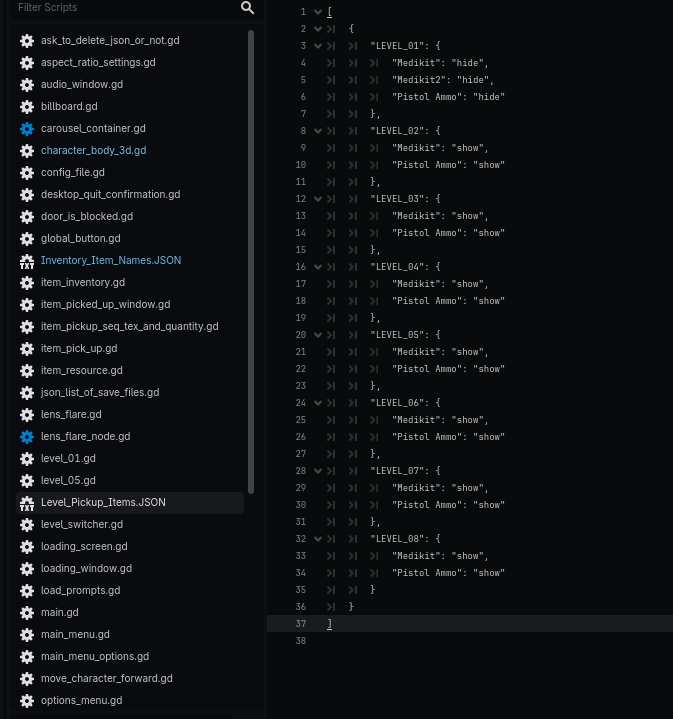
This stops Godot from highlighting all scene-related scripts, so only the script you’re actively editing stands out.
After:
Note: Don’t confuse this with Script Temperature, which is a separate and useful feature just above it — it gives a color gradient to script names based on how recently you edited them, and is worth keeping on.