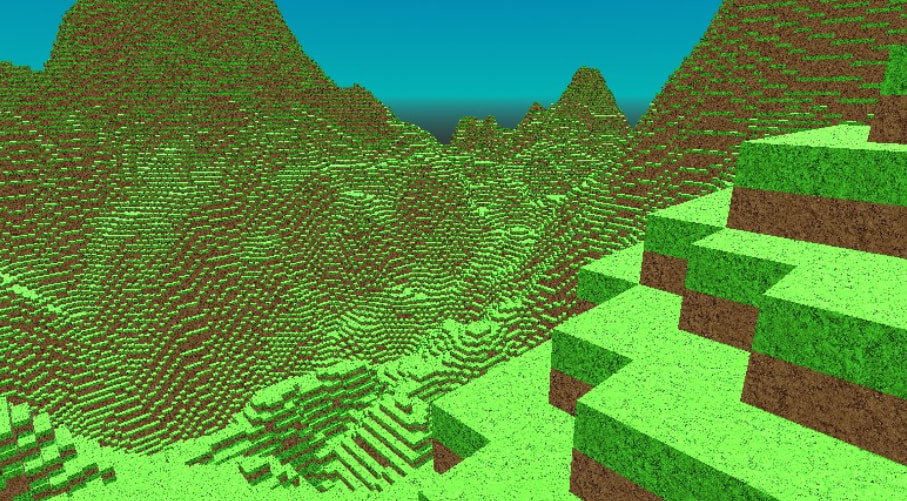
Godot Version
4.5.1
Question
I want to make an infinite terrain that it never ends. This is the actual code which needs correction:
extends Node3D

# --- AJUSTES ---
const AREA = 500 # 150x150 = 22,500 columnas (Equivale a millones de bloques de tu script anterior)
var velocidad = 5.0
var sensibilidad = 0.001
var camara : Camera3D

var yaw = 0.0
var pitch = 0.0

var amplitud = 200.0   # Ajusta esto para la altura máxima
var frecuencia = 0.005 # Menor valor = terreno más estirado horizontalmente
var noise = FastNoiseLite.new()

func _ready():
	# 1. ESTO EVITA QUE EL NARANJA SEA MARRÓN:
	# Forzamos al motor a usar el espacio de color sRGB (Colores vivos)
	# y no el Lineal (Colores realistas/apagados).
	ProjectSettings.set_setting("rendering/textures/canvas_textures/default_texture_filter", 0)

	# 2. EL TRUCO "FULL BRIGHT" EN EL READY:
	# Esto hace que la luz ambiental no tenga dirección y no cree sombras sucias.
	var scenario = get_world_3d().scenario
	RenderingServer.scenario_set_fallback_environment(scenario, get_viewport().world_3d.fallback_environment)

	# 3. LO QUE BUSCAS DE LOS COLORES:
	# Si usas colores hexadecimales o Color.ORANGE, Godot los oscurece.
	# Esta línea le dice al renderizador que no aplique corrección gamma.
	OS.set_environment("GODOT_SRGB_COLORSPACE_CHECK", "0")

	# Cámara y captura
	camara = Camera3D.new()
	add_child(camara)
	camara.make_current()
	Input.mouse_mode = Input.MOUSE_MODE_CAPTURED
	# 1. Seguridad: Esperar un frame para que el motor inicialice
	await get_tree().process_frame

	setup_lighting_and_env()
	generar_mundo_seguro()

	# Cámara
	camara = Camera3D.new()
	add_child(camara)
	camara.make_current()
	camara.position = Vector3(AREA/2, 100, AREA/2)
	Input.mouse_mode = Input.MOUSE_MODE_CAPTURED

func _unhandled_input(event):
	# Captura/Liberación de mouse
	if event is InputEventKey and event.pressed and event.keycode == KEY_ESCAPE:
		if Input.mouse_mode == Input.MOUSE_MODE_CAPTURED:
			Input.mouse_mode = Input.MOUSE_MODE_VISIBLE
		else:
			Input.mouse_mode = Input.MOUSE_MODE_CAPTURED
	if event is InputEventMouseMotion and Input.mouse_mode == Input.MOUSE_MODE_CAPTURED:
		# Actualizamos los ángulos basados en el movimiento del ratón
		# Invertimos el signo aquí para cambiar la dirección de rotación
		yaw -= event.relative.x * sensibilidad
		pitch -= event.relative.y * sensibilidad

		# Limitamos el ángulo vertical para no dar la vuelta
		pitch = clamp(pitch, deg_to_rad(-89), deg_to_rad(89))

func _process(delta):
	if not camara: return
	# Así es como debe ir dentro del _process:
	camara.position.y = int(2+(noise.get_noise_2d(camara.position.x, camara.position.z) + 1.0) * 0.5 * amplitud)

	# 1. DIRECCIÓN DE LA MIRADA (Seno y Coseno)
	var direccion_mirada = Vector3(
		sin(yaw) * cos(pitch),
		sin(pitch),
		cos(yaw) * cos(pitch)
	)

	# 2. APLICAR LOOK_AT
	# Importante: Miramos hacia adelante (sumando la dirección a la posición actual)
	camara.look_at(camara.global_position + direccion_mirada, Vector3.UP)

	# 3. MOVIMIENTO
	var movimiento = Vector3.ZERO

	# Calculamos 'adelante' basado solo en el giro horizontal (yaw)
	# Nota: En Godot -Z es hacia adelante, por eso usamos los signos así:
	var adelante = Vector3(sin(yaw), 0, cos(yaw))
	var derecha = Vector3(sin(yaw + PI/2), 0, cos(yaw + PI/2))


	if Input.is_key_pressed(KEY_W): movimiento += adelante # Ir hacia adelante
	if Input.is_key_pressed(KEY_S): movimiento -= adelante # Ir hacia atrás
	if Input.is_key_pressed(KEY_A): movimiento += derecha  # Ir izquierda
	if Input.is_key_pressed(KEY_D): movimiento -= derecha  # Ir derecha
	# 4. APLICAR MOVIMIENTO AL NODO PRINCIPAL
	if movimiento != Vector3.ZERO:
		camara.position += movimiento.normalized() * velocidad * delta

# --- GENERACIÓN ROBUSTA ---
func generar_mundo_seguro():
	noise.seed = randi()
	noise.frequency = 0.01

	var mm_instance = MultiMeshInstance3D.new()
	var mm = MultiMesh.new()

	# Configuración obligatoria antes de asignar el count
	mm.transform_format = MultiMesh.TRANSFORM_3D
	mm.use_colors = true
	mm.mesh = BoxMesh.new()

	# Importante: El count debe ser exacto
	mm.instance_count = AREA * AREA

	# Material con protección por si no tienes la textura "dirt.jpg"
	var mat = StandardMaterial3D.new()
	if FileAccess.file_exists("res://dirt.jpg"):
		mat.albedo_texture = load("res://dirt.jpg")
	else:
		# Color base si falla la textura para evitar el crash de carga
		mat.albedo_color = Color(0.4, 0.3, 0.2)

	mat.vertex_color_use_as_albedo = true
	mat.uv1_triplanar = true
	mat.uv1_world_triplanar = true
	mat.texture_filter = BaseMaterial3D.TEXTURE_FILTER_NEAREST
	mm.mesh.material = mat

	mm_instance.multimesh = mm
	add_child(mm_instance)

	var i = 0
	for x in range(AREA):
		for z in range(AREA):
			noise.frequency = frecuencia
			# Esta es la función optimizada:
			var h = int((noise.get_noise_2d(x, z) + 1.0) * 0.5 * amplitud)

			# Creamos la transformación: Escala en Y = Altura, Posición Y = Altura/2
			var t = Transform3D()
			t = t.scaled(Vector3(1, h, 1))
			t.origin = Vector3(float(x), h / 2.0, float(z))

			mm.set_instance_transform(i, t)
			mm.set_instance_color(i, _get_color(h))
			i += 1

func _get_color(y):
	if y > 75: return Color(0.4, 0.3, 0.2) # Piedra
	return Color(0.9, 0.5, 0.0) # Arena.

# --- ILUMINACIÓN ---
func setup_lighting_and_env():
	# 1. LUZ (Sol)
	var sol = DirectionalLight3D.new()
	sol.shadow_enabled = true
	sol.rotation_degrees = Vector3(-45, 0, -45)
	add_child(sol)

	# 2. MATERIAL DEL CIELO (Procedural)
	var sky_material = ProceduralSkyMaterial.new()
	# Colores exactos para el degradado horizontal
	sky_material.sky_top_color = Color(0.0, 0.498, 1.0, 1.0)
	sky_material.sky_horizon_color = Color(0.0, 1.0, 1.0, 1.0)
	sky_material.ground_bottom_color = Color(0.2, 0.17, 0.15)
	sky_material.ground_horizon_color = Color(0.65, 0.72, 0.81) # Igual al horizonte del cielo

	# Creamos el temporizador
	var timer_sol = Timer.new()
	add_child(timer_sol)
	timer_sol.wait_time = 0.1  # Se ejecuta cada 0.1 segundos
	timer_sol.autostart = true
	# Conectamos el timer a la rotación
	timer_sol.timeout.connect(func():
		if sol:
			sol.light_color = Color(2.0, 2.0, 2.0)
			# Rotamos 0.5 grados en cada intervalo
			sol.rotate_x(deg_to_rad(0.01))
			sol.rotate_z(deg_to_rad(0.01))
			# ESTO TE DIRÁ EN LA CONSOLA SI ESTÁ ROTANDO O NO
			print("SOL ROTANDO: ", sol.rotation_degrees.x)
			# 2. Calcular "Factor de Luz" (0.0 es noche total, 1.0 es mediodía)
			# Usamos el seno de la rotación para saber qué tan arriba está el sol
			var angulo_rad = sol.rotation.x
			var factor_luz = clamp(-sin(angulo_rad), 0.0, 1.0)

			# 3. Aplicar oscuridad a los colores originales
			# Multiplicamos el color por el factor_luz para que se apague en la noche
			var color_top_base = Color(0.0, 0.498, 1.0)
			var color_hor_base = Color(0.0, 1.0, 1.0)

			sky_material.sky_top_color = color_top_base * factor_luz
			sky_material.sky_horizon_color = color_hor_base * factor_luz

			# Opcional: El suelo también debe oscurecerse
			sky_material.ground_horizon_color = sky_material.sky_horizon_color

			# 4. Ajustar la energía de la luz para que no haya sombras de noche
			sol.light_energy = factor_luz
	)

	timer_sol.start()

	# 3. CONFIGURACIÓN DEL ENTORNO
	var sky_res = Sky.new()
	sky_res.sky_material = sky_material

	var env_res = Environment.new()
	env_res.background_mode = Environment.BG_SKY
	env_res.sky = sky_res

	# Iluminación indirecta para que las sombras no sean negras
	env_res.ambient_light_source = Environment.AMBIENT_SOURCE_SKY
	env_res.ambient_light_sky_contribution = 0.5
	env_res.ambient_light_color = Color(1.0, 1.0, 1.0)

	var env_node = WorldEnvironment.new()
	env_node.environment = env_res
	add_child(env_node)
So… its possible? Thanks anyway!
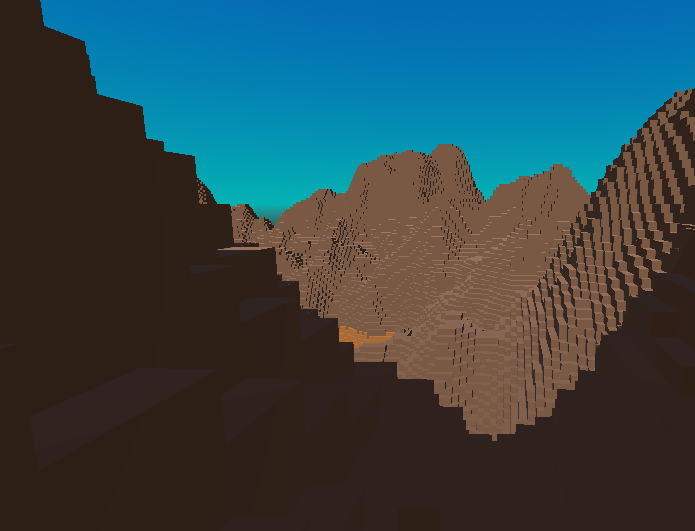
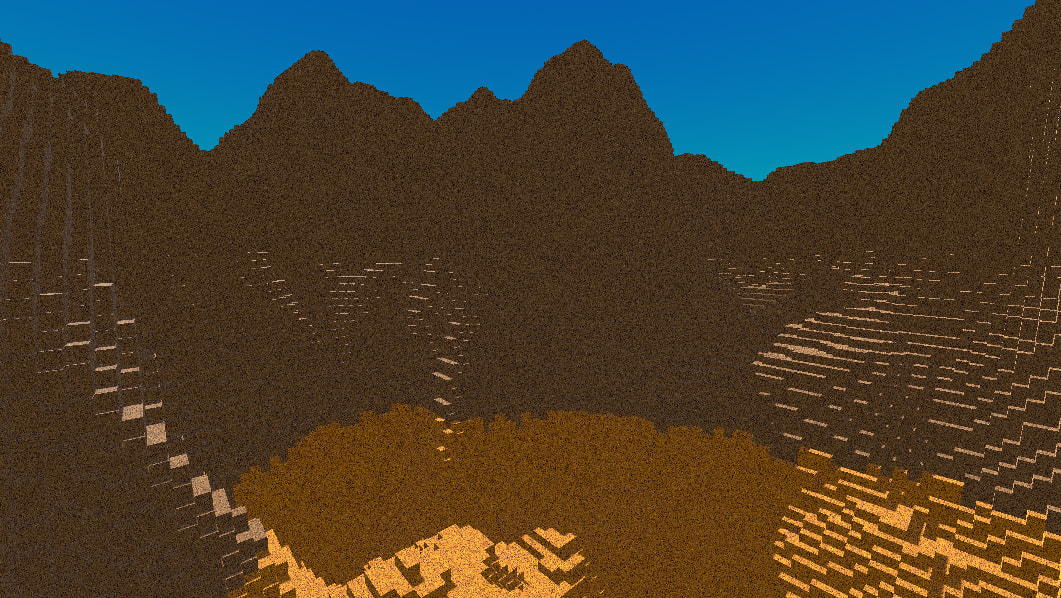
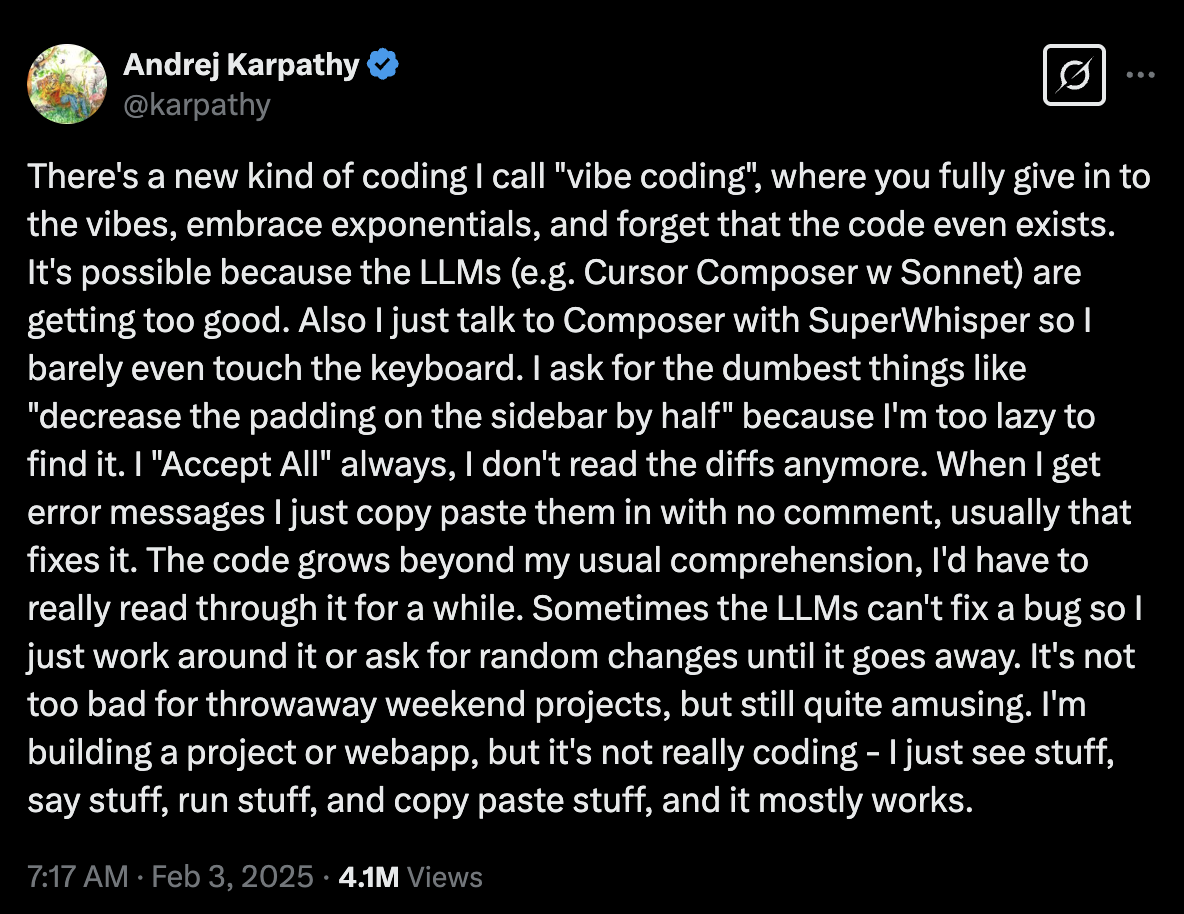
 fully give in to the vibes
 embrace the exponentials
 forget that the code even exists
 barely touch the keyboard
 ask for the dumbest things
 see stuff, say stuff, run stuff and copy-paste stuff