Quinn
July 14, 2025, 2:39pm
1
i have a very easy question, but i cant find anything about it online.
i wanna make a loop, that executes a script every x seconds (in this case x = 1)
edit: this was solved. thanks to @hexgrid and @dragonforge-dev for solving this!
Create a timer. Set it’s timeout value to the desired time. (Default is 1 second.)
@onready var timer: Timer = $Timer

func _ready() -> void:
	timer.timeout.connect(_on_timeout)

func _on_timeout() -> void:
	#Your code goes here.
Quinn
July 14, 2025, 2:48pm
3
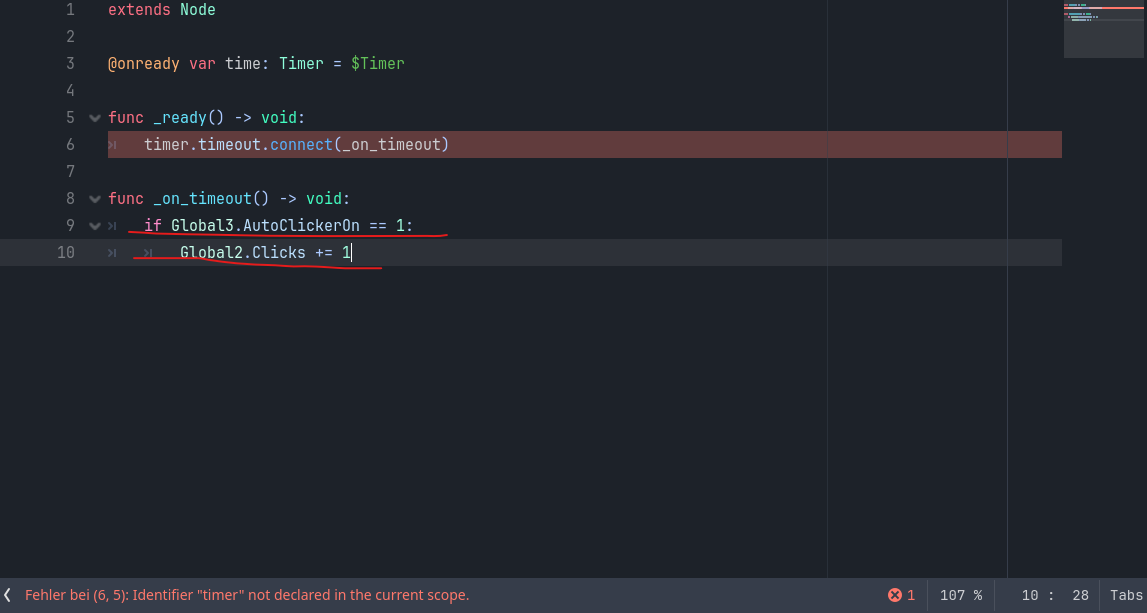
okay, so i did as you said and i got this. (ignore the code marked in red its unrelated)
Typo: you called it time, but referred to it as timer.
time.timeout.connect(_on_timeout)
1 Like
Thanks @hexgrid yeah that was my typo.
1 Like
Quinn
July 14, 2025, 2:58pm
6
yeah, it works according to the script, but it doesnt do anything ingame (for context, i made a label that displays the variable “clicks”) and yeah, it just doesnt increase the variables value after
extends Node
@onready var time: Timer = $Timer
func _ready() → void:
func _on_timeout() → void:
thats my code, but for some reason it doesnt work ingame, help is appreciated!
-Quinn
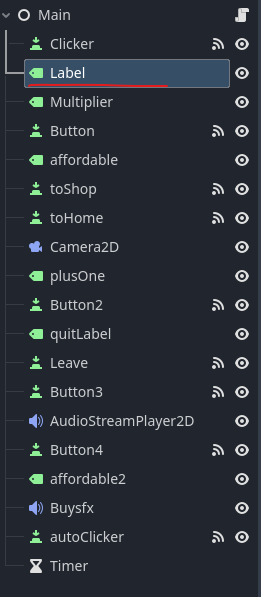
What’s your scene tree look like?
Also surround your code with ``` on top and bottom.
Quinn
July 14, 2025, 2:59pm
8
thanks! my scene tree looks like this, the label that is underlined is the label that displays the “clicks” variable
When you’re posting code, if you do this:
```gdscript
It looks like this:
extends Node

@onready var time: Timer = $Timer

func _ready() → void:
    time.timeout.connect(_on_timeout)

func _on_timeout() → void:
    if Global3.AutoClickerOn == 1:
        Global2.Clicks += 1
    $Label.text = str(Global2.Clicks)
Are you sure that Global3.AutoClickerOn is 1 as opposed to (say) true?
1 Like
My advice in cases like this is, if you’re not sure whether something is working and it’s a multi-step process, stick print() statements in.
I’d suggest sticking a print as the first thing in _on_timeout(), so you know whether the problem is the timeout not firing the callback, or something going wrong within the callback.
Quinn
July 14, 2025, 3:03pm
11
yep, i checked.
edit: i checked with a print statement, nothing came out, so that could be the problem?
Oh… yeah… uh…
Ahem.
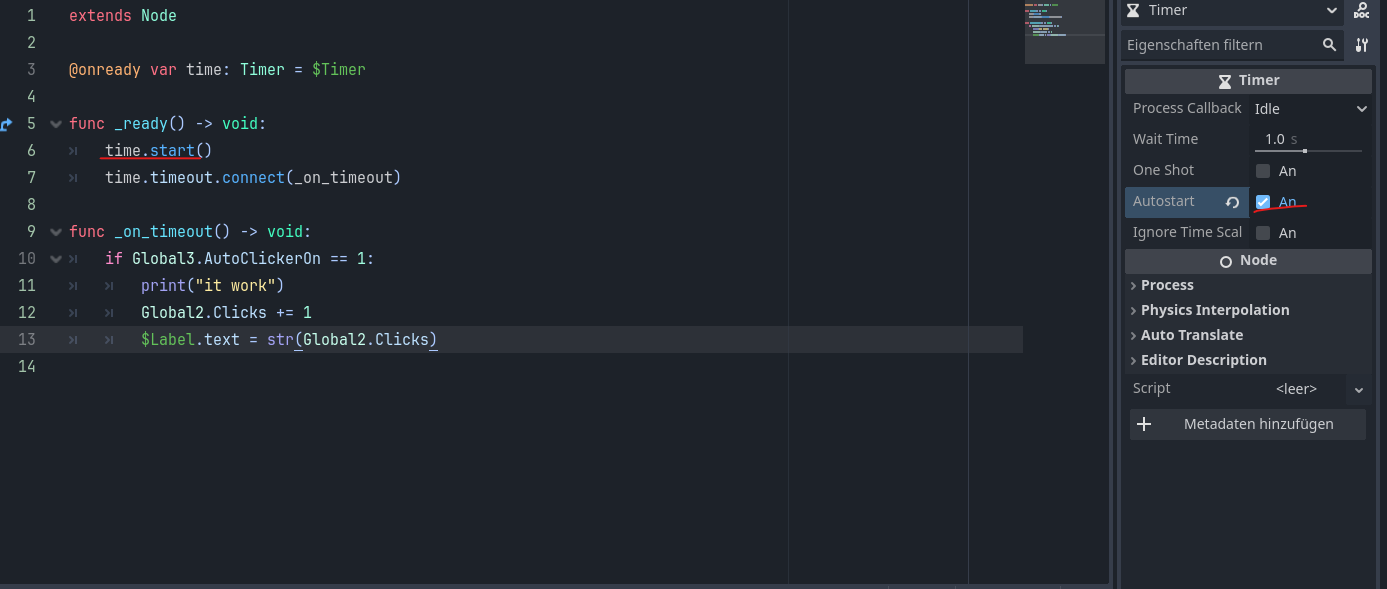
Timers have an autostart which by default is false. They also have a start() method.
Probably either autostart should be set true or start() should be called in _ready() or something.
We probably should have mentioned that earlier.
Quinn
July 14, 2025, 3:09pm
13
how do activate start() ? sorry if this is a basic question im very new to coding
func _ready():
    time.start()
Quinn
July 14, 2025, 3:18pm
15
okay, i did that but nothing changed.
Ah, try:
func _on_timeout() -> void:
    print("One second passed...")
    if Global3.AutoClickerOn == 1:
        print("...autoclick GO!")
        Global2.Clicks += 1
        $Label.text = str(Global2.Clicks)
    else:
        print("...autoclick off: " + str(Global3.AutoClickerOn))
Quinn
July 14, 2025, 3:26pm
17
Doenst work, well.. it doesnt display anything in the output nor ingame
If you stick a print in _ready(), does it print that? I’m wondering if any of this code is getting run, or if it’s somehow not in the scene or not active.
Quinn
July 14, 2025, 3:31pm
19
OH my mistake, it doesnt output anything, but how do i make the code run then?
You’ve listed some code, what file is that code in, and is it attached to any node in the tree?