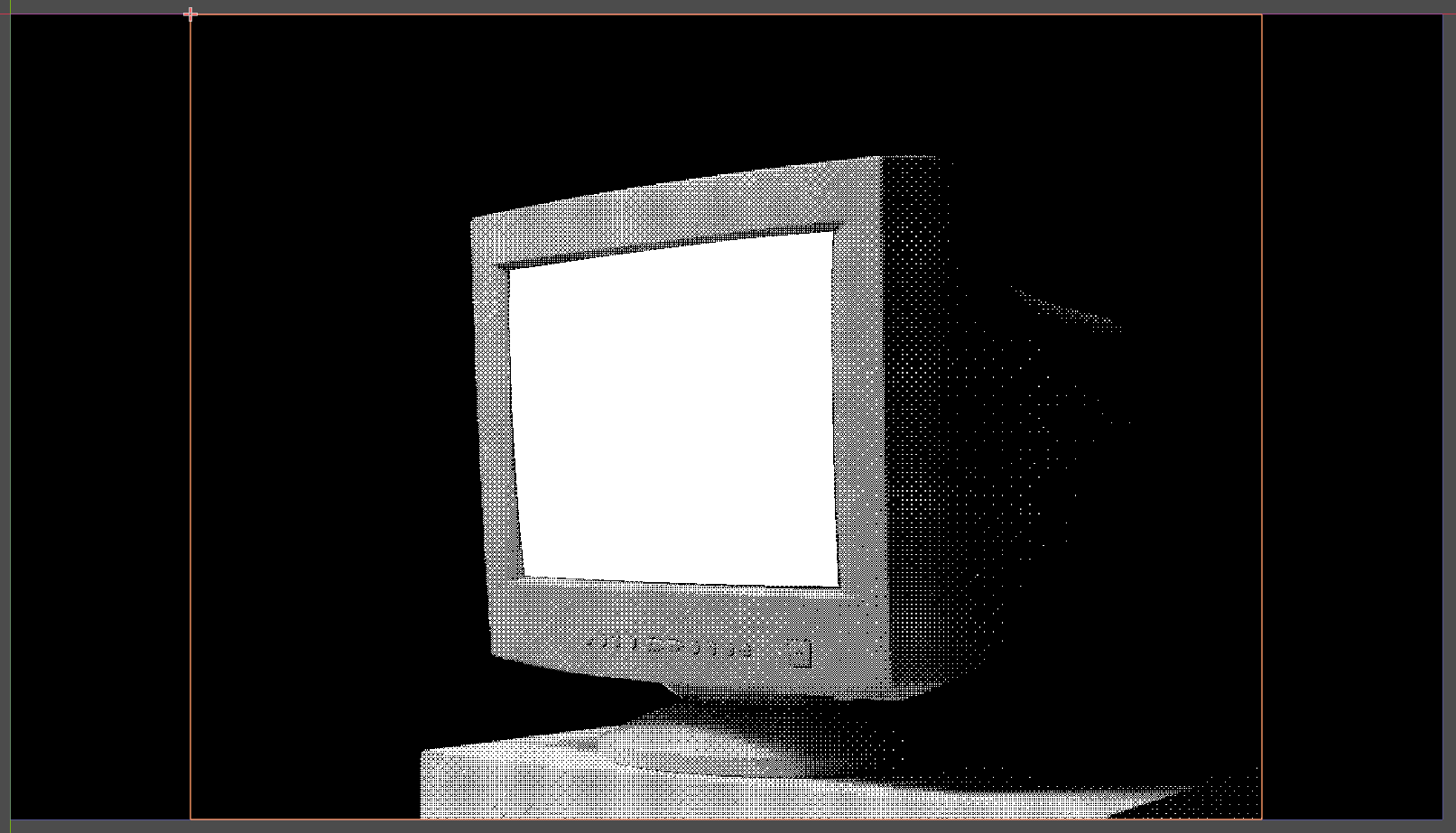
I’m new to Godot and gamedev in general, and I’m having trouble figuring out what to search for to learn how to get this effect done right.
Basically the problem is this:
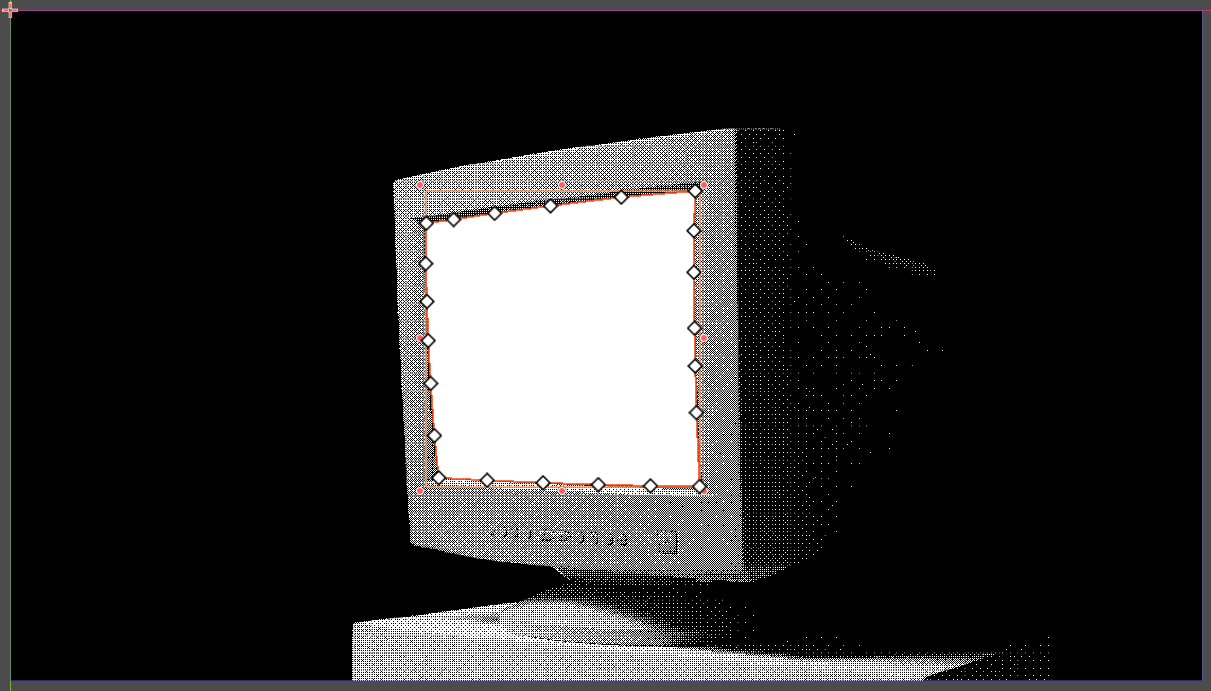
I want a simple interactive UI (email-like ui screen) to be mapped into the white space of this monitor, retaining the angled perspective of the screen. I’ve played around with the 2D polygon node to get this white section masked, but am not sure how to actually get a UI on there correctly.
I think I need to map a SubViewport node to the polygon, but I’m not 100% sure.
If this is all 2D, you can use Polygon2D. Assign a SubViewport texture to it and adjust polygon’s UVs so it displays the texture properly. You might want to use as few polygon points as possible.
Another approach I’d suggest would be to make the white part transparent, draw the UI underneath and layer the image on top. To keep the perspective you can use simpler polygon with simpler UVs (a quad) also mapped like normalized suggested OR you can use another viewport with a 3d quad also rendering a viewport with the UI. this way you don’t need to fight with UVs.
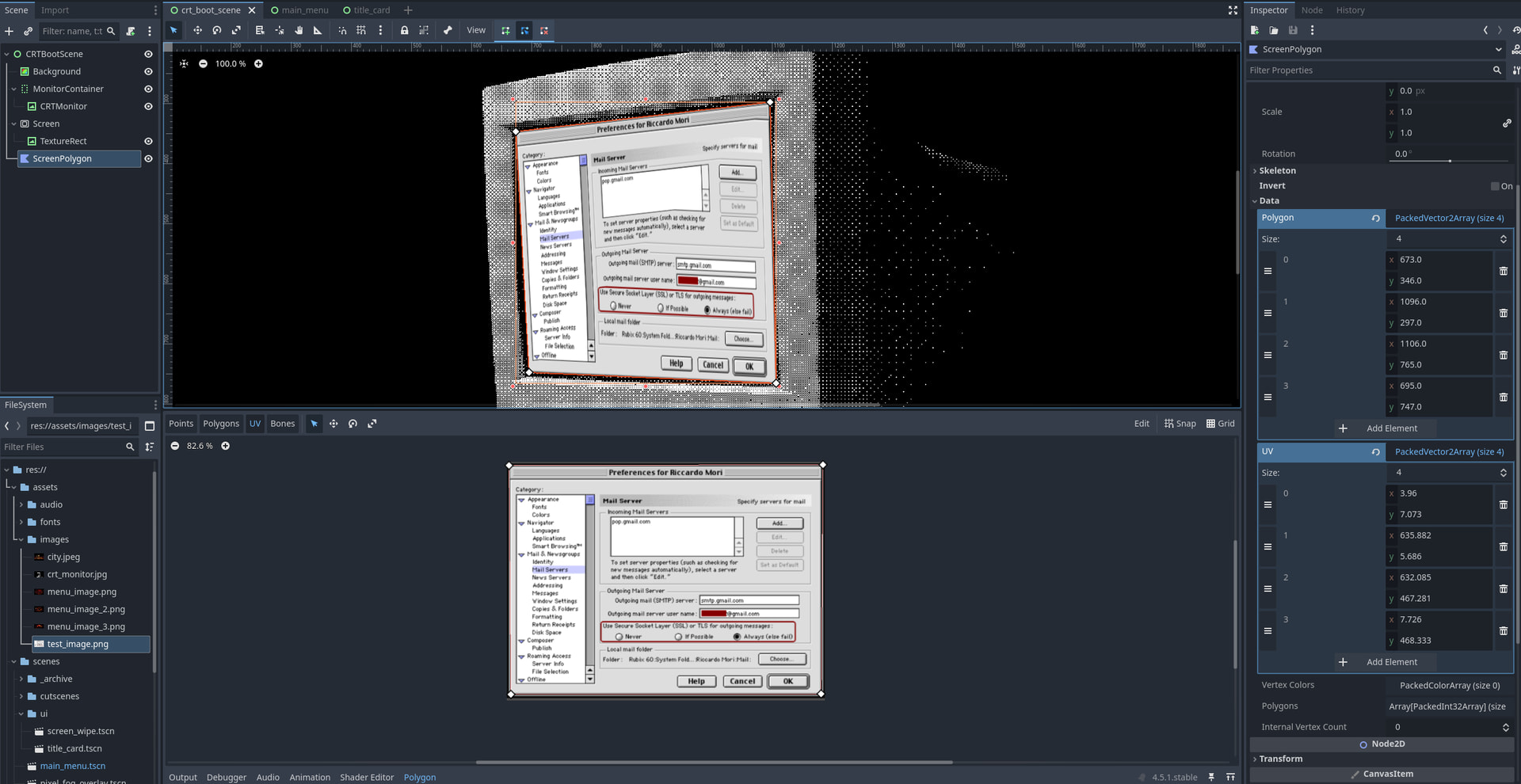
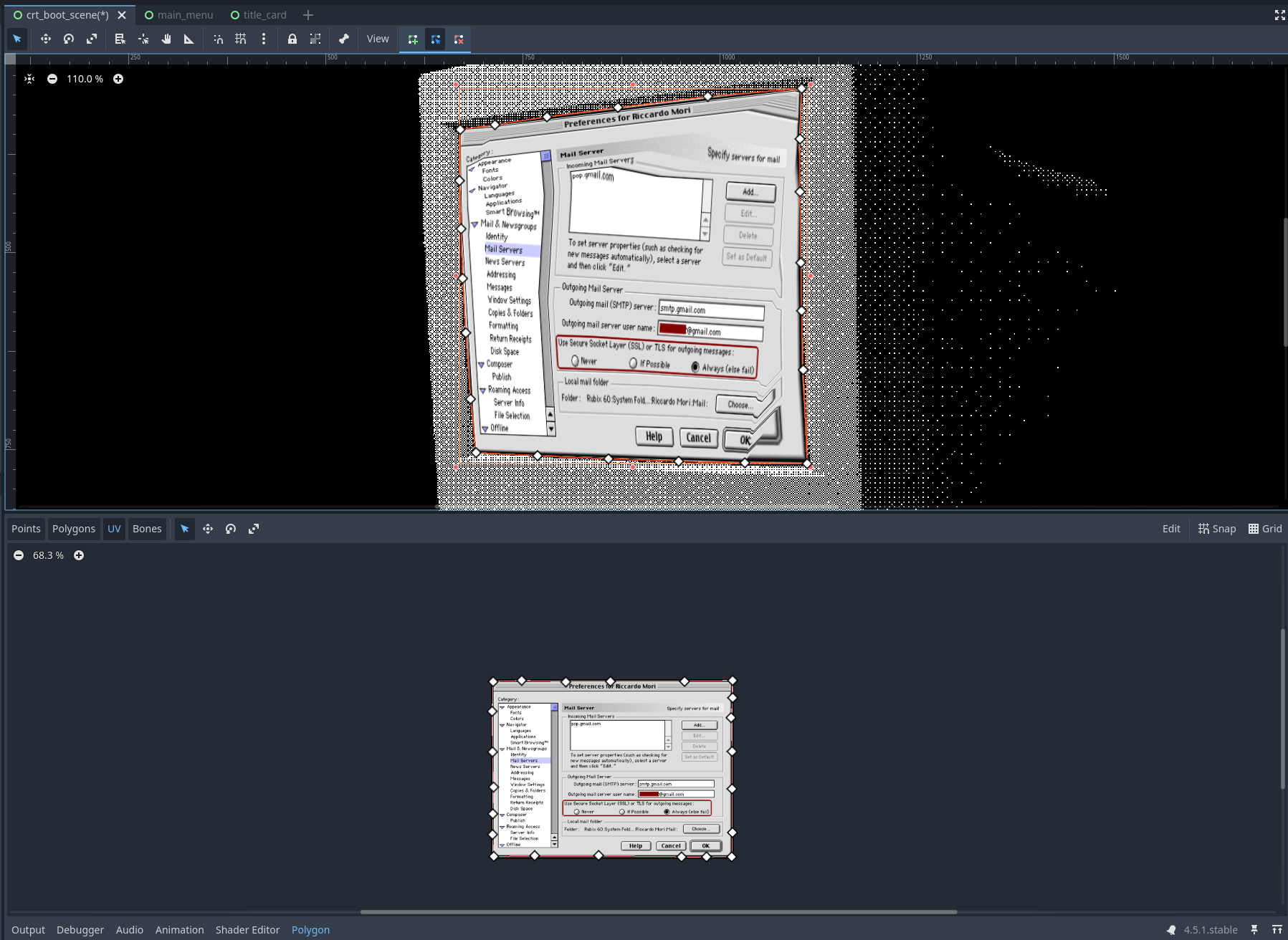
So I gave this a shot, using less points than before. Just 4. I’m still getting a strange warping effect on the texture. Attached a screenshot that might help.
Add more points.
If this proves to be too tedious, make a planar grid mesh in Blender, with enough subdivisions, deform it into the desired shape using a lattice deformer and export as obj. Use MeshInstance2D node and load that mesh into it.
It seems like I need points to map the middle of the image? Subdivisions perhaps? I’m just not sure how to do that with a Polygon2D node. But I’m really not sure. I could totally be missing something else…
Well you need to be very meticulous with the point placement. The spacing between UVs should be proportional to corresponding spacing between positions. This approach is not ideal though because you don’t have any control over triangulation. Some artifacts may always appear.
Try the other solution I mentioned in my previous post. With enough subdivisions you won’t get any artifacts. The only weak point is that there won’t be true perspective foreshortening, but since the perspective convergence in your photo is not very sharp - it might be fine.
For full accurate 3D projection you can always go the viewport + 3D camera route, although that’d require a bit of manual tweaking as well.