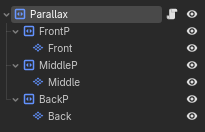
I was wondering how to repeat a Parallax2D that is moving? Right now, it is moving how I expect it, but then after a few seconds, the parallax is no longer there. It goes off screen and just keeps going, leaving a fairly empty looking scene.
Parallax2D has this built in, no script needed. The reason nothing repeats right now is that you’re moving the TileMapLayer children directly, and Parallax2D only knows how to wrap its own scrolling, it never looks at where its children have wandered off to. So the layers just drift away forever.
Instead, on each of FrontP, MiddleP and BackP set two properties in the inspector. Autoscroll is the movement, set it to (-150, 0), (-125, 0) and (-100, 0) to match your current speeds. Repeat Size is the wrap, set its x to the width in pixels of one full copy of that layer’s tile content, and the layer will loop seamlessly when it scrolls past that distance. If you can see a gap on the right edge, bump Repeat Times up until the copies cover the screen. Then delete the script entirely, the movement lines are what’s fighting the repeat.
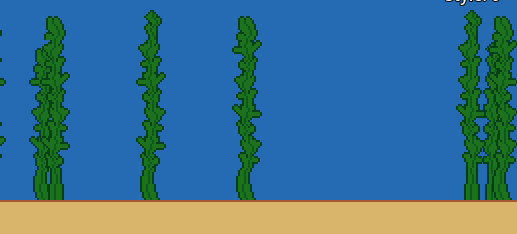
One thing to check, Repeat Size only works if the art actually tiles across that width, meaning the left edge of your seaweed strip lines up with its right edge. If your tiles are painted wider than one repeat or don’t connect, you’ll see a seam at the wrap point and the fix is in the tile painting, not the settings.