How to set custom script variables in an instanciated prefab

Godot Version

Godot v4.4.1

Question

I have an inventory script for a minecraft-ish game i’m making. When the player drops an item, it spawns a new physical item pickup into the world using this code.

public void SpawnItemIntoWorld(InventoryItemClass itemToDrop, int count) {
	RigidBody3D newPhysicalItem = physicalItemPrefab.Instantiate<RigidBody3D>();
	GetTree().Root.AddChild(newPhysicalItem);
	
	//set item stack count here??
	newPhysicalItem.LinearVelocity = new Vector3((GD.Randf() - 0.5f) * 15f,
												(GD.Randf() - 0.5f) * 15f,
												(GD.Randf() - 0.5f) * 15f);
}

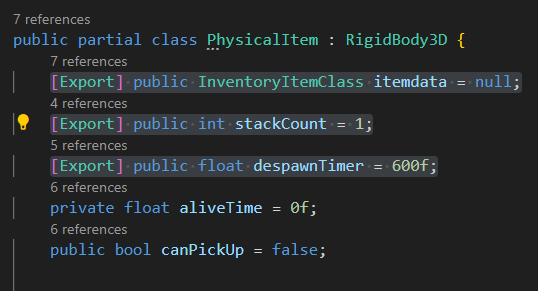
Problem is, the prefab for the item also has a script attached to it that lets me set the item count if the player is dropping a bunch of the same item at once. Let’s say the script name i’m trying to access is called PhysicalItemPickup.

How would i access PhysicalItemPickup from this prefab I just created to set the item count that I need?

You should be able to access it via newPhysicalItem

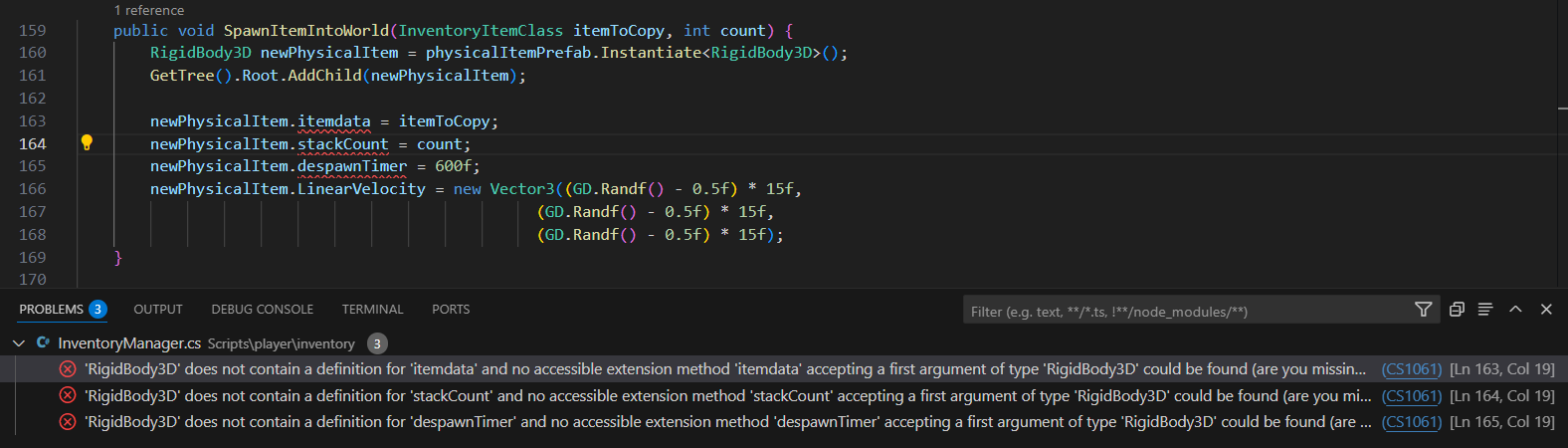
How so? Right now the newPhysicalItem is just a RigidBody3D. I can’t access the components of the PhysicalItemPickup script through naive means such as newPhysicalItem.stackCount. I feel like there’s an extra step i’m missing.

You precisely can if the script is attached to that rigid body.

Can you post the scene hierarchy of the physicalItemPrefab?

This is the item. When it gets dropped by the player, this is what is spawns. The newPhysicalItem is the topmost root node, which is the RigidBody3D with the PhysicalItemPickup script attached.
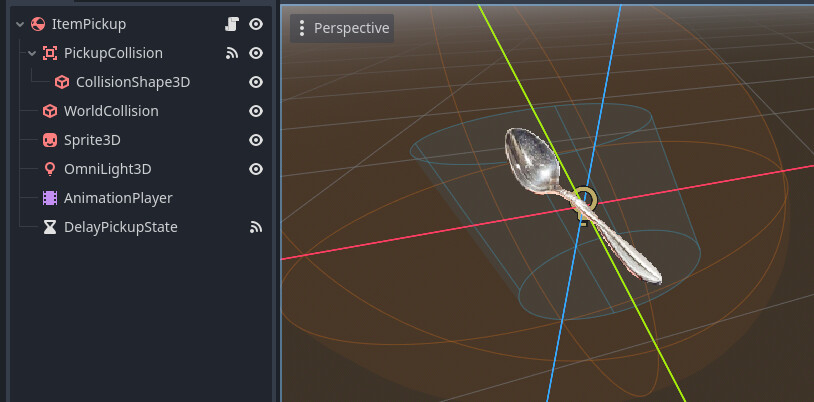
Currently my only debugging item is a spoon.

If stackCount is defined in the script attached to ItemPickup, you should be able to access it via newPhysicalItem.stackCount

I’m not sure what you mean. If i fill in the code like i want to, then the build fails with errors.

The script for the physical item has all of the variables needed for this publicly set too.

Instead try:

PyhsicalItem newPhysicalItem = physicalItemPrefab.Instantiate<PyhsicalItem>();

This worked! Thank you! Currently this is what the item dropping code looks like now.

public void SpawnItemIntoWorld(InventoryItemClass itemToCopy, int count) {
	PhysicalItem newPhysicalItem = physicalItemPrefab.Instantiate<PhysicalItem>();
	GetTree().Root.AddChild(newPhysicalItem);

	newPhysicalItem.itemdata = itemToCopy;
	newPhysicalItem.stackCount = count;
	newPhysicalItem.despawnTimer = 600f;

	newPhysicalItem.Position = playerpos;
	newPhysicalItem.LinearVelocity = new Vector3((GD.Randf() - 0.5f) * 15f,
											  (GD.Randf() - 0.5f) * 15f,
											  (GD.Randf() - 0.5f) * 15f);
}

I just gotta chase down some more unrelated bugs now xd

1 Like