How to set corner details for individual corners.
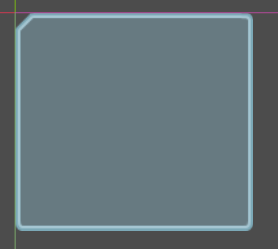
Is there a way to make a PanelContainers two corner to have corner detail 1 (a bevel), and the other two like 8 (rounded).
Yes i can draw a custom container, with a mile of code, and remake like 5 screen wort of UI but, it would be easier to make only this one detail with code but i cant figure it out how.
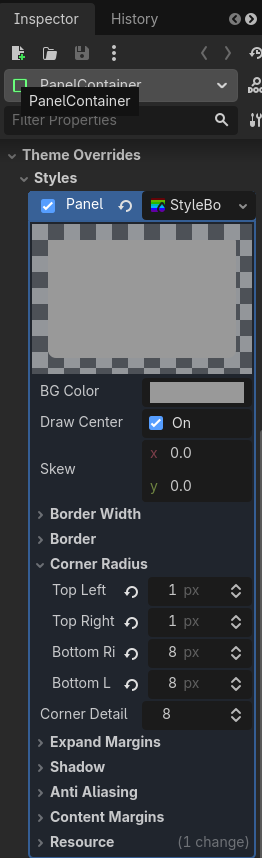
I’d just add a theme overwrite to overwrite the “Panel” style with a StyleBoxFlat. In that stylebox you can set custom corner radii per corner, no code required.
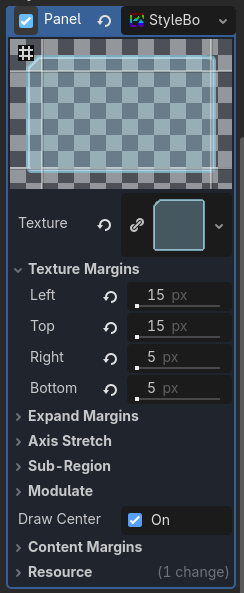
Corner radius can be set on a per-corner basis, but corner detail can’t. You’ll have to use a StyleBoxTexture to achieve the desired look instead (which means it won’t be as sharp at high resolutions).
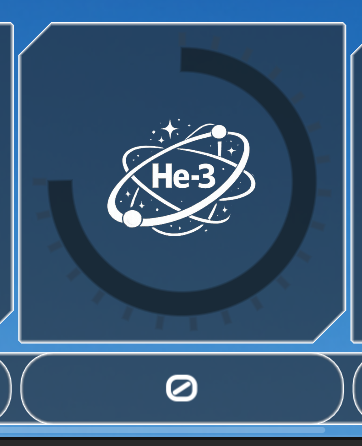
Like this, but right now the corner details are one, so i just set to top right and buttom left corner to a very small radius so it appears “round” but i want to use a bigger radius like on the panel below.