Godot Version
4.7
Question
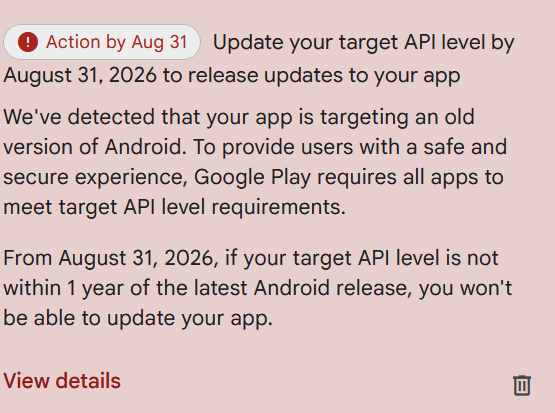
I’m getting warnings from Google Play that my Godot app will not be compatible starting Aug 31, 2026. I’ve updated Android Studio to have the latest tools and installed the version 36 API (Godot’s docs only walk you through version 35, but I can compile and run with 36 too). I’ve deleted and recreated my android directory and rebuilt my app. None the less, when I upload it to the app store, I’m getting the warning:
From the developer.android.com:
New apps and app updates must target Android 16 (API level 36) or higher to be submitted to Google Play
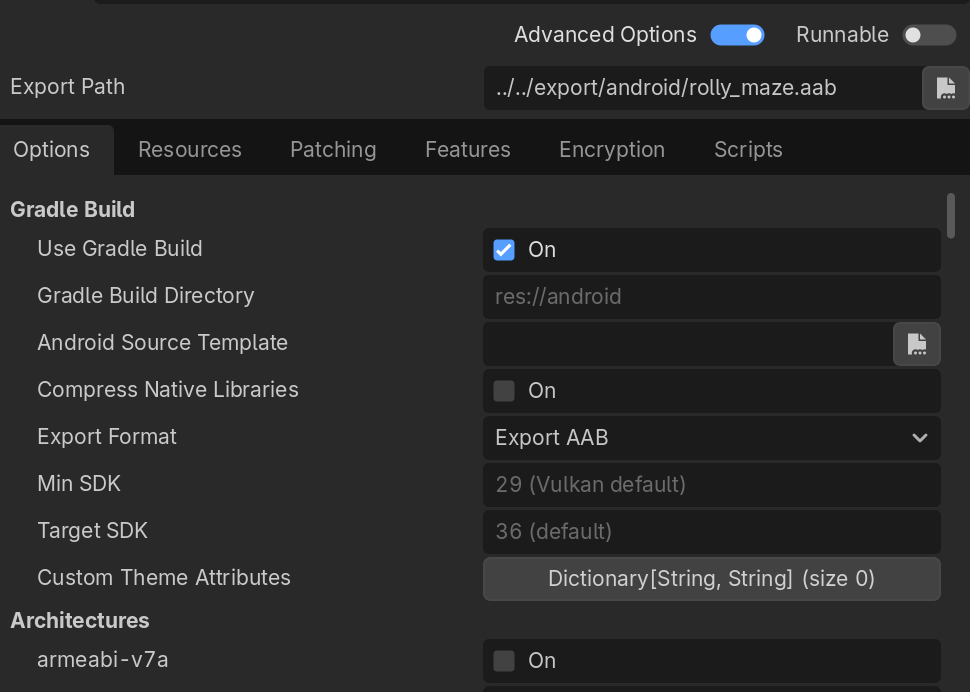
This is my current setup. It this not building for version 36?
Your export preset already looks right for Godot 4.7, Target SDK 36 (default) with Gradle + AAB is what you want. Play doesn’t care about that screen; it reads targetSdkVersion inside the AAB you uploaded.
Check the build, not the preset.
Open res://android/build/config.gradle and confirm targetSdk / compileSdk are 36 (reinstall the Android build template from this 4.7 if they’re older).
After export, inspect the AAB (Android Studio APK Analyzer, or unzip and check the merged manifest) for android:targetSdkVersion="36".
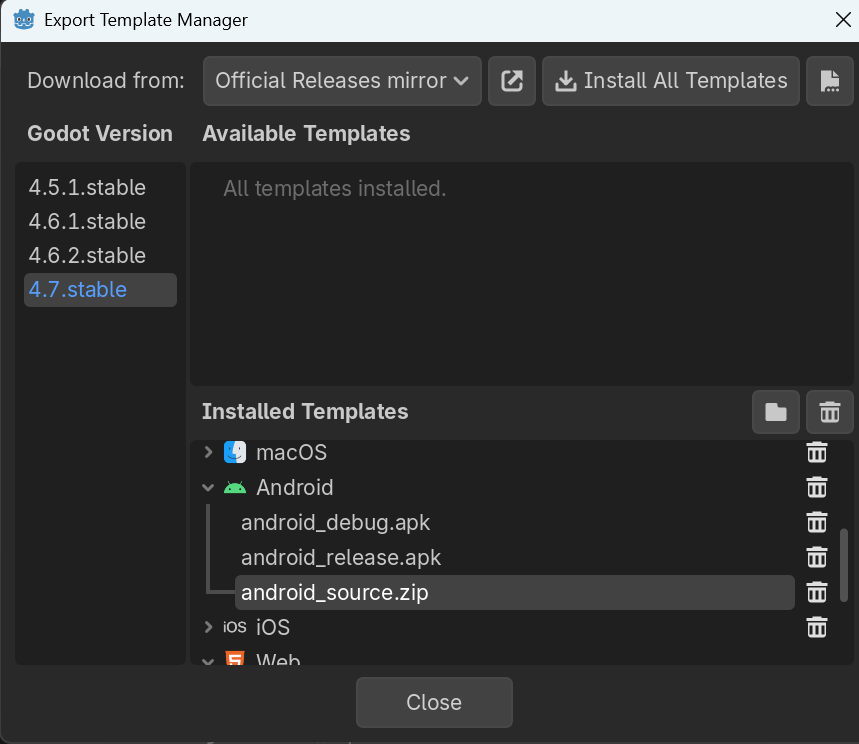
Make sure export templates match the editor (Editor → Manage Export Templates), release keystore, Export With Debug off, and you’re uploading that new AAB (version code bumped) to the track Play is warning about.
If the AAB really says 36 and the console still nags, it’s often a stale warning / old artifact still listed – the deadline text stays until a compliant version is the one under review. Same thing showed up a lot when people moved to API 35.
So: yes, that setup should build for 36, verify the AAB manifest. If that file still shows 34/35, the template/android/ folder is the problem, not Android Studio being “not installed enough.”
–useful docs:
This is from the head of my config.gradle file. It looks like it’s using version 36:
ext.versions = [
    androidGradlePlugin: '8.6.1',
    compileSdk         : 36,
    // Also update:
    // - 'platform/android/export/export_plugin.cpp#DEFAULT_MIN_SDK_VERSION'
    // - 'platform/android/detect.py#get_min_target_api()'
    minSdk             : 24,
    // Also update 'platform/android/export/export_plugin.cpp#DEFAULT_TARGET_SDK_VERSION'
    targetSdk          : 36,
    buildTools         : '36.1.0',
    kotlinVersion      : '2.1.21',
    fragmentVersion    : '1.8.6',
    nexusPublishVersion: '1.3.0',
    javaVersion        : JavaVersion.VERSION_17,
    // Also update 'platform/android/detect.py#get_ndk_version()' when this is updated.
    ndkVersion         : '29.0.14206865',
    splashscreenVersion: '1.0.1',
    // 'openxrLoaderVersion' should be set to XR_CURRENT_API_VERSION, see 'thirdparty/openxr'
    openxrLoaderVersion: '1.1.53',
    openxrVendorsVersion: '4.3.0-stable',
    junitVersion       : '1.3.0',
    espressoCoreVersion: '3.7.0',
    kotlinTestVersion  : '1.3.11',
    testRunnerVersion  : '1.7.0',
    testOrchestratorVersion: '1.6.1',
    documentfileVersion: '1.1.0',
]
I’m not sure which manifest file you’re referring to. META-INF/MANIFEST.MF? assetPackInstallTime\manifest\AndroidManifest.xml? I can’t find anything like android:targetSdkVersion in my unzipped .aab archive.
I think my export templates are up to date:
I do have a keystore for release set, and I am exporting without debug.
I sent this in a few days ago, so I think the review has finished, but maybe not yet. Hopefully everything is okay.
You won’t find targetSdkVersion as text in an unzipped AAB, the manifest is binary (base/manifest/AndroidManifest.xml). META-INF/MANIFEST.MF is unrelated.
Check it with Android Studio Analyze APK on the AAB, or Play’s App bundle explorer for that version code (that’s what Play actually used).
If that version still shows < 36, bump versionCode, export again, upload. If it already says 36, the warning is just lag.
I wasn’t able to view the manifest file in Android Studio’s Analyze APK, but I was able to check it out on the app store, and it looks like it’s API version 36. So I suppose that error message is just out of date.
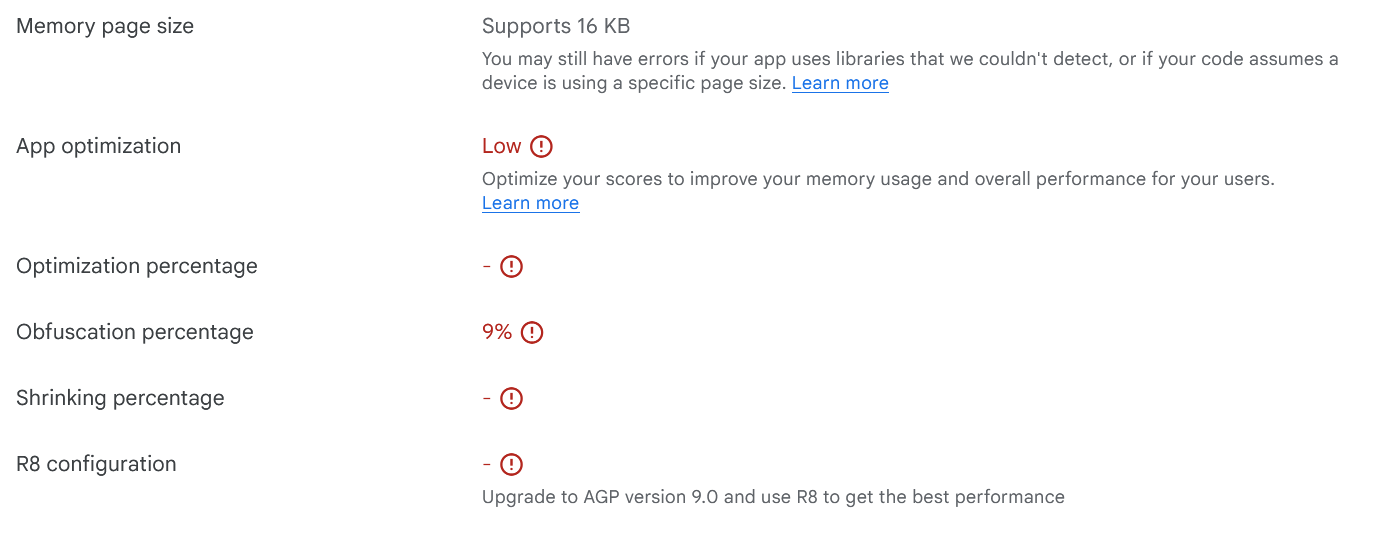
The Latest Releases and Bundles page is showing some warnings, though. Is there anything that can be done about this?
Those aren’t the target-SDK warning. They’re Play’s Java/R8 optimization scores.
Godot games are mostly native .so, so obfuscation/shrinking on the tiny Java wrapper often looks “Low” / ~9%. Normal. Don’t bump AGP to 9.0 by hand, Godot 4.7’s template pins 8.6.1; fighting that tends to break exports.
16 KB page size: Supports is the one that actually matters long-term; you’re fine there.
Ignore these unless you enjoy digging through Godot’s android/build Gradle for little DEX wins. They don’t block shipping the way API 36 did.
To get rid of this message, the releases in the test channels must also target API Level 36.
I had the same problem, and reports in other forums put me on the right track. However, it does take some time to receive the corresponding feedback from Google.