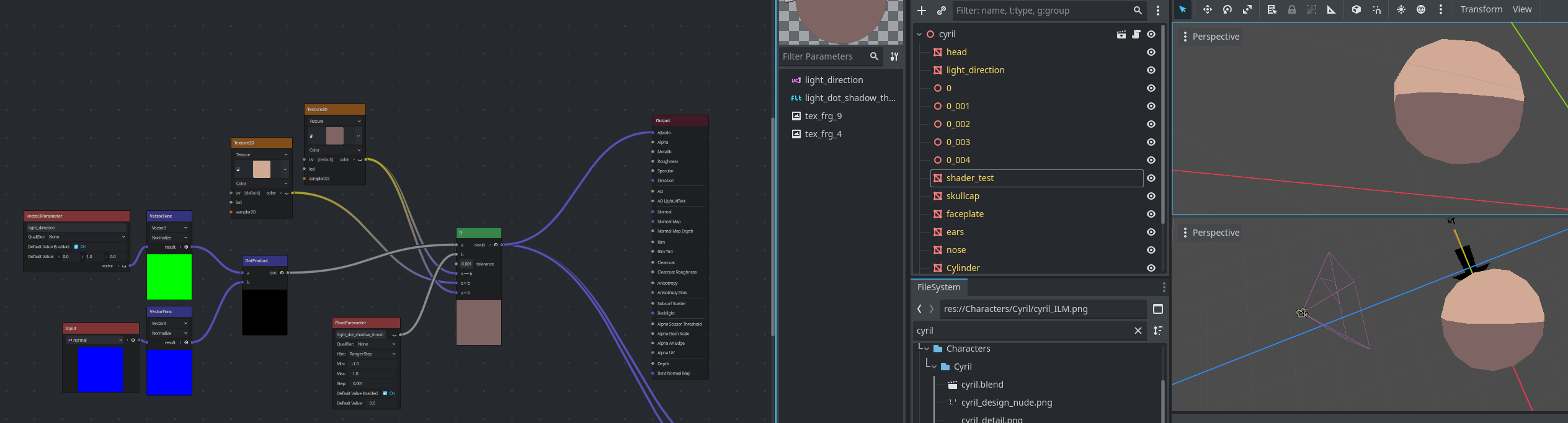
I’m working on a cell shader and I can’t figure out how to access the meshs surface normals. Currently the mesh seems to take the camera view into account as the shading changes with the observation angle. I want the textures to be displayed based on the maths between the objects normals and the vector given, no involvement from the viewer.
The shader is a visual shader, has no other modifications except being set to unshaded.
I’ve tried fetching the normal in the vertex fragment, storing it in a getter but that’s not a smooth normal distribution as I’d expect, now the shading snaps between the vertexes. I wonder if I need to do all of this in the light fragment
Okay, so If I wanted the model to be shaded based on some vector maths and not be affected at all by any lighting effects, which shader section should I work in? The fragment function?
I’ve tested the input normals in the light shader, they are even worse. They just flip the textures from one half to the other
What exactly are you trying to achieve. The initial question was about accessing the normal. You can access it as described above. What do you need the normal for?
I’m trying to replicate a cel shader that I’ve built in blender, but I’m starting of with the most basic and fundemental part of it right now.
I need to access the objects surface normals, and take the dot product of them with vec3 that I want to use as a light source direction. The dot product will indicate how lit or dim a surface should be. I need the modified surface normals of the mesh, with them being smoothed out between the vertexes.
The dot product is then compared against a float value to determine where the shadow texture and light texture should be displayed on the mesh.
The one I shared in the image currently sort of works, but it uses the view as part of the input Normal’s so the shading is wrong. It is smooth and reacts somewhat right to the vec3.
In the past I made a smilar shader in godot using the GLSLscript. As far as I remember it worked and had the smooth custom normals from the mesh, this was years ago. The mesh I’m showing here is a subdivided blender cube with smooth shading.
The old GLSL script I wrote contains:
void vertex() {
	// Called for every vertex the material is visible on.

}

void fragment() {
	// Called for every pixel the material is visible on.

	// test base colour
	ALBEDO = texture(base_colour, UV).rgb;

void light() {
	// Called for every pixel for every light affecting the material.
	// Uncomment to replace the default light processing function with this one.

	// fetch the normals, light vector and viewing vectors
	// LIGHT 	// light vector in view sapce
	// NORMAL 	// surface normals in view space
	// VIEW		// cmera view in view space already normalised

	//normalise the 3 vectors
	vec3 light_vec = normalize(LIGHT);
	vec3 normal_vec = normalize(NORMAL);

// alot of maths to do with colour from here
///
///I have quite a few if checks to apply colours and change the models shading

	// shadow texture
	//vec4 shadow_colour_rgba = texture(shadow_colour, UV);
	vec4 shadow_colour_rbga = texture(base_colour, UV) + shading_multiplier;

	// so check which state it has and multiply albedo to display correctly
		if(bool(max_light_shadow) == true)
	{
		SPECULAR_LIGHT = ALBEDO;
	} else
	{
		SPECULAR_LIGHT = ALBEDO*(shading_multiplier.rgb);
		// SPECULAR_LIGHT = shadow_colour_rgba.rgb;
	}
Trying to use the input normals in any of the visual shader components doesn’t give me the normals I’d expect to replicate the results of this old shader I wrote. I’m sure I’m making a mistake out of ignorance
the light vector and the normal vector need to be in same space. Otherwise the dot product won’t be correct. As I already mentioned, the normal you get in the fragment or light function will be in the view space. The light vector you get in the light function will be in view space as well, so the dot product will produce the correct result.
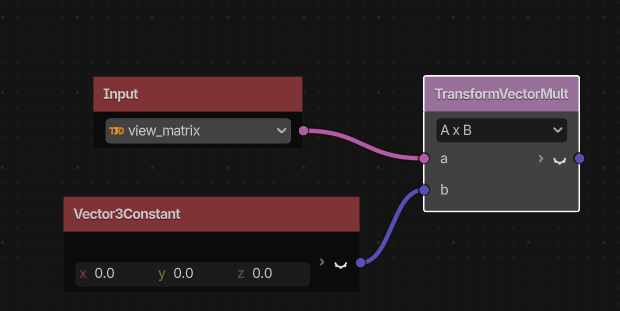
If you’re obtaining the light vector by any other means, you need to transform it to the same space the normal vector is.
Although I don’t see you actually calculate this dot product in the shader code you posted.
okay, so I guess I need to do some transform using the view input node then? where can I find a detailed explanation of what all these visual nodes do?
I don’t know if there’s a detailed explanation. The functionality of most of the nodes is self evident to me. If you know the basics of linear algebra, you shouldn’t have hard time with any of it.
In order to transform the vector to a specific space you need to multiply it to that space’s transformation matrix. That’s pretty much all there is to it.
Those nodes are just math. There’s nothing node-specific about them. If you know the math they do, it should be self evident. The only reference I know of is the descriptions in the visual shader gui.
Besides, if you already know how to code a shader, doing it in a visual interface will just be a nuisance. Typing shader code is way more time and screen estate efficient than using a box/noodle interface.
I like visuals, its far easier to read at a glance than pages of code for me.
That is not the cross product node that comes up when you search for that, see, not self evident, its an entirely different node.
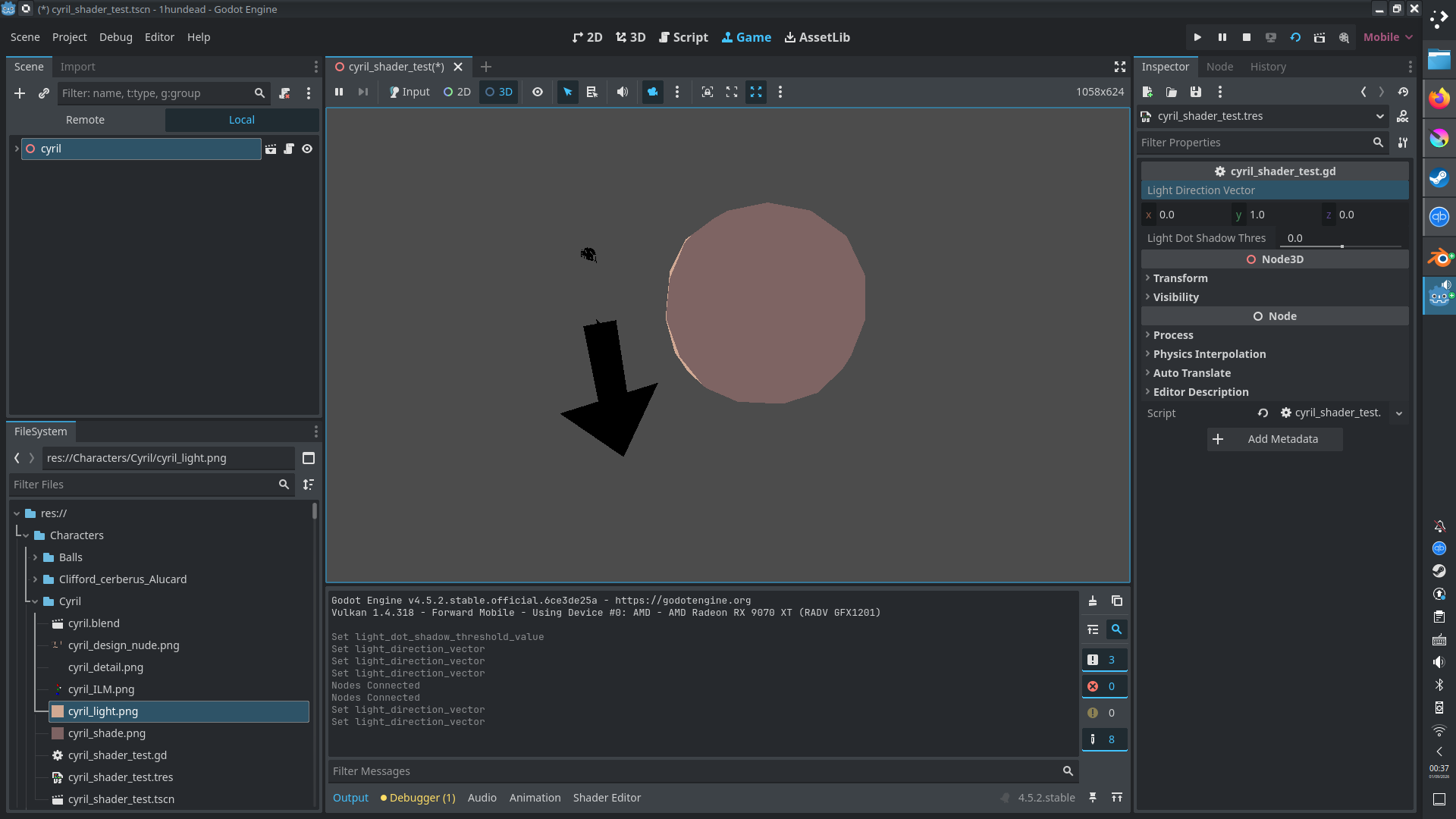
It’s also still not correct, the shading changes with where you view it from, it needs to not change with where you view it from, and only change based on the vec3.
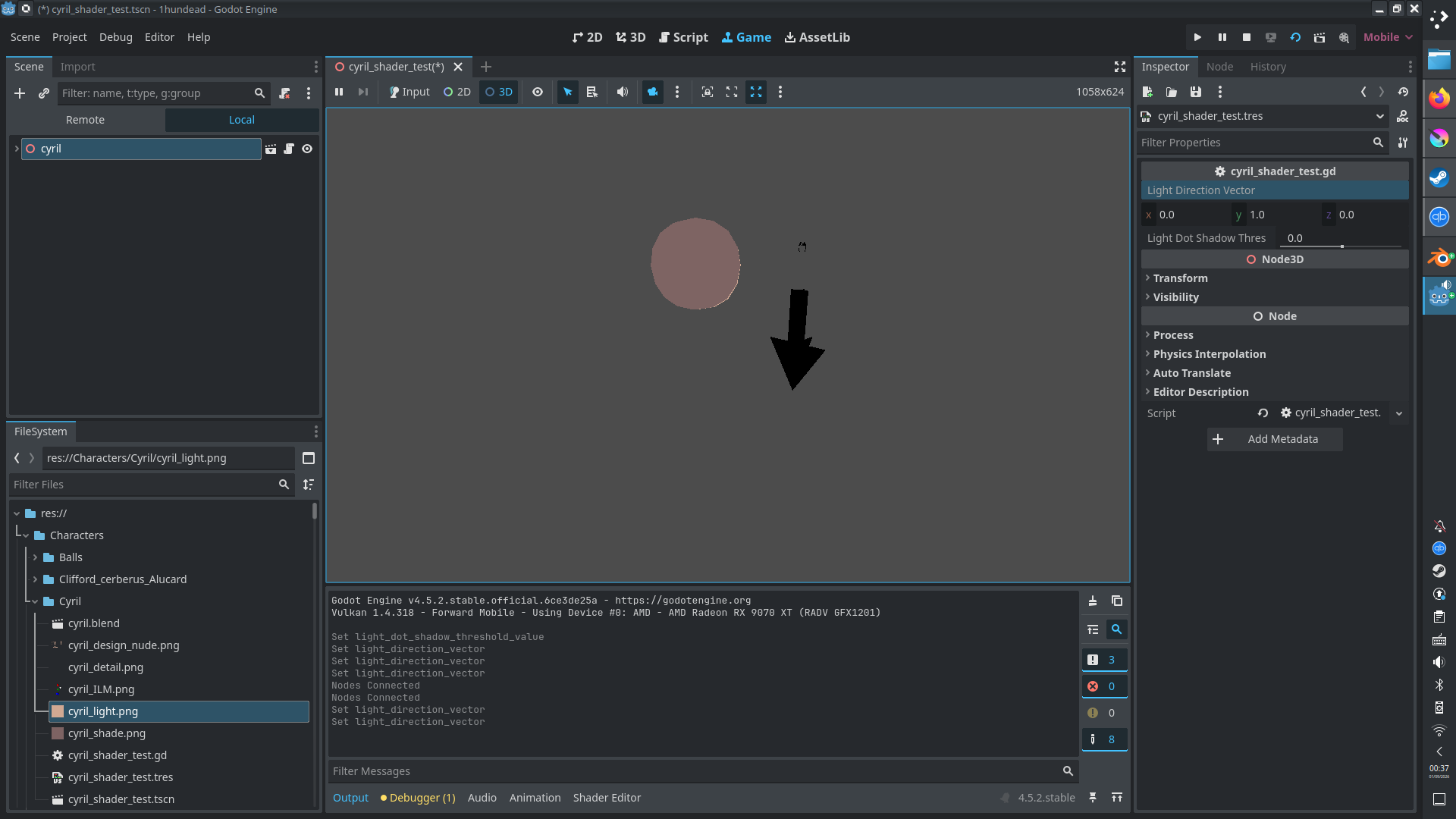
With no changes to the vec3, which should be pointed downwards, so the top half is lit and the bottom isn’t, it now rotates to always face the unlit side.