Last update: 26-01-30 (yy-mm-dd)
Changelog section at the end of the post.
Introduction
Godot 4.5 introduced the Logger class (#91006), which allows users to intercept internal errors and messages. This makes it ideal for creating custom loggers (not only ideal, that’s the reason why it was added).
Before continuing, it is worth noting that you might not need to make a custom logging solution. Godot already has several ways to log messages, which you should first become familiar with: Logging — Godot Engine (stable) documentation in English
This tutorial is intended to be an example of what creating a custom logger might look like, if the default logging behavior is not suited to your needs. I’ll be going through the process step by step, while noting potential problems and things to avoid. Although by the end we’ll be left with a working logger prototype, it should not be considered “production-ready” and should not be used as-is (additional notes near the end).
With that out of the way, what will this custom log class look like?
- It will have methods for
info,warn,errorandcritical(easily modifiable). - It will be accessible from anywhere without needing an instance.
- It will have a message buffer (File I/O is expensive, we don’t want to flush after every message).
- It will be able to print the messages to the output as well, not only write them to a file (we’ll see why this isn’t straightforward later).
- It will be able to get a backtrace for errors (even in release builds).
There are other things you might wish to add, or some you might wish to exclude. Feel free to diverge from the instructions.
Enabling backtraces in release builds
There are many terms that will be used interchangeably throughout this. Stacktrace, backtrace, and call stack, all refer to the order in which functions are called during runtime. You can read more about it here.
Since 4.5 there are new options under Project Settings > Debug > Settings > GDScript, which will affect logging. I recommend hovering over them and reading their tooltips.
We want to enable Always Track Call Stacks. This should not add noticeable overhead in terms of performance in release builds, while offering much more valuable log messages. It is also worth considering even without creating a custom logger. Methods like print_debug(), push_error(), and push_warning() are also affected by this setting.
The option below that can remain disabled. Always Track Local Variables is relevant only if you plan to format your own backtrace. For most use cases, if you need the value of a variable, you can simply include it in the log message.
Creating the script
class_name Log extends Logger

const _LOG_DIR := "user://"
const _LOG_EXTENSION := "log"

const _MAX_LOG_FILES: int = 5
const _MAX_BUFFER_SIZE: int = 10

static var _buffer_size: int

static var _log_file: FileAccess
static var _is_valid: bool

static func _static_init() -> void:
	_log_file = _create_log_file()
	_is_valid = _log_file and _log_file.is_open()
	if _is_valid:
		OS.add_logger(Log.new())
		_remove_old_log_files()

static func _remove_old_log_files() -> void:
	pass

static func _create_log_file() -> FileAccess:
	var file_name := "%s.%s" % [Time.get_datetime_string_from_system(), _LOG_EXTENSION]
	var file_path := _LOG_DIR.path_join(file_name)
	var file := FileAccess.open(file_path, FileAccess.WRITE)
	return file
You will notice a couple of things. The first is that every function and variable is static. That means it is created when the script is parsed, and will persist (and can be accessed/used) without a specific class instance. This enables us to use the logger from anywhere, without having to create (or get a reference to) an object every time. Every method and property in this class going forward will be static, with the exception of the two built-in virtual functions.
The second is that I’ve left the cleanup function empty. I wanted to keep this first snippet simple, and address it separately. It’ll become obvious why a bit further down.
Registering the custom logger
Although the entire class is essentially static, we need one instance that will be registered as a logger with the engine. That’s the OS.add_logger(Log.new()) line near the end of _static_init().
The engine needs an instance on which to call the virtual methods (which we will override later). When an error happens, it will call _log_error() with the relevant information passed to us via the function’s parameters. Likewise, whenever there’s a print(), or any other kind of message, it will call _log_message().
Since Logger is RefCounted, it will be fine living as a reference wherever loggers are stored (we don’t care), and will be cleaned up automatically when we quit the game.
Managing the message buffer
Flushing is an expensive operation, which is why it is less than ideal to do it after every message. We use _MAX_BUFFER_SIZE and _buffer_size to check when we need to call FileAccess.flush(). A bigger buffer size can mean better performance, but you run the risk of losing some log messages in the event of a crash.
Other properties and functions
_is_valid will be useful in case we have an error when storing messages to the file. If we somehow miss even one message, the log cannot be considered reliable anymore.
It’s probably a good idea to also gather some system information in the _create_log_file() function, along with some sort of identifier for the project, or some other information about the log itself. I have omitted those steps, since everyone’s needs will be different.
Cleanup function
static func _remove_old_log_files() -> void:
	var log_file_paths: Array[String]
	for file: String in DirAccess.get_files_at(_LOG_DIR):
		if file.get_extension().to_lower() == _LOG_EXTENSION:
			log_file_paths.append(_LOG_DIR.path_join(file))
	while log_file_paths.size() > _MAX_LOG_FILES:
		var path: String = log_file_paths.pop_front()
		var err := DirAccess.remove_absolute(path)
		if err:
			error("Failed to clean up old log (%s): %s" % [error_string(err), path])
		else:
			info("Cleaned up old log: %s" % path)
Note: You should consider waiting for a bit before adding this, as it contains two of the methods that we’ll implement later: error() and info().
Because we call this function after the logger has been initialized, we can use it to log any messages we deem useful, including which files we delete, and if there are any errors. As for the logic itself:
We loop through every file in _LOG_DIR and check String.get_extension.to_lower(). Casing matters, so we account for that. We specify the expected extension in the constant, lowercase, and without the leading . since String.get_extension() also omits it. We don’t want to accidentally delete any files that we didn’t intend to, which is why we check the extension before adding them to the list of log files.
Because we name the logs using Time.get_datetime_string_from_system() (which looks something like this: 2026-01-30T17:19:53), and because DirAccess.get_files_at() will return the list sorted, we know that the log_file_paths array will contain the oldest logs first. That is also the reason why I decided to use Array[String] instead of PackedStringArray. The latter doesn’t support pop_front().
Overriding the virtual functions
func _log_error(function: String, file: String, line: int, code: String, rationale: String, editor_notify: bool, error_type: int, script_backtraces: Array[ScriptBacktrace]) -> void:
	pass

func _log_message(message: String, error: bool) -> void:
	pass
Those two will be the only non-static functions in the script. As we’ve noted, they are called by the engine on the instance we registered previously, whenever there is an internal error or message. Before we continue, we’ll want to create an enum for event types, and a list of their respective strings:
enum Event {
	INFO,
	WARN,
	ERROR,
	CRITICAL,
}

static var _event_strings: PackedStringArray = Event.keys()
_log_error()
Note: Although there are internal guards against infinite recursion in place, you should not use push_error() or push_warning() inside the function that intercepts errors and warnings, for obvious reasons. You should also avoid any print() methods here, unless you know what you are doing, as they will be intercepted by _log_message(), and you run the risk of logging them twice (at best).
We’ll craft the log message directly inside the function, since we have everything we need right here. You can style it however you want. I have chosen the [time] event: message format, with additional information below that:
func _log_error(function: String, file: String, line: int, code: String, rationale: String, editor_notify: bool, error_type: int, script_backtraces: Array[ScriptBacktrace]) -> void:
	if not _is_valid:
		return
	var event := Event.WARN if error_type == ERROR_TYPE_WARNING else Event.ERROR
	var message := "[{time}] {event}: {rationale}\n{code}\n{file}:{line} @ {function}()".format({
		"time": Time.get_time_string_from_system(),
		"event": _event_strings[event],
		"rationale": rationale,
		"code": code,
		"file": file,
		"line": line,
		"function": function,
 	})
We first check if the log is valid, to avoid doing pointless work. We’ll be doing this at the start of every event function.
While ideally we would unregister the logger when something goes wrong, so that it can stop receiving internal messages, doing so would require storing a reference to the registered instance. Even if we did that, we’d still have to deal with managing our own event functions when in an invalid state. Given this, I opted for checking _is_valid at the start of every function as the simpler solution.
The message will turn out like this:
[13:40:46] ERROR: Resource file not found: res://error_test (expected type: unknown)
Method/function failed. Returning: Ref<Resource>()
core/io/resource_loader.cpp:351 @ _load()
The parameters for file, line, and function refer to the source C++ code, while rationale is the error message you would get in the debugger. I’ve styled them similarly to how they would usually display in the editor.
One problem with this formatting is that if you use any of the push functions, rationale will be empty. You may want to account for that, or you may think it’s fine. This exact message format using push_error("oopsie!") will end up looking like this:
[13:45:03] ERROR:
oopsie!
core/variant/variant_utility.cpp:1024 @ push_error()
Including the backtrace
We don’t want to include backtraces for every single event, since that would clutter the log. We’ll add them to severe events such as errors and above. For the _log_error() method, we already have the script_backtraces parameter. In all other cases, we would use Engine.capture_script_backtraces().
Since the array from script_backtraces and Engine.capture_script_backtraces() may contain:
- No items (in a release build that has not enabled Always Track Call Stacks)
- One item (either C# or GDScript)
- Two items (if the project is using both C# and GDScript)
A helper function is useful here. This can be modified depending on your needs:
static func _get_gdscript_backtrace(script_backtraces: Array[ScriptBacktrace]) -> String:
	var gdscript := script_backtraces.find_custom(func(backtrace: ScriptBacktrace) -> bool:
		return backtrace.get_language_name() == "GDScript")
	return "Backtrace N/A" if gdscript == -1 else str(script_backtraces[gdscript])
Going back to the _log_error() method, we add:
if event == Event.ERROR:
		message += '\n' + _get_gdscript_backtrace(script_backtraces)
Formatting messages
Before we get to _log_message(), we’ll want another helper function to avoid some of the code repetition we’ll be doing later:
static func _format_log_message(message: String, event: Event) -> String:
	return "[{time}] {event}: {message}".format({
		"time": Time.get_time_string_from_system(),
		"event": _event_strings[event],
		"message": message,
	})
If you ever want to change the way messages are formatted, you’ll need to change this function and _log_error(). While not ideal, the alternative is more complicated. We’d probably have to pass all parameters from the _log_error() function to this one, and manage cases where they are absent (every other case except this one). You may handle this as you wish.
_log_message()
Note: Although there are internal guards against infinite recursion in place, you should not use print() methods inside the function that intercepts messages, for obvious reasons. You should also avoid push_error() and push_warning() here, unless you know what you are doing, as they will be intercepted by _log_error(), and you run the risk of logging them twice (at best).
func _log_message(message: String, error: bool) -> void:
	if not _is_valid:
		return
	var event := Event.ERROR if error else Event.INFO
	message = _format_log_message(message.trim_suffix('\n'), event)
We use String.trim_suffix('\n') to remove newlines automatically added by most print() functions. Also, you will probably want to change the error parameter name, since it will later conflict with our event function name.
I personally recommend not including backtraces for _log_message(), partly because most of what you’ll be getting here are print() messages, and partly because if the engine ever crashes, the message and the C++ backtrace will also be intercepted here. Due to how it is internally handled, it will come out looking like a mess. You can test this once the logger is finished, using the OS.crash() method.
Creating our own event functions
This is pretty much how every event function will look like. It should be immediately obvious how you can add your own events, or modify existing ones (for example, if you wanted a DEBUG level instead of, or in addition to, the CRITICAL one). We simply repeat code, just the way we’ve been taught:
static func info(message: String) -> void:
	if not _is_valid:
		return
	var event := Event.INFO
	message = _format_log_message(message, event)

static func warn(message: String) -> void:
	if not _is_valid:
		return
	var event := Event.WARN
	message = _format_log_message(message, event)

static func error(message: String) -> void:
	if not _is_valid:
		return
	var event := Event.ERROR
	message = _format_log_message(message, event)
	var script_backtraces := Engine.capture_script_backtraces()
	message += '\n' + _get_gdscript_backtrace(script_backtraces)

static func critical(message: String) -> void:
	if not _is_valid:
		return
	var event := Event.CRITICAL
	message = _format_log_message(message, event)
	var script_backtraces := Engine.capture_script_backtraces()
	message += '\n' + _get_gdscript_backtrace(script_backtraces)
One thing you might notice if you print those messages (which is only fine to do this one time, for testing), is that the backtrace will also include the logging function. Log.critical("How could this happen to me?") will produce:
[14:24:44] CRITICAL: How could this happen to me?
GDScript backtrace (most recent call first):
	[0] critical (res://log.gd:83)
	[1] _ready (res://control.gd:6)
Once again, you may or may not think this is fine. This happens because we are capturing the backtrace in the same function. To avoid this, you could format your own backtrace, use a RegEx, or simply use String.split('\n') and remove the 2nd line. Be aware of the fact that _log_error() does not have this issue, so you should not remove the first call for every backtrace by refactoring _get_gdscript_backtrace().
Storing messages in the file
We arrive now at the meat and potatoes of this class. Here is where a bit of knowledge about multithreading and mutexes can come in handy. If you are not familiar with how this works in Godot, you can read more about it here: Using multiple threads — Godot Engine (stable) documentation in English
You don’t need to worry if you’ve never done this before. Although multithreading can be scary, and for good reason, in this case we’ll be keeping it as simple as possible.
First, we’ll need to add this to the end of every event function above (including the virtual ones):
_add_message_to_file(message, event)
This is a function we will be creating shortly. We need it because the virtual functions could be called from any thread by the engine, which means they might try to modify the file at the same time as other functions in the class, including themselves. To solve this, we will be locking a Mutex. Without it, we risk overlapping data at best, and deadlocks or crashes at worst.
const _FLUSH_EVENTS: PackedByteArray = [
	Event.ERROR,
	Event.CRITICAL,
]

static var _mutex := Mutex.new()

static func _add_message_to_file(message: String, event: Event) -> void:
	_mutex.lock()
	if _is_valid:
		if not message.is_empty():
			_is_valid = _log_file.store_line(message)
			_buffer_size += 1
		if _buffer_size >= _MAX_BUFFER_SIZE or event in _FLUSH_EVENTS:
			_log_file.flush()
			_buffer_size = 0
	_mutex.unlock()
We first have to check _is_valid, because that variable gets modified further down in the function by FileAccess.store_line(). This will return false if the operation, for whatever reason, failed. There’s no point continuing to store information (if we even can) after a failure, since the log is no longer reliable.
We then only store the message if there is one (ignoring empty strings), and manually manage the _buffer_size afterwards. If the situation requires, we FileAccess.flush() the buffer, ensuring the data is written to the file.
File I/O is not thread safe, so if you want to also retrieve the log (to display in-game, for example), you would also need to lock the mutex there (the same variable, not a new one), as well as change the FileAccess.Mode from FileAccess.WRITE to FileAccess.WRITE_READ in _create_log_file().
Creating a force_flush() method
What if we want to manually flush the queue? It is as simple as adding a new event and a new function:
enum Event {
	# ...
	FORCE_FLUSH,
}

const _FLUSH_EVENTS: PackedByteArray = [
	# ...
	Event.FORCE_FLUSH,
]

static func force_flush() -> void:
	_add_message_to_file("", Event.FORCE_FLUSH)
Since we have accounted for empty messages in _add_message_to_file(), all we have to do is add the new event to _FLUSH_EVENTS.
Printing messages to output
We don’t need to print whatever the virtual functions send our way, since if they are from _log_error() they will also appear in the debugger, and if they are from _log_message() they will be printed by default.
We only want to print our own events, but as you recall, that is problematic. _log_messages() will get every single print() we write in our code. If we want to print the Log.info() message, it will be added to the log file twice. One time in the Log.info() function itself, and another when you try to print that message, and _log_messages() gets called by the engine with that very same message.
We’ll need to find a way to make _log_messages() ignore our own print() calls that originate from within the logger:
const EVENT_COLORS: Dictionary[Event, String] = {
	Event.INFO: "lime_green",
	Event.WARN: "gold",
	Event.ERROR: "tomato",
	Event.CRITICAL: "crimson",
}

static func _print_event(message: String, event: Event) -> void:
	var message_lines := message.split("\n")
	message_lines[0] = "[b][color=%s]%s[/color][/b]" % [EVENT_COLORS[event], message_lines[0]]
	print_rich.call_deferred("[lang=tlh]%s[/lang]" % "\n".join(message_lines))
call_deferred() is needed in case we try to print messages from multiple threads. This makes it thread-safe at the cost of delayed output (it gets called at the end of the current frame, after everything else). What this means in practice, is that if you write:
func _ready() -> void:
	Log.info("Hello")
	print("World")
You would get:
World
[15:43:15] INFO: Hello
This will not affect the order in which log events are displayed in relation to each other, or the order in which everything is written to the file: print() will correctly be written after Log.info(), since both are using the same _add_message_to_file() method.
This could be avoided by using another mutex instead of deferring printing, although in practice you probably want to avoid that, since it is inconsequential.
Otherwise, we simply split the message into multiple lines in order to color and bold the first line. The interesting part is that [lang=tlh] tag. That is how we tell _log_message() to ignore event messages printed by us. We mark them as Klingon. This way, it will only ignore our log prints. Other print() messages you write throughout the code will not be affected by this (unless you also add that BBCode tag to them). We needed a unique identifier, but one that is also invisible.
Now we just need to refactor _log_message(), and remember to actually call the _print_event() function at the end of every one of our custom event functions:
func _log_message(message: String, error: bool) -> void:
	if not _is_valid or message.begins_with("[lang=tlh]"):
		return
	# ...
Conclusion
And that’s it. We’re done. If all went well, we should now have something like this, usable from anywhere in our project:
func _ready() -> void:
	Log.info("Hello there!")
	Log.warn("Unexpected introduction detected")
	Log.error("Failed to provide adequate response")
	Log.critical("Crashing...")
	Log.force_flush()
There are some things left to do. As I’ve mentioned, this is not to be considered a “production-ready” logger. Nevertheless, if you’re going to keep working on this, you should probably turn off Godot generated logs, as there’s no point in having incomplete duplicates.
You can also consider using, instead of constants, the fields already present in Project Settings > Debug (where you can also add your own):
var _max_log_files: int = ProjectSettings.get_setting("debug/file_logging/max_log_files")
var _log_dir: String = ProjectSettings.get_setting("debug/file_logging/log_path")
This will make it easier to edit the settings from the menu. You should think about adding a print_event_level option, to enable printing only certain events (for example errors and above). Since we have stored events as enums, they already have an int value, which makes this easy.
Consider printing events only if OS.is_stdout_verbose() or OS.is_debug_build(), as well as removing the BBCode tag when not OS.has_feature("editor").
If you have an autoload (or any node that is present during the entire lifetime of the application), you’ll want to create a const list of node notifications inside the logger, that will force_flush() the buffer. For example:
# application_state.gd

class_name ApplicationState extends Node

func _notification(what: int) -> void:
	if what in Log.FLUSH_NOTIFICATIONS:
		Log.force_flush()
Some notifications for which you’d probably want to do this include:
- NOTIFICATION_WM_CLOSE_REQUEST
- NOTIFICATION_WM_GO_BACK_REQUEST
- NOTIFICATION_APPLICATION_FOCUS_OUT
You can find the full list of node notifications here: Node — Godot Engine (stable) documentation in English
If you’ve got suggestions or fixes, I’d love to hear them. Thanks.
k bro but where full code?
class_name Log extends Logger

enum Event {
	INFO,
	WARN,
	ERROR,
	CRITICAL,
	FORCE_FLUSH,
}

const _LOG_DIR := "user://"
const _LOG_EXTENSION := "log"

const _MAX_LOG_FILES: int = 5
const _MAX_BUFFER_SIZE: int = 10
const _FLUSH_EVENTS: PackedByteArray = [
	Event.ERROR,
	Event.CRITICAL,
	Event.FORCE_FLUSH,
]
const EVENT_COLORS: Dictionary[Event, String] = {
	Event.INFO: "lime_green",
	Event.WARN: "gold",
	Event.ERROR: "tomato",
	Event.CRITICAL: "crimson",
}

static var _buffer_size: int
static var _event_strings: PackedStringArray = Event.keys()

static var _log_file: FileAccess
static var _is_valid: bool
static var _mutex := Mutex.new()

static func _static_init() -> void:
	_log_file = _create_log_file()
	_is_valid = _log_file and _log_file.is_open()
	if _is_valid:
		OS.add_logger(Log.new())
		_remove_old_log_files()

static func _remove_old_log_files() -> void:
	var log_file_paths: Array[String]
	for file: String in DirAccess.get_files_at(_LOG_DIR):
		if file.get_extension().to_lower() == _LOG_EXTENSION:
			log_file_paths.append(_LOG_DIR.path_join(file))
	while log_file_paths.size() > _MAX_LOG_FILES:
		var path: String = log_file_paths.pop_front()
		var err := DirAccess.remove_absolute(path)
		if err:
			error("Failed to clean up old log (%s): %s" % [error_string(err), path])
		else:
			info("Cleaned up old log: %s" % path)

static func _create_log_file() -> FileAccess:
	var file_name := "%s.%s" % [Time.get_datetime_string_from_system(), _LOG_EXTENSION]
	var file_path := _LOG_DIR.path_join(file_name)
	var file := FileAccess.open(file_path, FileAccess.WRITE)
	return file

static func _get_gdscript_backtrace(script_backtraces: Array[ScriptBacktrace]) -> String:
	var gdscript := script_backtraces.find_custom(func(backtrace: ScriptBacktrace) -> bool:
		return backtrace.get_language_name() == "GDScript")
	return "Backtrace N/A" if gdscript == -1 else str(script_backtraces[gdscript])

static func _format_log_message(message: String, event: Event) -> String:
	return "[{time}] {event}: {message}".format({
		"time": Time.get_time_string_from_system(),
		"event": _event_strings[event],
		"message": message,
	})

static func _add_message_to_file(message: String, event: Event) -> void:
	_mutex.lock()
	if _is_valid:
		if not message.is_empty():
			_is_valid = _log_file.store_line(message)
			_buffer_size += 1
		if _buffer_size >= _MAX_BUFFER_SIZE or event in _FLUSH_EVENTS:
			_log_file.flush()
			_buffer_size = 0
	_mutex.unlock()

static func _print_event(message: String, event: Event) -> void:
	var message_lines := message.split("\n")
	message_lines[0] = "[b][color=%s]%s[/color][/b]" % [EVENT_COLORS[event], message_lines[0]]
	print_rich.call_deferred("[lang=tlh]%s[/lang]" % "\n".join(message_lines))

func _log_error(function: String, file: String, line: int, code: String, rationale: String, _editor_notify: bool, error_type: int, script_backtraces: Array[ScriptBacktrace]) -> void:
	if not _is_valid:
		return
	var event := Event.WARN if error_type == ERROR_TYPE_WARNING else Event.ERROR
	var message := "[{time}] {event}: {rationale}\n{code}\n{file}:{line} @ {function}()".format({
		"time": Time.get_time_string_from_system(),
		"event": _event_strings[event],
		"rationale": rationale,
		"code": code,
		"file": file,
		"line": line,
		"function": function,
 	})
	if event == Event.ERROR:
		message += '\n' + _get_gdscript_backtrace(script_backtraces)
	_add_message_to_file(message, event)

func _log_message(message: String, log_message_error: bool) -> void:
	if not _is_valid or message.begins_with("[lang=tlh]"):
		return
	var event := Event.ERROR if log_message_error else Event.INFO
	message = _format_log_message(message.trim_suffix('\n'), event)
	_add_message_to_file(message, event)

static func info(message: String) -> void:
	if not _is_valid:
		return
	var event := Event.INFO
	message = _format_log_message(message, event)
	_add_message_to_file(message, event)
	_print_event(message, event)

static func warn(message: String) -> void:
	if not _is_valid:
		return
	var event := Event.WARN
	message = _format_log_message(message, event)
	_add_message_to_file(message, event)
	_print_event(message, event)

static func error(message: String) -> void:
	if not _is_valid:
		return
	var event := Event.ERROR
	message = _format_log_message(message, event)
	var script_backtraces := Engine.capture_script_backtraces()
	message += '\n' + _get_gdscript_backtrace(script_backtraces)
	_add_message_to_file(message, event)
	_print_event(message, event)

static func critical(message: String) -> void:
	if not _is_valid:
		return
	var event := Event.CRITICAL
	message = _format_log_message(message, event)
	var script_backtraces := Engine.capture_script_backtraces()
	message += '\n' + _get_gdscript_backtrace(script_backtraces)
	_add_message_to_file(message, event)
	_print_event(message, event)

static func force_flush() -> void:
	_add_message_to_file("", Event.FORCE_FLUSH)
Changelog (yy-mm-dd)
26-01-30
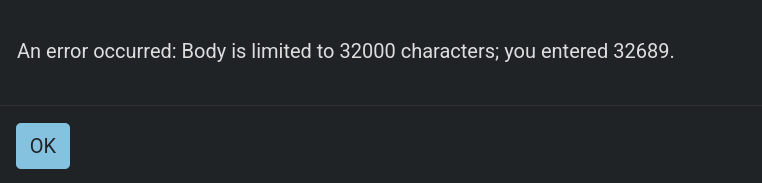
Updated for 4.6. Had to change nothing. Nevertheless, I’ve now added a function to remove older log files. Also had to remove the previous itemized changelog, because I’ve exceeded the limit of 32,000 characters.
Creating the script
- Add Cleanup function subsection.
- Add
_LOG_EXTENSION,_LOG_DIRand_MAX_LOG_FILESconstants. - Add
_remove_old_log_files()at the end of_static_init(). - Remove mention about having to implement a cleanup function.
Storing messages in the file
- Change
_FLUSH_EVENTSfrom aPackedInt32Arrayto aPackedByteArray.
Conclusion
- Remove mention about having to implement a cleanup function.
25-11-14
Thanks to an informative back and forth I’ve had on Reddit with u/Alzurana, I’ve updated the way messages are written to file. Before, the log file would be opened and closed every time the _message_queue had to be flushed. Although this worked fine, it was slower than it needed to be.
Now, a FileAccess object is kept open, and messages are stored as soon as they are received (instead of first being cached in an array). The file is flushed whenever an event requires it, or when the buffer exceeds a maximum value. This was measured to be ~2-3x faster than the previous method.
Itemized section removed for brevity. Check diff.