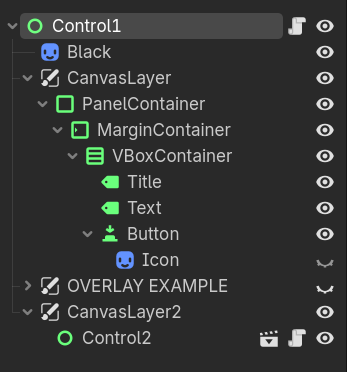
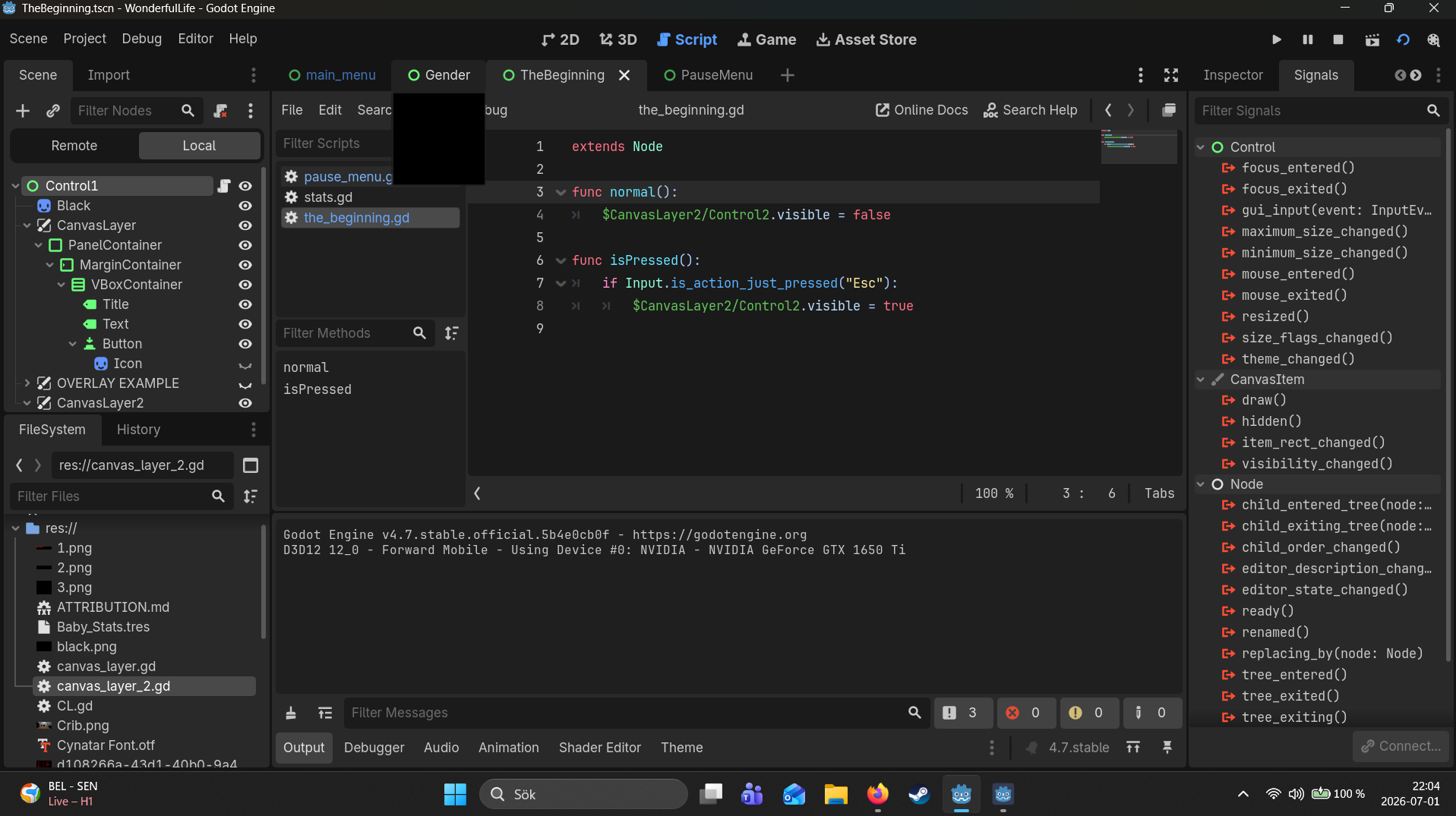
but for some reason it dosent hide the UI until called opon, it just has to be ontop. my best guess is that it goes to my other scene bellow called “Control2” with it’s own Node script:
extends Node
class_name TuPauseMenuSenior

func ready():
	$AnimationPlayer.play("RESET")

func resume():
	get_tree().paused = false
	$AnimationPlayer.play_backwards("BLUR")

func pause():
	get_tree().paused = true
	$AnimationPlayer.play("BLUR")

func testEsc():
		if Input.is_action_just_pressed("Esc") and !get_tree().paused:
			pause()
		elif Input.is_action_just_pressed("Esc") and !get_tree().paused:
			resume()

func _on_resume_button_pressed() -> void:
	get_tree().reload_current_scene()


func _on_save_button_pressed() -> void:
	pass # Replace with function body.


func _on_load_button_pressed() -> void:
	pass # Replace with function body.


func _on_quit_button_pressed() -> void:
	pass

func _process(_delta):
	testEsc()
I’ve also tried to put it in the second script “TuPauseMenuSenior” but when it refused I tried to do what you currently see, yet nothing seems to work…
Make sure to paste your error messages. Seems like you should be getting a “tried to set ‘visible’ on Nil” kind of error. Your path to the Control2 is incorrect, it’s a child of CanvasLayer2 so you must specify $CanvasLayer2/Control2
Are you doing anything to call these functions? They don’t run on their own. Only a select few virtual functions will run automatically under certain scenarios, like _ready will run when the node is added, like at game start.
extends Node
class_name TuPauseMenuSenior

func _ready():
	$AnimationPlayer.play("RESET")

# Called when the node enters the scene tree for the first time.
func _resume():
	get_tree().paused = false
	$AnimationPlayer.play_backwards("BLUR")

func _pause():
	get_tree().paused = true
	$AnimationPlayer.play("BLUR")

func _testEsc():
		if Input.is_action_just_pressed("Esc") and !get_tree().paused:
			_pause()
		elif Input.is_action_just_pressed("Esc") and !get_tree().paused:
			_resume()

func _on_resume_button_pressed() -> void:
	get_tree().reload_current_scene()


func _on_save_button_pressed() -> void:
	pass # Replace with function body.


func _on_load_button_pressed() -> void:
	pass # Replace with function body.


func _on_quit_button_pressed() -> void:
	pass

func _process(_delta):
	_testEsc()
same result.
I am new to this so it 100% is me being bad at writing code.. If I’d need to call them some other way I don’t know how
This still does nothing, _normal is not one of the select few virtual functions just because it was prefixed with _. What do you want from this normal function? When do you want it to run?
I can kind of understand what you want from _isPressed, again it’s not a virtual function, but I take it you want this function to run when action "Esc" is pressed?
Oh boy, well I am trying to get the pause menu UI to only appear after I press Esc and then go back in to hiding after I press the Return button in game (witch I haven’t made work yet cuz the UI isn’t working yet)
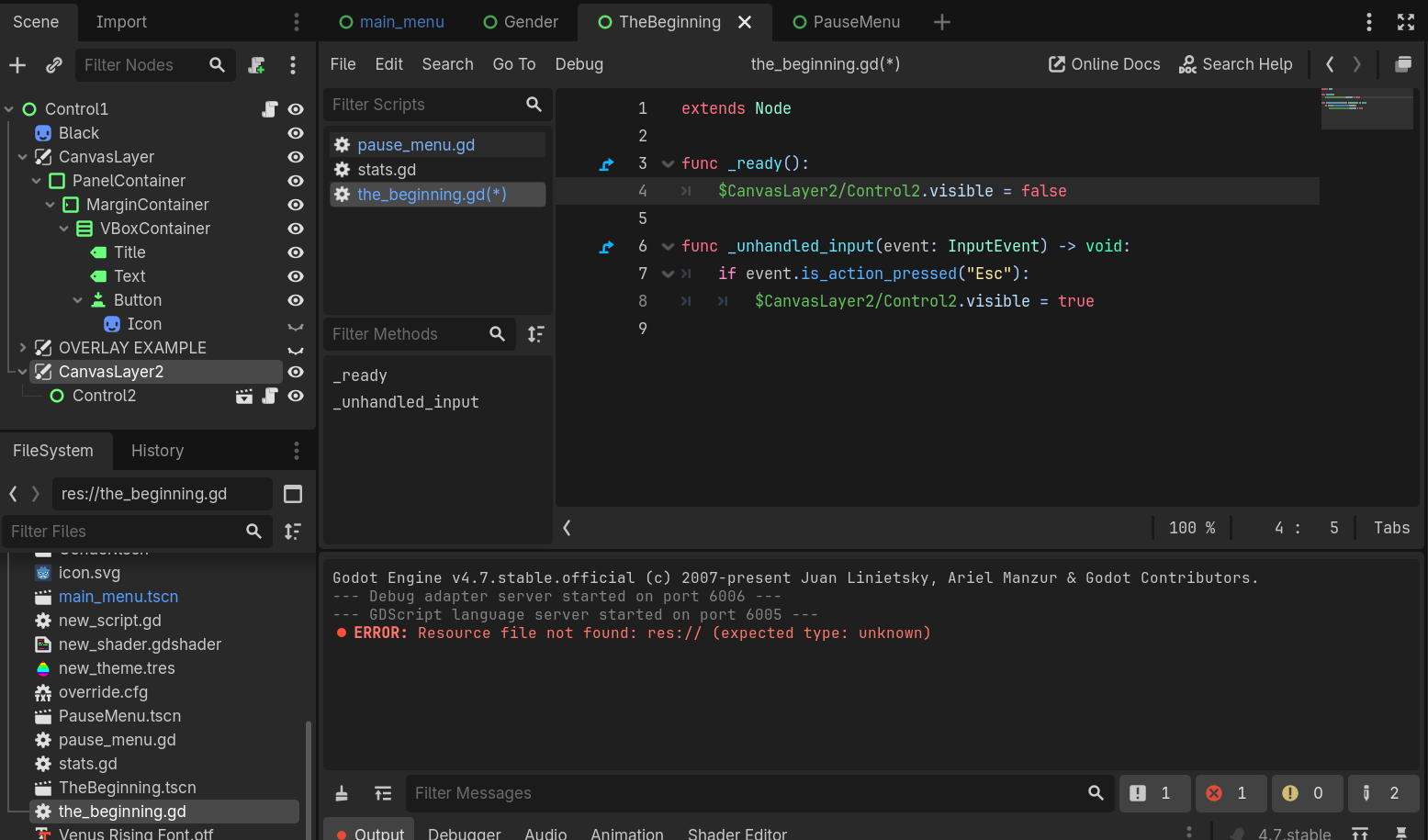
Eh what resource file does it mean? Is this the issue and why it’s not working? “ERROR: Resource file not found: res:// (expected type: unknown)”
Weird that it came up when I changed to:
I would check your extend as it look like you attached to ControlNode not Node,( easiest check detach and make new script and paste functions with calls there)