Imported mesh only shows Vertex Colors on material in first slot

Godot Version

Godot 4.7

Question

Hello there!

I’m trying to make a mesh imported from Blender to Godot with multiple materials show its Vertex Colors for all surfaces/materials of the mesh. Right now I can only make the mesh display the Vertex Colors on the material assigned to the first slot, which I find really strange. As I understand, the Vertex Color data should be stored in the mesh, and as such, any material with “Use As Albedo” turned on should display it, but it’s always only the first material that shows the Vertex Colors, none other.

Here are the details for my setup:

  • I am importing a .blend file from Blender to Godot which reimports everytime I change the .blend file in Blender.
  • In Godot, I have extracted the materials from the .blend file, so I can edit them and apply them automatically to the reimported .blend file. On all of these materials in the scene, I have enabled “Use As Albedo” on the Vertex Colors setting, and Vertex Colros are set to “Active” in the advanced imports tab.
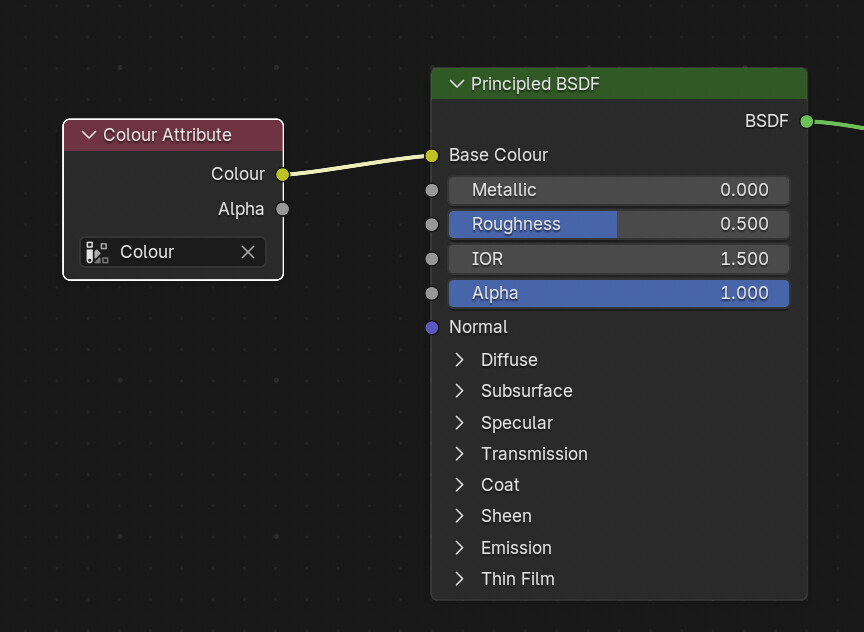
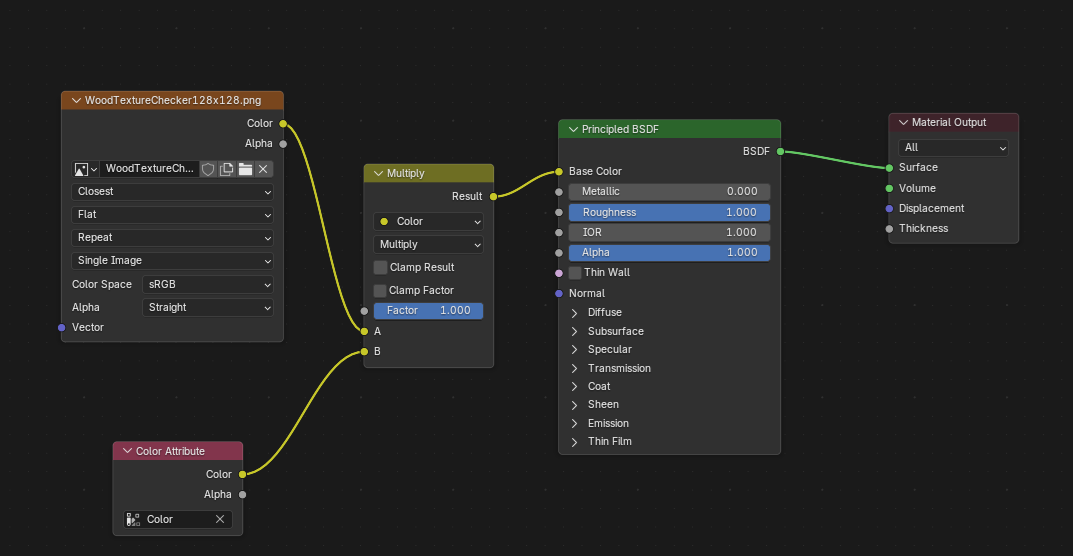
  • In Blender, I have ONE Color Attribute per mesh, simply called “Color”, which I use to Vertex Paint my meshes. In the Shading tab, I have set up so the Vertex Colors are applied to every material, so that Godot understands that this should be exported too (if I understand correctly).
  • Vertex Colors always show up correctly in Blender, but in Godot I can only see the Vertex Color on the material in the first slot of each mesh… changing the order of the materials in Blender also changes on which material I can see the Vertex Colors (as shown below).

Some visuals of my issue:
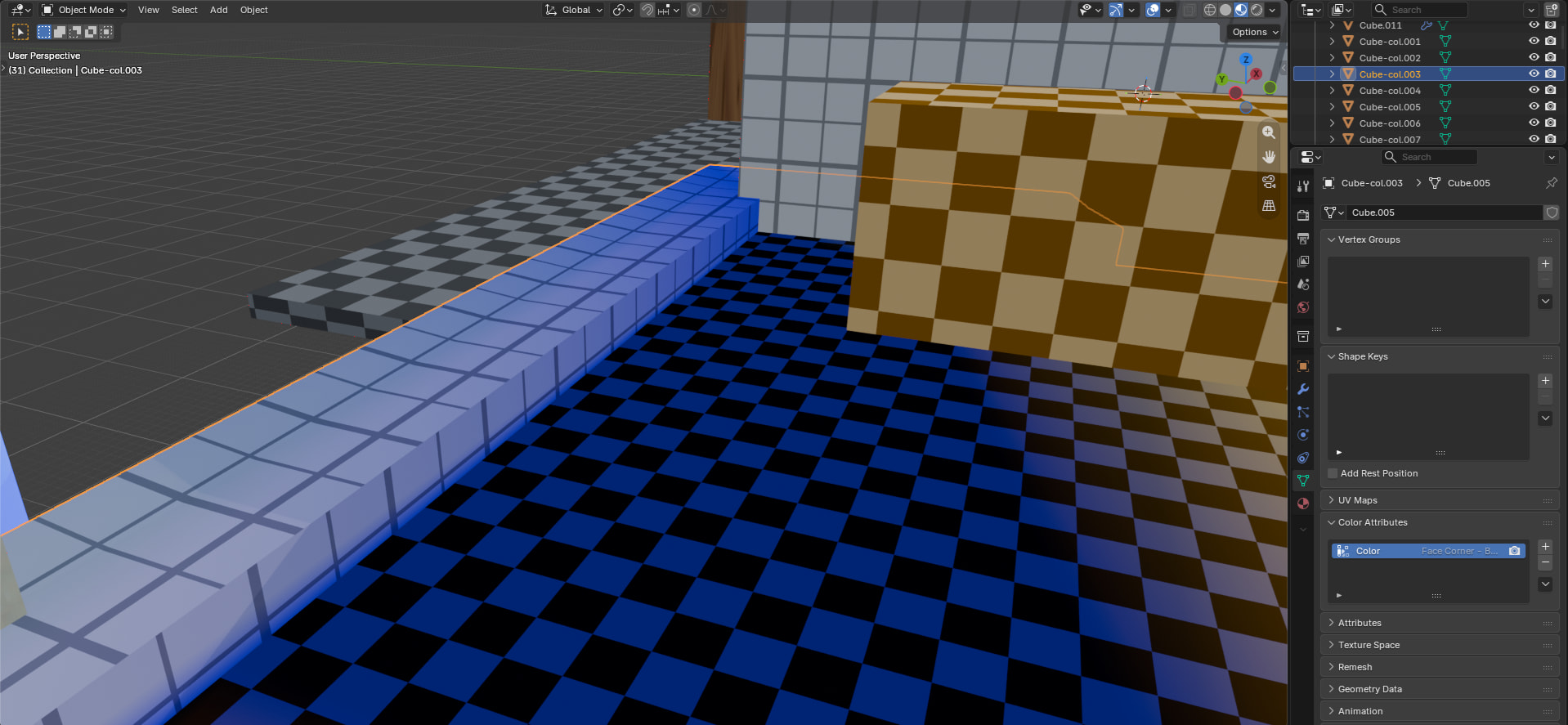
Here is my mesh in Blender, where I have Vertex Painted blue color on the floor, as well as on the white ledge, which has a different material. Both display the Vertex Color correctly, and the mesh only has one Color Attribute, as seen below to the right.
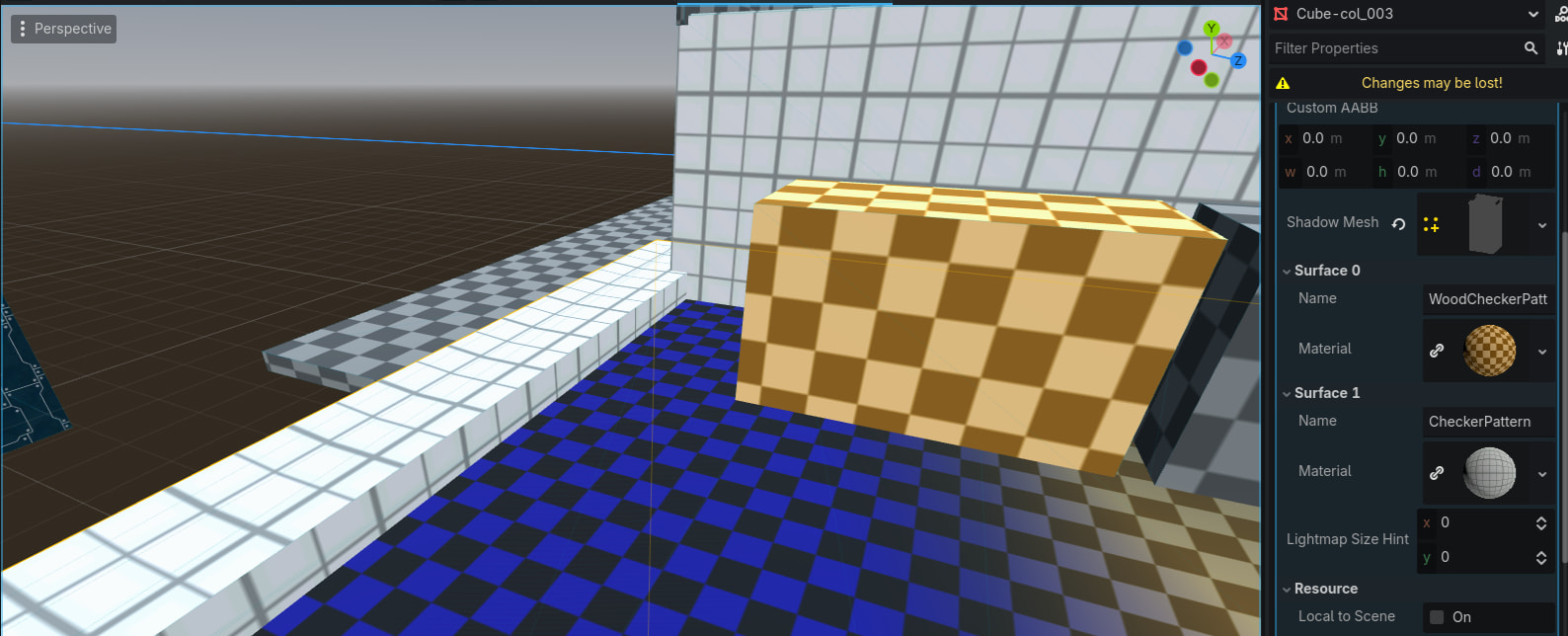
Here is that same scene in Godot, when I have the floor as the first material (Surface 0). Then the Vertex Colors show only on the floor, and not on the white ledge. (Also, don’t mind the “changes may be lost”, I temporarily opened the .blend file in Godot to show its materials)
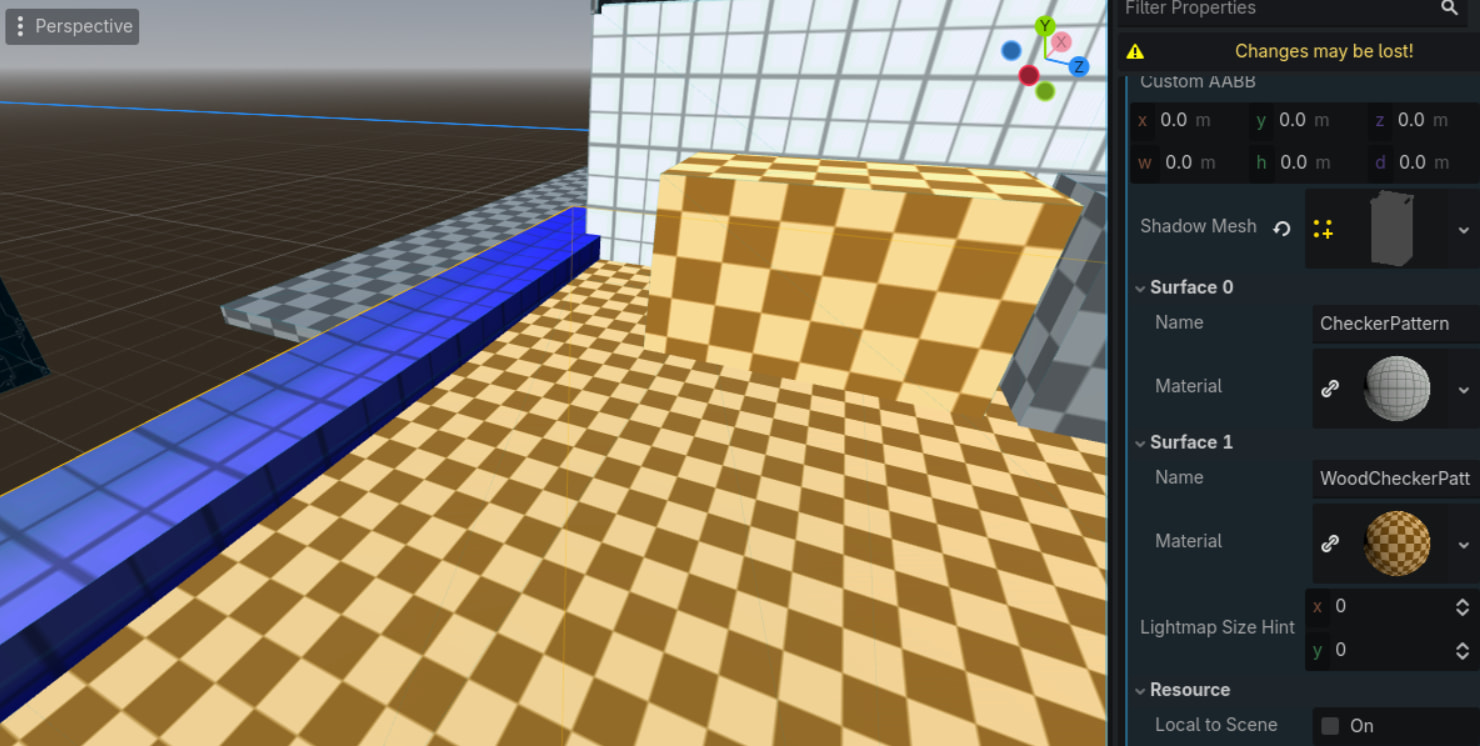
And here is that same scene in Godot, after merely changing the order of the materials in Blender. As you can see, the floor no longer displays the colors, and now only the white ledge is blue.

In very short, all I want to do is to display the Vertex Colors from Blender of the mesh on all materials of each mesh… but as you can see, it does not quite work. This feels like it should be a pretty standard feature, so maybe I’m just doing something incorrectly? (I guess in the worst case scenario I could separate each material as its own mesh, but that sounds hellish to work with…)

I’m super grateful for any help I can get, thanks so much in advance! [:
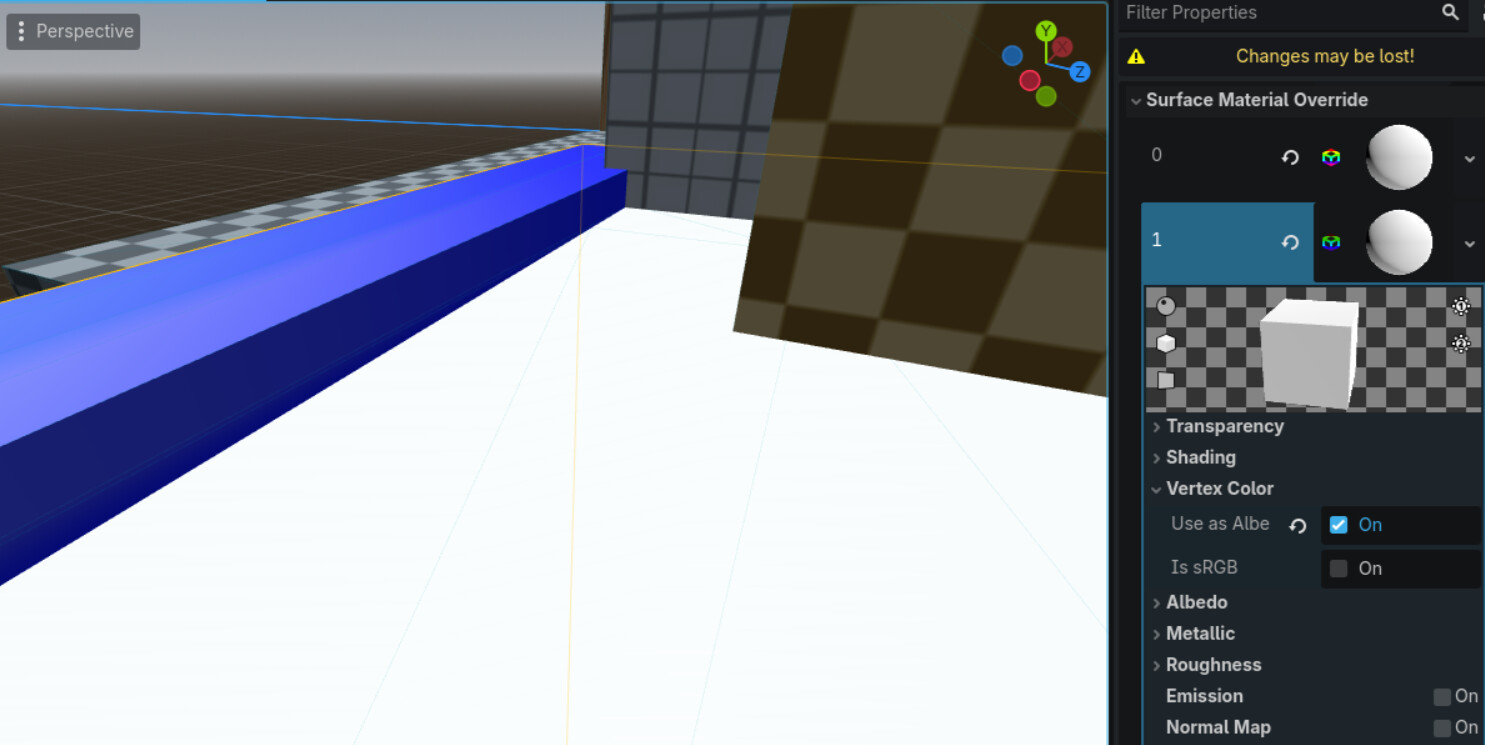
Start by overriding all mesh instances via material_override property with an unshaded material that has vertex colors enabled to see if vertex color data is there in the meshes. If it’s not there, it’s export/blender problem, otherwise the problem is on import/godot side.

I tackled it in past, don’t remember it exactly but overall you can only do one material but you can bake them from even texture into vertex colour in Blender.

Here is discussion

That was a helpful experiment! Seems that the colors are not getting carried over /:

Try use Color Attribute connected in Blender to BSDF Colour, and also don’t forget to grab your Colour baked attributes in pickup from Colour Attribute Node.

The stuff you sent seems cool, but I don’t think it’s exactly what I need, since I wanna be able to have kinda detailed textures with Vertex Colors on top (as gradients for shadows and ambient occlusion and such). Your thing seems to mostly help if you wanna have the mesh surfaces only being Vertex Colored?

That depends on how big is texture you baked from and amount of vertices on mesh .

if you just want generate those gradients maybe shaders be much better solution.

What are your vertex color export settings in blender?

Since I use a .blend file that I import and update constantly I can’t change so many settings (I think?), but I’ve done this with every material:

Shader networks shouldn’t matter with vertex color export, although have in mind that most shaders won’t carry over to Godot, so use plain materials.

.blend import goes through gltf under the hood. Maybe do an explicit gltf export and check your vertex color settings in gltf export options.

As I’ve understood you gotta plug the color attribute into the network for it to be carried over at all with the .blend (but it doesn’t matter how)? But it seems that I indeed might hafta work with proper gltf exports to further tweak the settings

I see issue already, it’s your blending which definitely won’t execute in Godot.

Might depend on the export setting. I don’t use .blend so I don’t know for sure if it uses the settings from gltf export window. It probalby does.

In any case, try setting the vertex color export mode to explicit attribute name (as opposed to material usage), export directly to gltf and see what happens.

I tried exporting it as a glb file and enable the “Export All Vertex Colors” and “Export All Active Vertex Colors” but it still doesn’t seem to work, both with exporting “Active” vertex colors and with the “Material” setting… I really thought any of these should work, but the glb yields the same result as the .blend file ]:

Try it with “Name”, assuming the attribute is named the same for all meshes.

Yeah it is just “Color” for all, but no luck there either… I also tried importing the glb to Blender itself, which didn’t show the vertex colors either, so this is indeed 100% a blender export issue. Maybe I should ask/check on their forum hahahah

Can you post a blend file with a single such mesh?

I don’t think this thread allows me to post a .blend file, but it shouldn’t be so difficult to replicate (at this point all I want is to export a mesh as glb with two materials and a single Color Attribute as Vertex Color which displays on both materials)