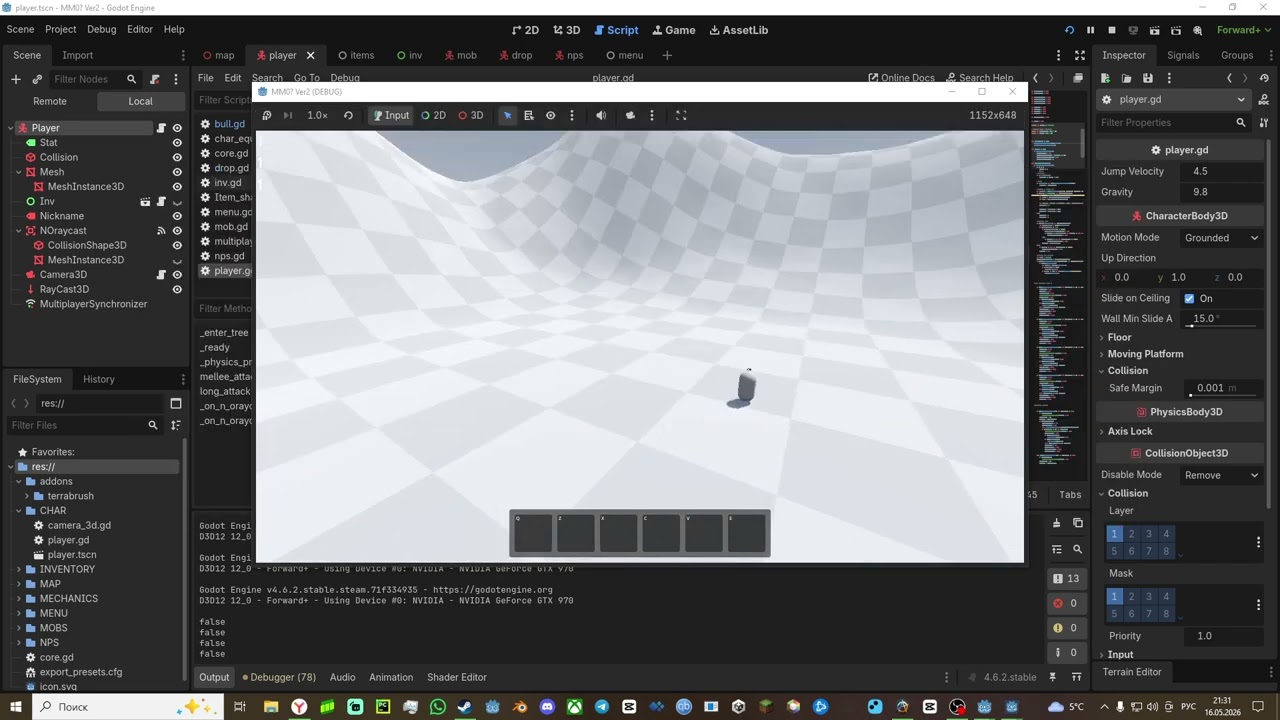
I’m adding multiplayer to my game, and I’m getting errors. When a player joins the server, an error is written, but only for one window:
 E 0:00:06:779 get_node: Node not found: "Map/Marker3D/1/MultiplayerSynchronizer" (relative to "/root").
 <C++ error> Method/function failed. Returning: nullptr
 <C++ source code>scene/main/node.cpp:1963 @ get_node()
 E 0:00:06:779 process_simplify_path: Parameter "node" is null.
 <C++ source code>modules/multiplayer/scene_cache_interface.cpp:116 @ process_simplify_path()
.
p.s I still don’t understand which window has the error
When the second player enters, it writes this + errors:
E 0:00:08:355 on_sync_receive: Ignoring sync data from non-authority or for missing node.
 <C++ Error> Condition "true" is true. Continuing.
 <C++ Source Code>modules/multiplayer/scene_replication_interface.cpp:878 @ on_sync_receive()
As a result, one window breaks, and in the other, one player controls two at once.
Code:
extends Node

var peer = ENetMultiplayerPeer.new()

var ip = "127.0.0.1"

func _on_server_pressed() -> void:
	peer.create_server(8080, 100) # Порт и количество игроков
	multiplayer.multiplayer_peer = peer
	$Client.visible = false
	$Server.visible = false


func _on_client_pressed() -> void:
	peer.create_client(ip, 8080)
	multiplayer.multiplayer_peer = peer
	get_tree().change_scene_to_file("res://MAP/map.tscn")
extends MultiplayerSpawner

@export var net_player: PackedScene

# Called when the node enters the scene tree for the first time.
func _ready() -> void:
	multiplayer.peer_connected.connect(spawn_player)

func spawn_player(id):
	var player:Node = net_player.instantiate()
	player.name = str(id)
	get_node(spawn_path).call_deferred("add_child", player)
You need to ensure your client and server have the same scene tree for multiplayer to work. You need to change to map.tscn on the server as well; and it’s better for the client to change scene after the connection succeeds.
This example code handles errors for the client when creating the client and using signals to determine if the connection succeeds.
extends Node

var peer = ENetMultiplayerPeer.new()

var ip = "127.0.0.1"

func _on_server_pressed() -> void:
	peer.create_server(8080, 100) # Порт и количество игроков
	multiplayer.multiplayer_peer = peer
	get_tree().change_scene_to_file("res://MAP/map.tscn")


func _on_client_pressed() -> void:
	var cc = peer.create_client(ip, 8080)
	if cc == OK:
		multiplayer.multiplayer_peer = peer
		multiplayer.connection_failed.connect(join_failed, CONNECT_ONE_SHOT)
		multiplayer.connected_to_server.connect(join_success, CONNECT_ONE_SHOT)

func join_success() -> void:
	get_tree().change_scene_to_file("res://MAP/map.tscn")
func join_failed():
	print(":<")
The error doesn’t go away (if i use “set_multiplayer_authority(multiplayer.get_unique_id())”
E 0:00:06:779 get_node: Node not found: "Map/Marker3D/1/MultiplayerSynchronizer" (relative to "/root").
 <C++ error> Method/function failed. Returning: nullptr
 <C++ source code>scene/main/node.cpp:1963 @ get_node()
 E 0:00:06:779 process_simplify_path: Parameter "node" is null.
 <C++ source code>modules/multiplayer/scene_cache_interface.cpp:116 @ process_simplify_path()
) + when I use “set_multiplayer_authority(name.to_int())” instead of " set_multiplayer_authority(multiplayer.get_unique_id())
", there are no errors, but is_multiplayer_authority() returns false and the player is not moving.
Did you create a player for the hosting server? Does your scene tree already have a player instanced in the editor? Have you set which camera should be enabled for which player?
Yes. I didn’t understand the question. There’s one player, but when I use “set_multiplayer_authority(multiplayer.get_unique_id())”, there are two, but only in one window, and the player controls both. No (I’m not sure about this answer)?
I decided to make a video with an error, and here it is:
Did you set your player scene inside the MultiplayerSpanwer’s “Auto Spawn List”? Seems like that is empty so it may not replicate any of the players, only the server is spawning them and the server is not set to their authority.
This spawner script will add a new player for every peer connection, but clients shouldn’t be spawning new players, only the server should. Use if multiplayer.is_server() to only connect that signal for the server.
Ensure your player scene’s camera does not have “Current” set in the Inspector, if this is enabled when they spawn in it will mess up the third or fourth player. Then in the player’s _ready assign the camera’s .current to if they are the player authority, kind of like you have for raycasts.