I guess there is no /usr/share/bin on my machine, i think that bin is your godot executable. You can try and run it to see if it is Godot
I meant to say /usr/local/bin, i apologize for the inconvenience.
Strangely enough Godot is now in .local/bin and is back like usual.
@Jadedrakerider you should be able to safely remove the file if you did cp godot /usr/share/bin, or mv godot /usr/share/bin, godot is now named bin in that share folder. There shouldn’t have been a file named bin in there already, so it is okay to delete it. You can try running it to confirm it is Godot first, just to confirm.
I have updated my posts that mentioned that folder path.
In your .desktop file, you can the line
StartupWMClass=Godot
Which will tell the dock that the launched application should have the godot icon set at the Icon line.
Thanks for the suggestion.
As far as i can tell, its not necessary if you are using Godots X11 driver, it already specifies its class with the display server. I also tried wayland and it seemed the same, even though wayland does not use that key specifically.
I did some searching and it seems like its for grouping windows?
using this little test xprop WM_CLASS and selecting the a Godot window. I get this returned
WM_CLASS(STRING) = "Godot_Editor", "Godot"
and as its stands the windows group together and the Name key is shown without using StartupWMClass.
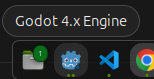
I will add it anyways since it does not hurt to exist.