Godot Version
Godot 44.6.1
Hi everyone,
I’m a beginner currently learning Godot. I’ve set up a scene using meshes I created in Blender (a floor, a wall, and a wall with a doorway).
My scene setup includes:
I’m running into two main issues:
-
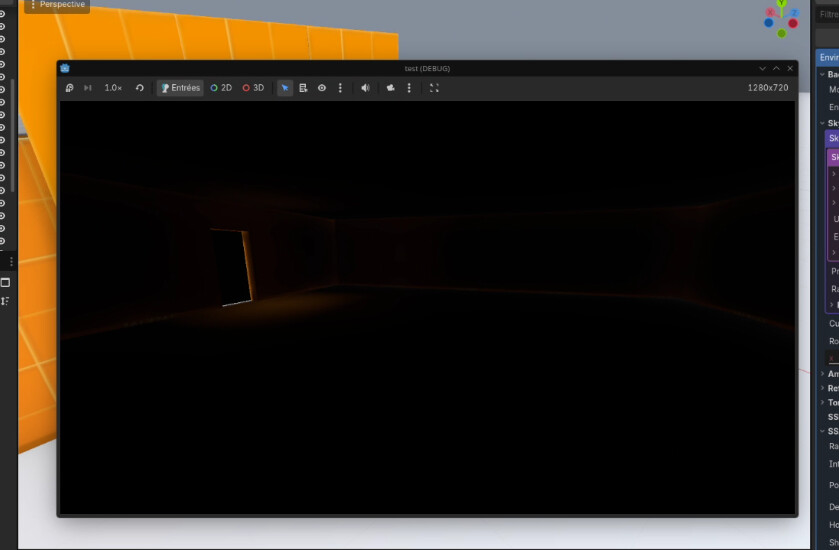
Light Leaking: The interior is not completely dark, even when the door is closed.
-
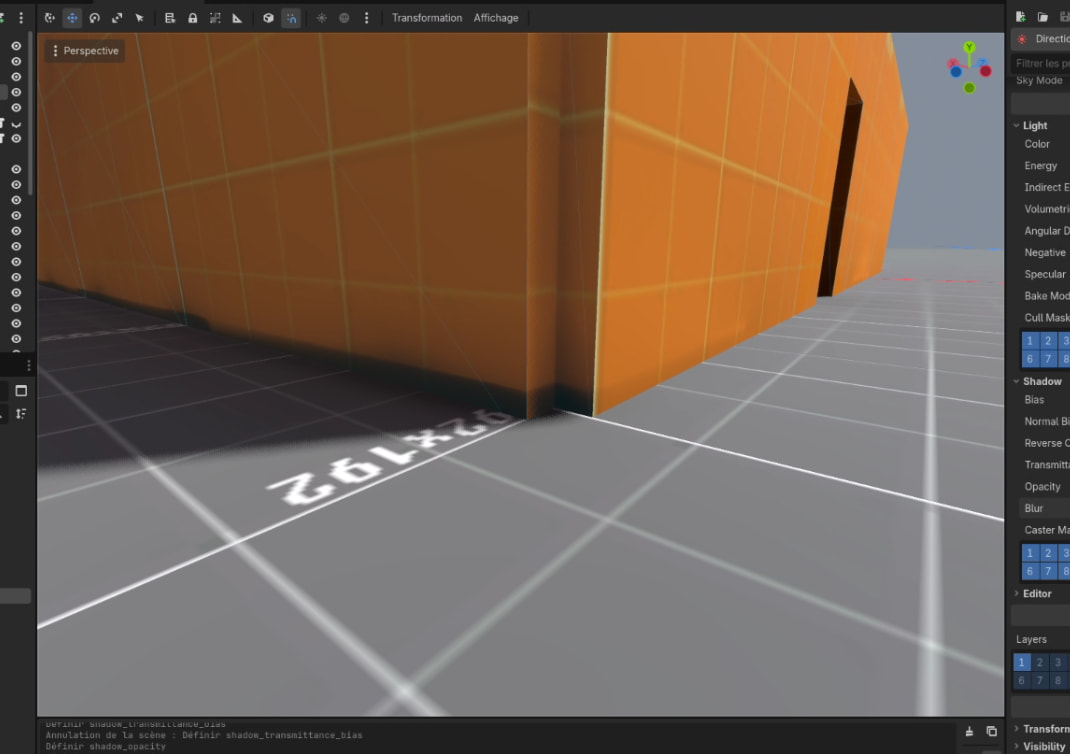
Artifacts: I have terrible-looking shadow artifacts on the exterior walls.
Could you please help me figure out what’s going on? Thanks!
I assume you have light leaking because the door isn’t completely flush with the walls. There must be a gap between them.
1 Like
Thanks for the response. Indeed, the door wasn’t large enough. However, I still have light leaks in the upper and lower corners, in the angles, and around the door frame. It is impossible to get a pitch-black room, even when the door is closed (or even without a door, in a fully walled-off room), despite my walls being wide, thick, and well-snapped to the floor.
Regarding the black shadow at the bottom of the exterior walls, it disappears when I disable SDFGI, but I need it to keep my rooms dark. Does anyone have a solution for this problem?
That’s something Godot likes to do sometimes. It usually shouldn’t happen when the walls are correctly positioned but it can happen. If it’s super important that it’s pitch black then there are ways around it like negative light but that comes with its own issues.
SDFGI is far from perfect, so it’s prone to have some artifacts, you can try increasing the amount of cascades, and playing with the normal bias, also check out global illumination settings in your project settings.
Alternatively if you don’t need the GI to be fully dynamic you can check out LightmapGI and VoxelGI.
I suppose if you need the room to be pitch black, you can just turn off all the lights when the door is closed…