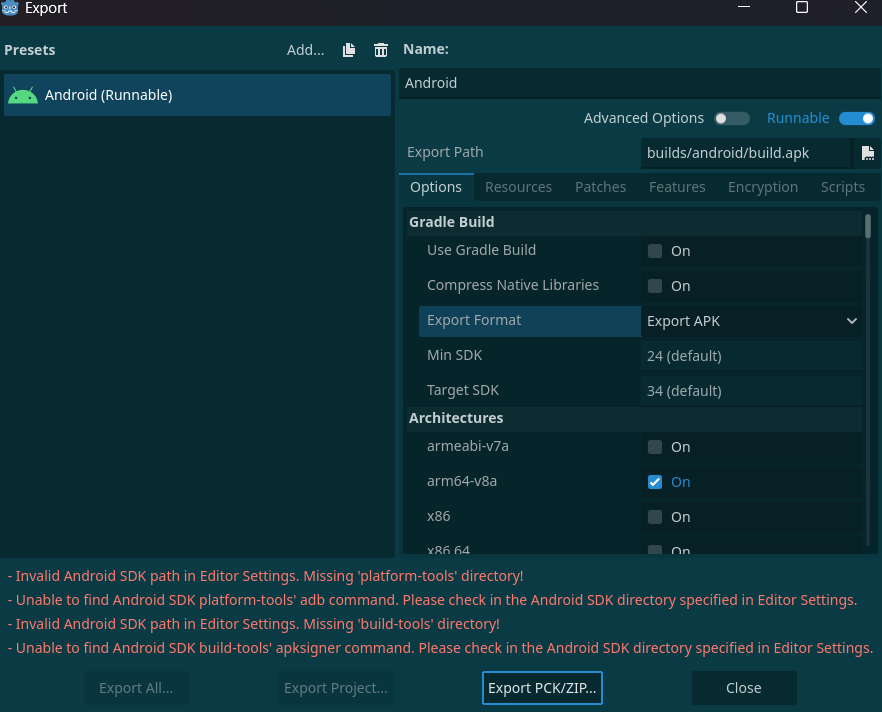
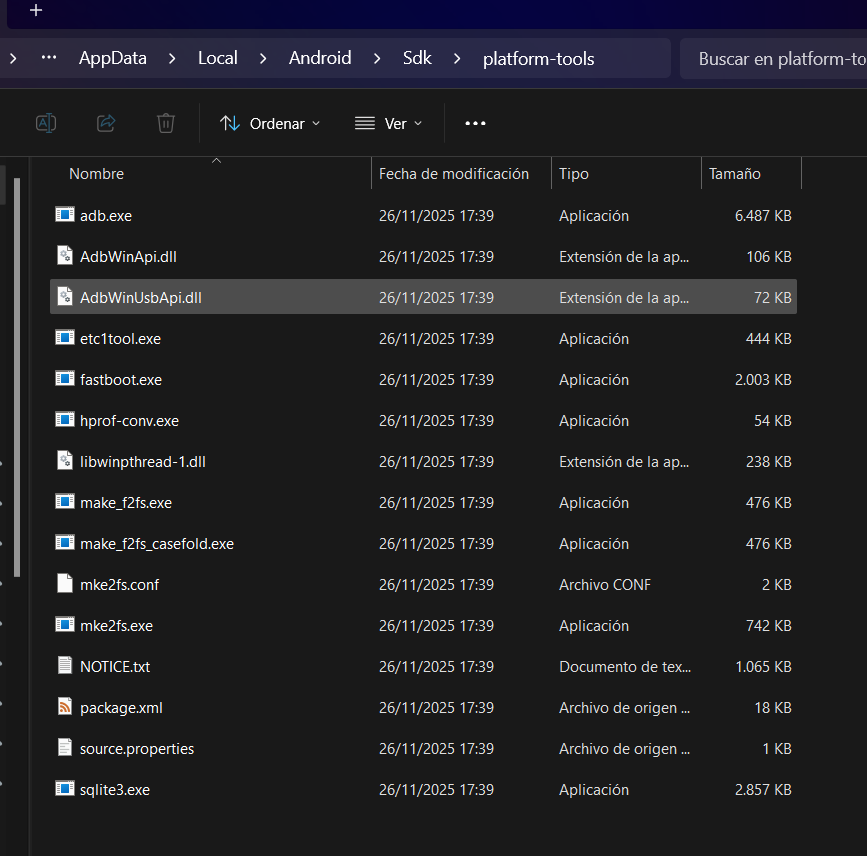
There's an error on exporting and testing with android involving the Sdk. Even if I have the platform-tools and build-tools folders installed inside the sdk folder, it seems Godot doesn't get them correctly.
I couldn’t find any other issues posted like this so I thought it might be a problem with my own installation. I would appreciate a lot if you could check this screenshots just in case there is something missing or badly installed.
I already tried updating and intallind the sdk from zero, so I can’t find the source of the error.
Yes, I’ve been checking and searching for other solutions too.
I’ve tried writting the path two different ways, it seems to access the folder correctly but then it doesn’t recognize the specific tools.
Well, on your screenshots it does report “missing platform-tools directory”, meaning there is some kind of error in opening the directory itself. Off the top of my head - Godot might not have the permissions, or it might be thrown off by some non-standard symbols in the path, or it might be hittng the path length limit, or maybe it is something else. Are there no errors when you browse for this directory in Godot?
This was the issue! I checked the permissions and somehow adb.exe didn’t have permission of the PC to edit. Suddenly it asked for permission.
The program didn’t ask for it when I executed the command, I had to change twice the path to the absolute path (without using %APPDATA%) and Godot forced the .exe to ask for permission.