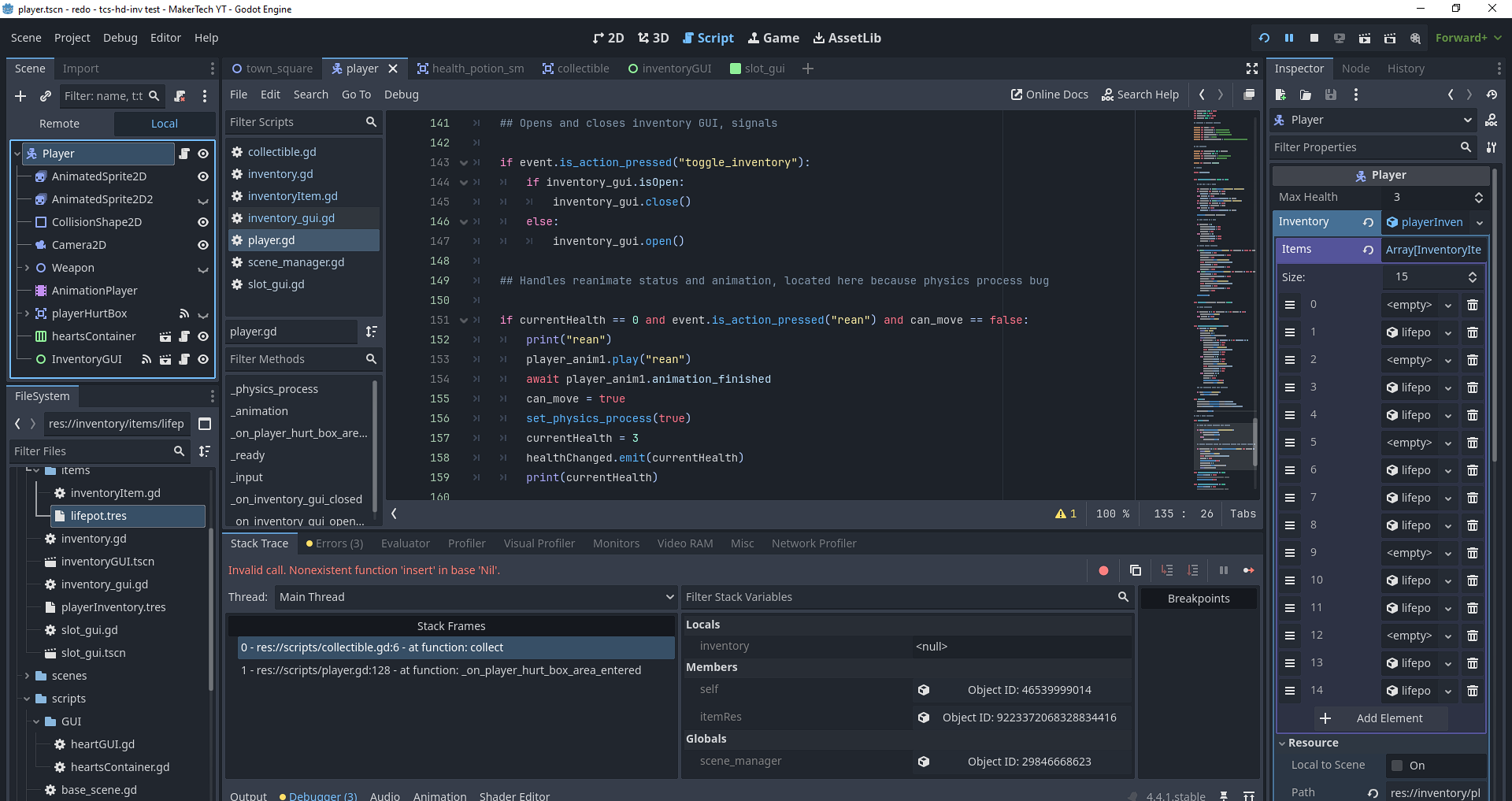
I saw another thread on the MakerTech inventory tutorial series, but their issue is not my issue. Their issue was not having an inventory in the player node in the inspector; however, I do have a inventory instantiated (initialized? I don’t know the proper wording) in said slot. Evident here:
Like I am not understanding here. This SHOULD be working, I followed the tutorial to the tee and spent days rewatching the series from start to finish, double checking, cross-referencing, looking for syntax errors, typos, etc, but it is a CARBON COPY of the tutorial; for the other person, their issue was they didn’t have an inventory resource in their player node, but I do!
My inventory is working whenever I manually place an item inside it from the inspector, launch scene, open inventory. The inventory is updated to the new item(s) or change in position(s), removal of items from inventory, etc. BUT when I try to pick an item up, according to godot, my inventory “doesn’t exist” (from my understanding)? Everything I’ve found through google is simply saying that I need to “initialize” my inventory, but how do I do that if I somehow haven’t actually done it?
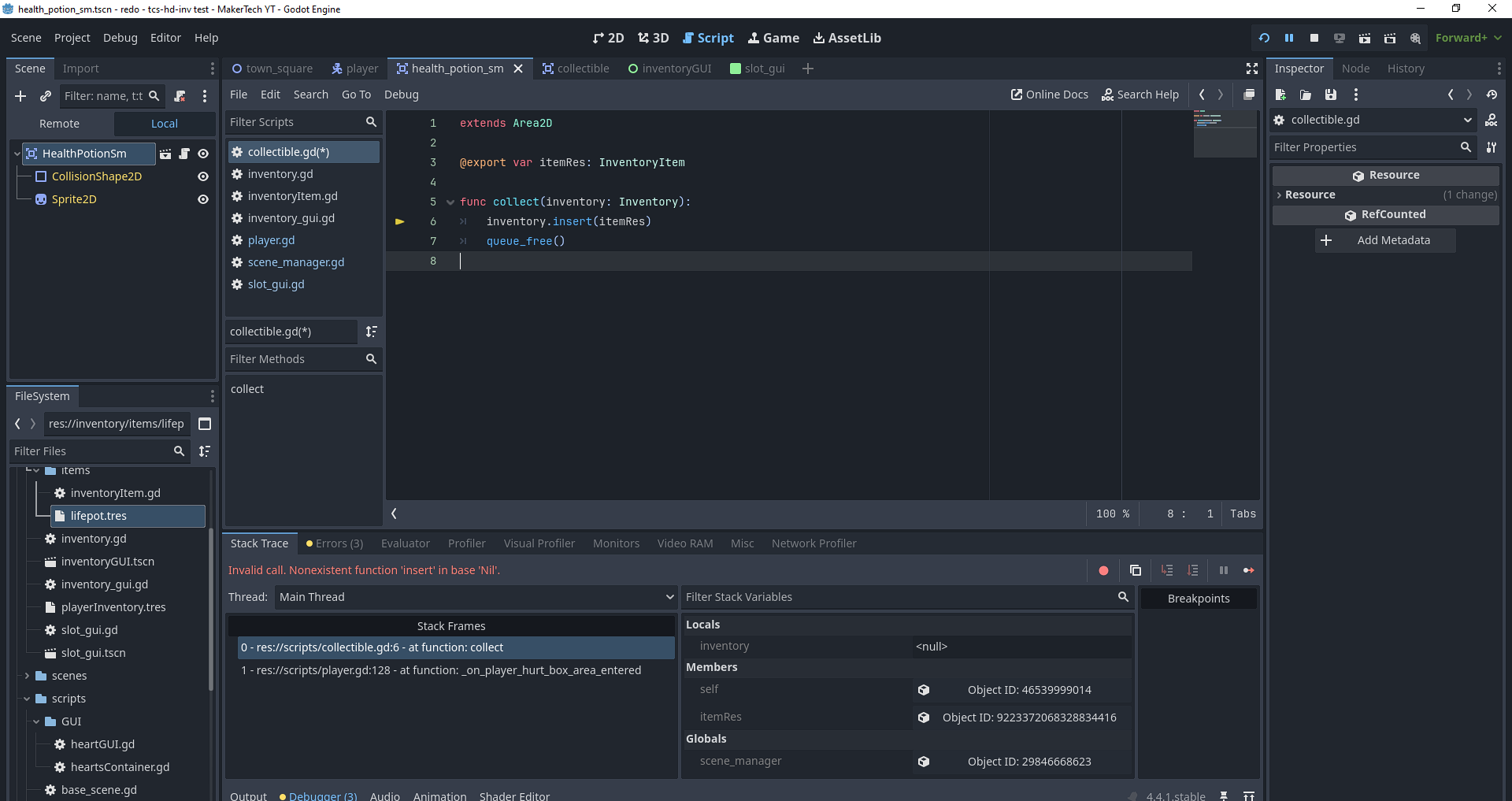
The collect function itself looks right to me. The inventory parameter that you’re passing in is null, which means the parameter doesn’t point to any inventory even though one may exist somewhere.
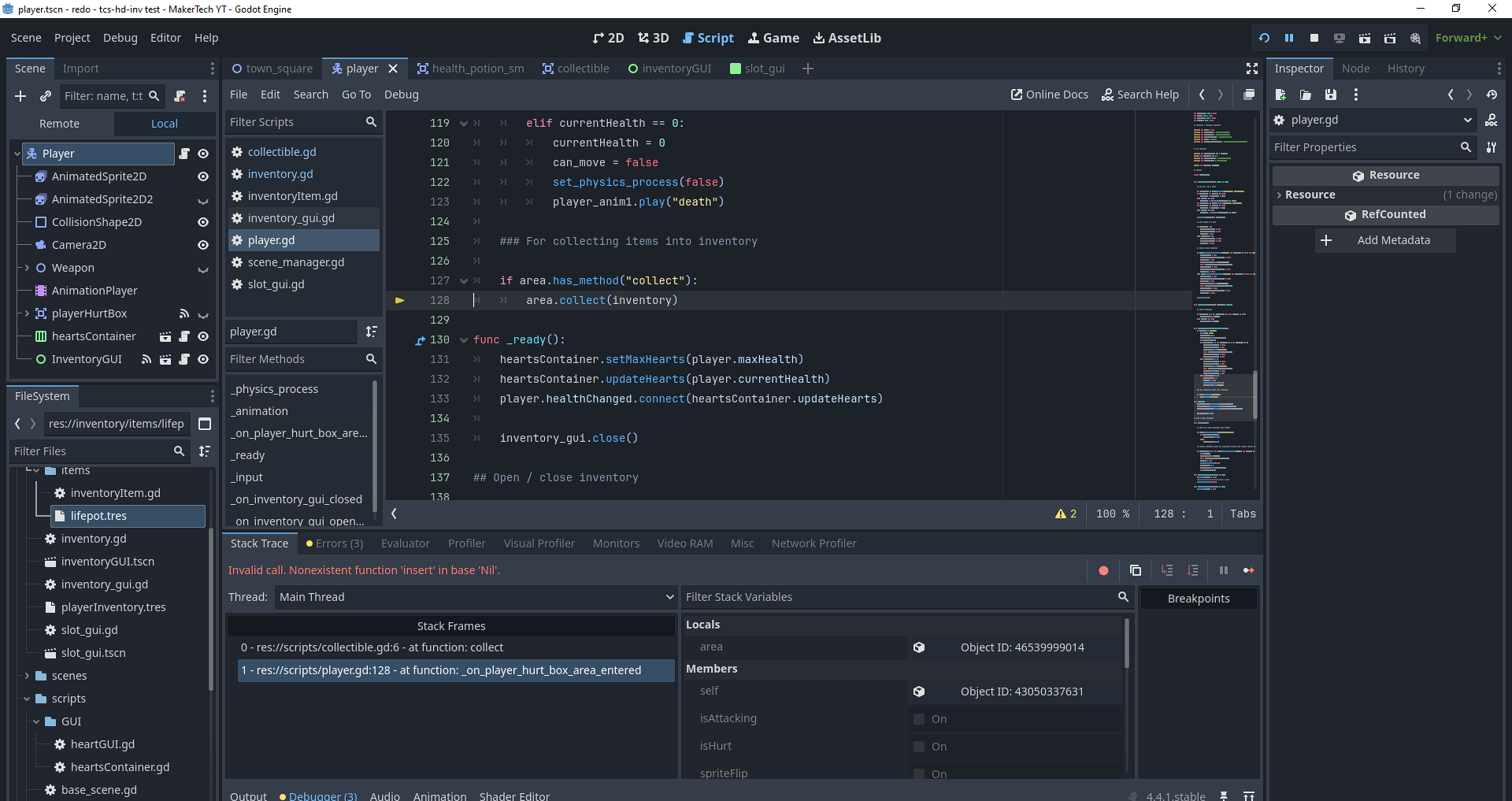
Could you share the code of that part of the error stack trace? Imho that’s where the actual issue is.
Well, I hope I’m not wrong here, but usually a null reference error is not the worst thing to track down.
In the area.collect(inventory) line, the inventory variable is null (explaining the error). What’s this variable? Where is it declared, and how are you assigning its value?
I find it hilarious, because this thread is literally following the other thread where the issue was simply not having the inventory resource applied to the player node, which mine is.
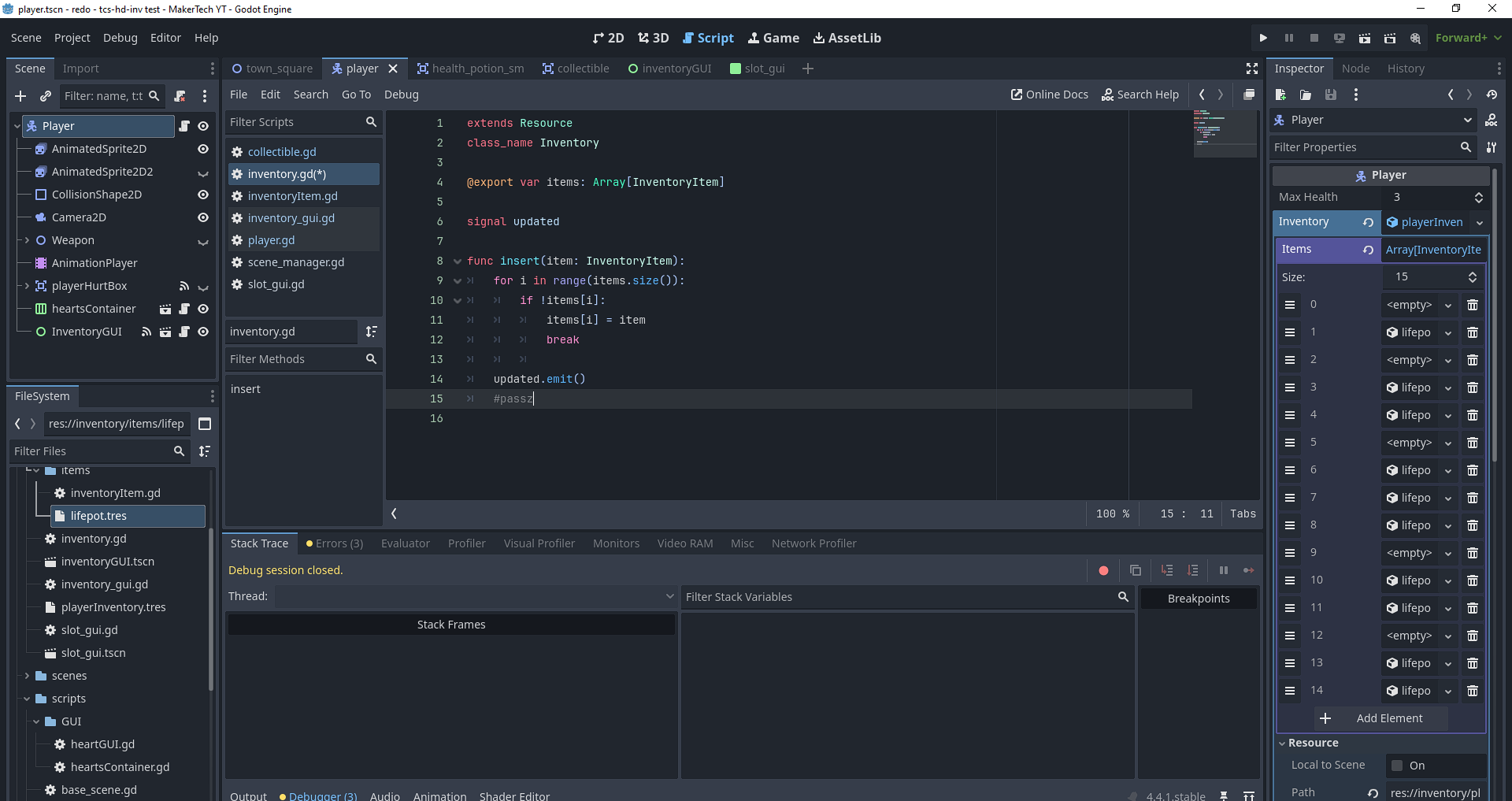
I also have inventory under a class_name in the inventory.gd (as seen in the insert function reference screenshot), which extends a resource node.
Other than that, I’m new so I may not be understanding what you’re asking.
Well, tracking an error usually goes like this going up the stack trace and looking for the most basic things first, which I’m doing.
You’re saying the inventory variable has a value set in the Inspector. Have you checked if that is still the case while playing? The value may have been lost for some reason at runtime.
In which scene have you assigned the inventory to the exported variable? It looks like you did in the player’s scene, but if you try to run another scene that contains the player’s scene, you need to set the inventory there.
and the console should display whether inventory is null or not.
If it is, then we’ll need to find out why.
But if it’s lost, how would it update when I manually change the inventory from the inspector?
There’s a huge difference between a variable being null and a node not existing.
You may have an existing inventory somewhere, and multiple variables that point to that same inventory. But, one of these variables may, at some point, be set to null for some reason, which does not mean that the inventory does not exist anymore, just that this variable will not point to it.
Other variables, if unchanged, will still have a valid reference to the inventory, which could explain why your code partially works: some variables still have a correct value, others don’t.
Feel free to let me know if that’s not clear enough and I can provide a more detailed explanation.
the inventory gui and inventory resource are bound to the player.
I only have one scene which has the player node instantiated as a child. Navigating my little mock world (switching scenes to say the interior of a house) is done through a scene manager and a navigation manager. In the case of this error, it is occurring on the original parent scene.
doing the print(inventory) does have it set to a null response, but I have to block out the insert command causing the error, otherwise it just crashes, don’t know if that’s causing that or what.
And if you open the scene that has the player instantiated (which is probably the scene you are running?) and click on the player instance there, does it have the inventory set in the inspector?
Okay, so now we have to figure out why it is null.
@hyvernox guess was a good guess but if that’s not it, here’s my next question: are you setting the inventory variable somewhere in the code? Or, are you creating any inventory at runtime, which could destroy the inventory you reference in the Inspector and lose its reference?


 going up the stack trace and looking for the most basic things first, which I’m doing.