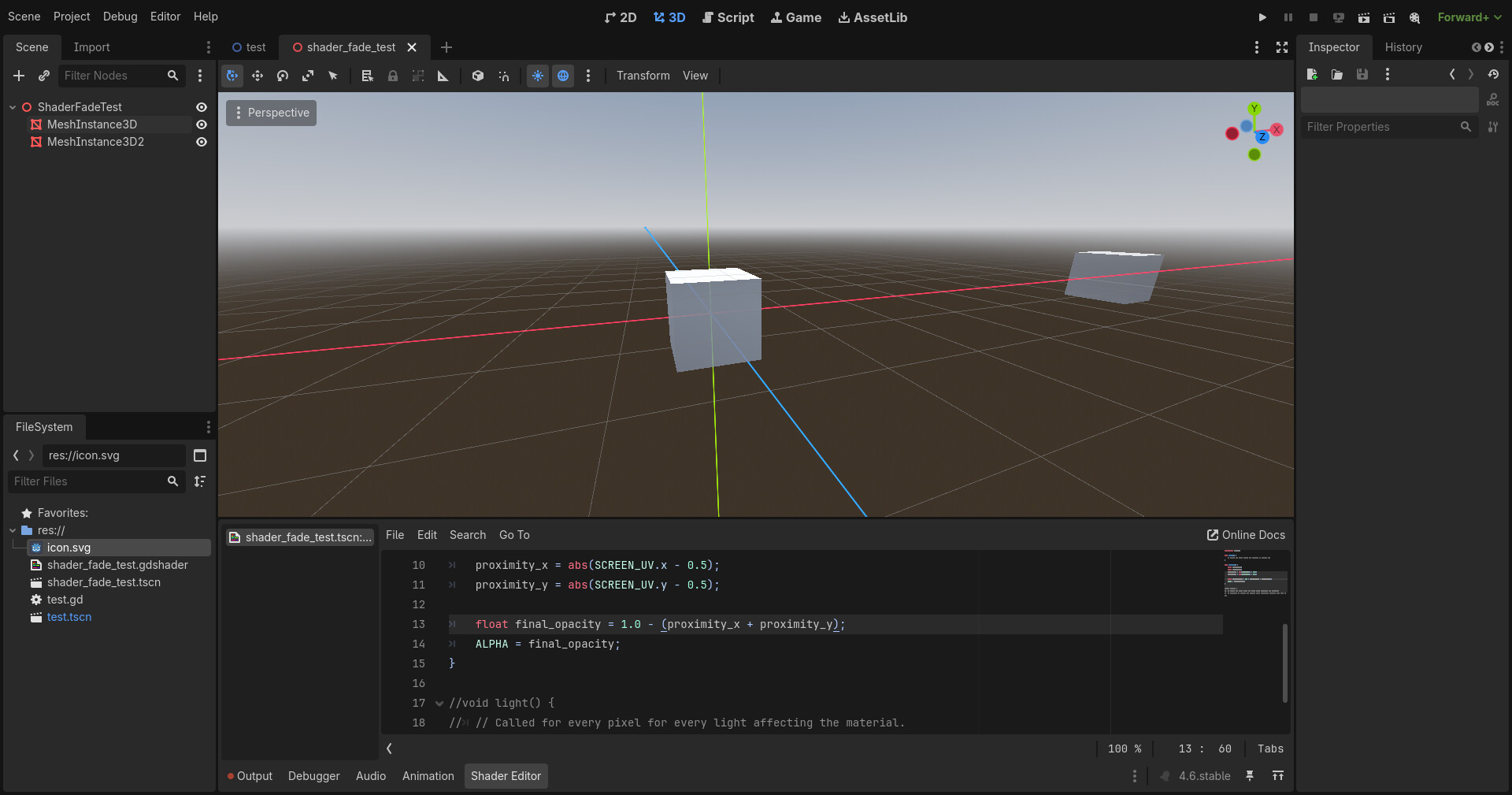
I’m running into a problem in my Godot 4.5 shader code where I’m trying to make something fade out the further it is from the center of the screen, but I can only get it to fade out when it’s closer to the center.
The following code works for making it fade out the closer it is to the center:
	float proximity_x;
	float proximity_y;
	proximity_x = abs(SCREEN_UV.x - 0.5);
	proximity_y = abs(SCREEN_UV.y - 0.5);

	float final_opacity = proximity_x + proximity_y;
	ALPHA = texture_color.a * final_opacity;
…but when I change float final_opacity = proximity_x + proximity_y to float final_opacity = 1.0 - (proximity_x + proximity_y); to invert this behavior, the opacity stays at 100% regardless of the object’s position on the screen. Any idea what I’m missing?
Yes, sorry for not clarifying that
I used your code in a shader and it works. What is texture_color?
texture_color is a texture with Nintendo 64-type texture filtering. I think I’ve figured out what the problem is, though; if I get the object all the way to the edge of the screen, I can just barely see it starting to fade out, which suggests that the actual problem is that it thinks the screen is bigger than it actually is. My crappy old laptop screen’s resolution is lower than the resolution set in the project settings, so that’s probably the issue. As for how I can make it work independently of resolution if that’s the case, I’m not sure, though.
1 Like
UV should be independent of resolution though
You’re right, I think that was a red herring. Looks like adding a multiplier (proximity_x = abs(SCREEN_UV.x - 0.5) * 2.0) gives better results!
Yeah I assume the issue is that the shape will only be fully invisible if it’s at the very edge of the screen, so it doesn’t fade out fast enough.